
Use Stock Valuation Methods in TallyPrime
Stock valuation methods in TallyPrime help you determine the value of your inventory and set selling prices based on different valuation methods. In TallyPrime, you can:
- Set Costing Methods: TallyPrime offers different costing methods to help you determine the value of your stock. You can choose a suitable method based on your business needs and set a different costing method for each stock item, if required.
- Set Market Valuation Methods: With the various valuation methods offered by TallyPrime, you can determine the best selling price for your stock items.
- Compare Valuation Methods: Compare closing stock values across valuation methods to choose the most suitable one for the next financial year.
In TallyPrime, you can also specify standard buying and selling rates of stock items.

Ensure that:
-
You have created units for stock items.
Set Valuation Method for a Stock Item
- Press Alt+G (Go To) > Alter Master > Stock Item > type or select the stock item and press Enter.
- Press F12 (Configure) and set Use Costing and Market Valuation Methods for Stock Items as Yes.
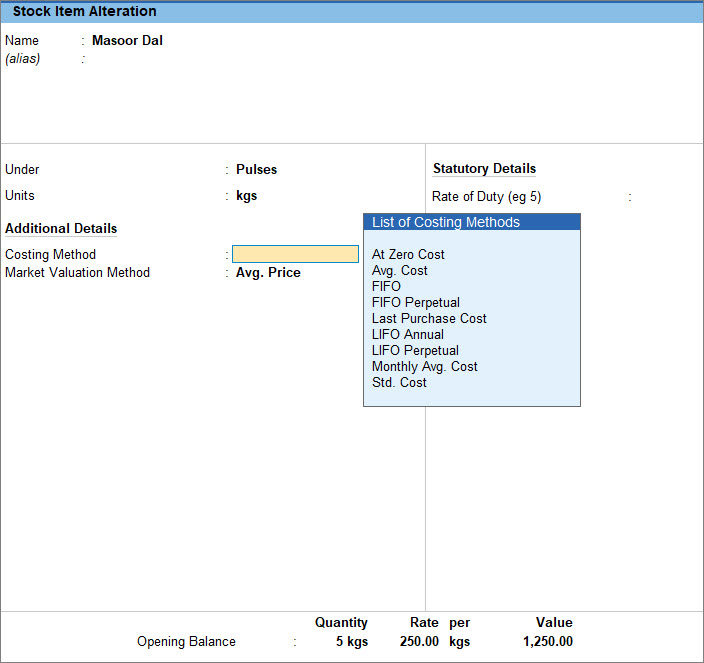
- In the Stock Item Alteration screen, Costing Method: Select the required method from the List of Costing Methods.
The stock item cost is calculated based on the costing method you select. - Market Valuation Method: Select the required method from the List of Valuation Methods.
The value of the stock item is calculated based on the valuation method you select. This helps you determine the selling price of the stock item. - Press Ctrl+A to save the stock item.
If you change the valuation method in the future, the existing transactions remain unchanged. However, the stock value is recalculated based on the newly selected valuation method, impacting inventory reports.
Compare Valuation Methods
- Press Alt+G (Go To) > type or select Balance Sheet and press Enter.
- Press Alt+N (Auto Column) and select the applicable Auto Column.
- Press Ctrl+B (Basis of Values) > select the Stock Valuation Method.
- Press Alt+F5 (Detailed) to see the detailed view.
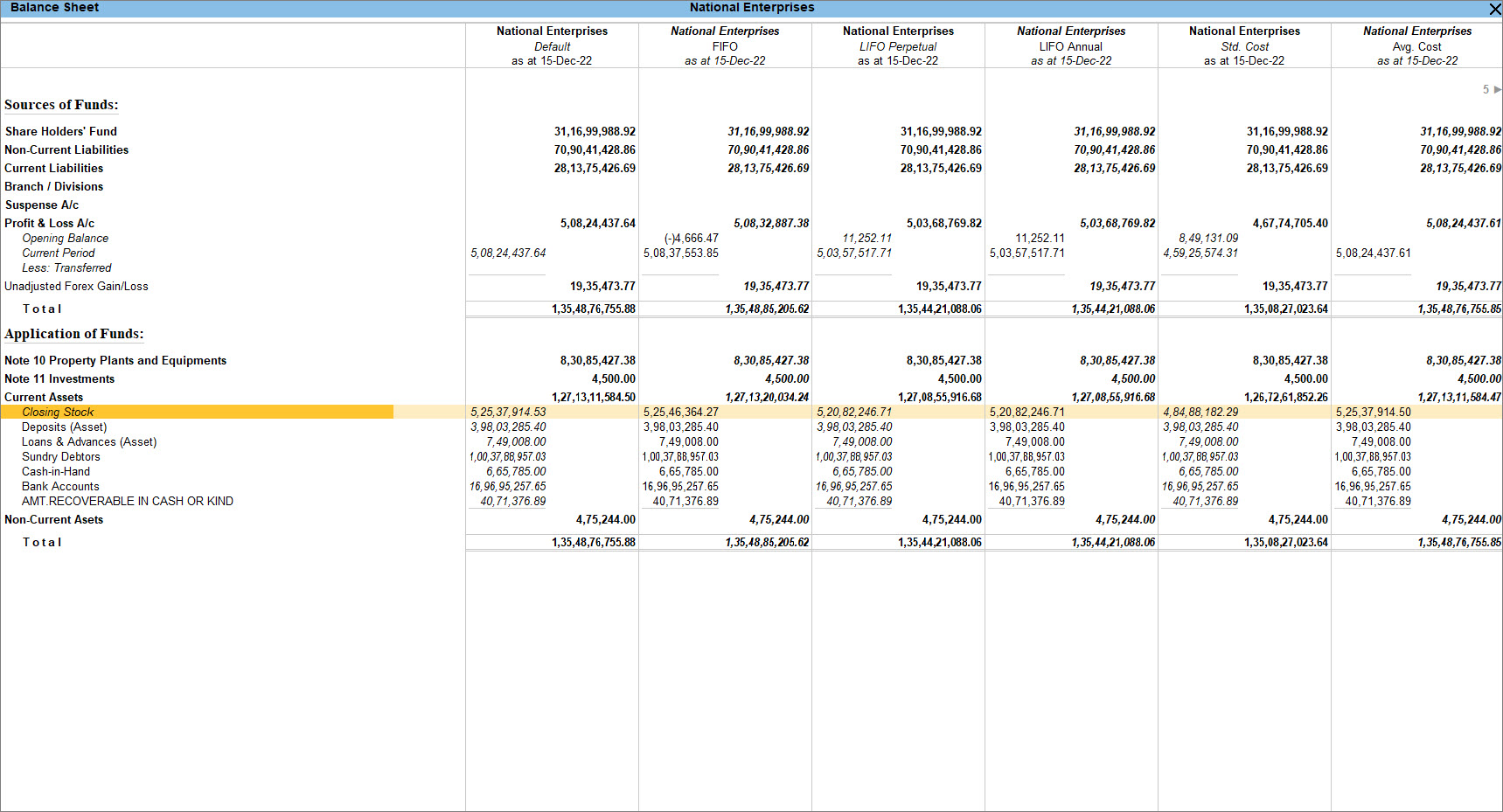
Comparing the closing stock value under different valuation methods helps you choose the appropriate method for the next financial year.
Similarly, you can apply Auto Column in Stock Summary to view the report based on a stock valuation method.
Is this information useful?
YesNo


