
Send Invoices Through Bharat Connect for Business in TallyPrime
As a supplier, you create a sales invoice and send it to your buyer. You can now add multiple batch details and item descriptions of the stock item in the invoices.

Ensure that:
- Bharat Connect for Business plug-in is enabled.
- You are logged in to Bharat Connect for Business and connected to the internet.
- Bharat Connect registration is done, and B2B ID is created.
- Your GSTIN/UIN is registered on the Bharat Connect for Business platform.
- You have user access to manage Bharat Connect for Business data.
Create and Send Invoices to Buyer
- While recording the sales voucher, enter Party A/c Name.
In the Party Details screen, by default, buyers B2B ID will be updated.
If not, search for the B2B ID.
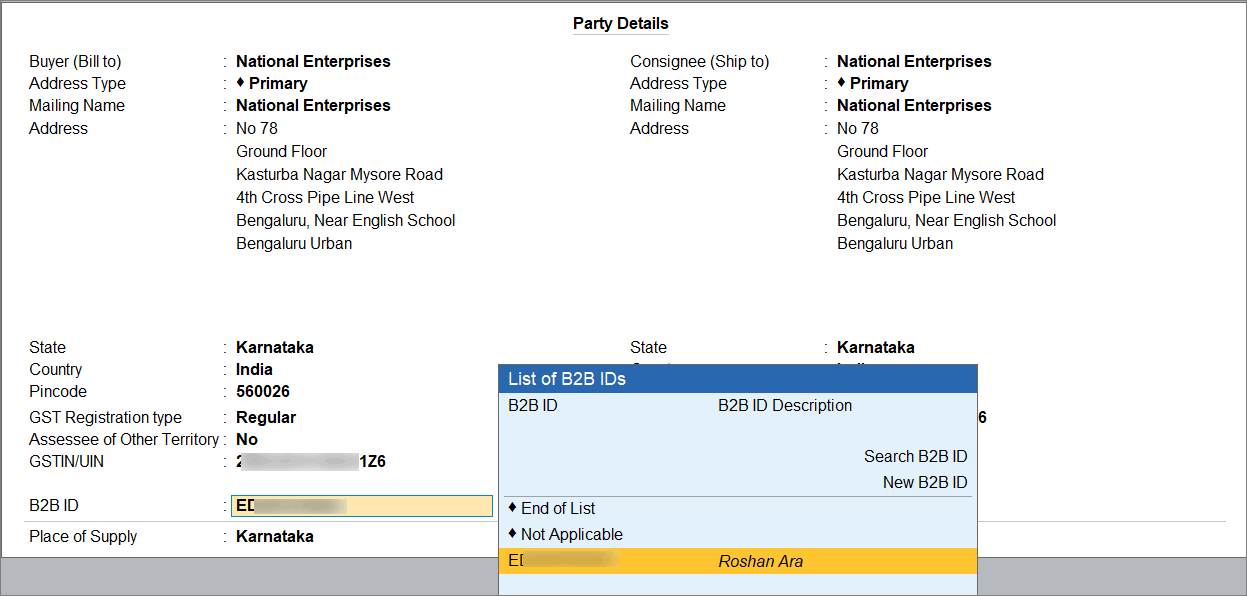
- Enter the necessary details, and press Ctrl+A to save.
- To send the invoice to the buyer, press Y.
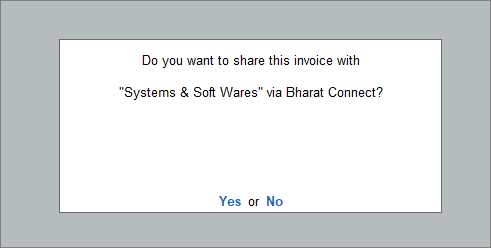
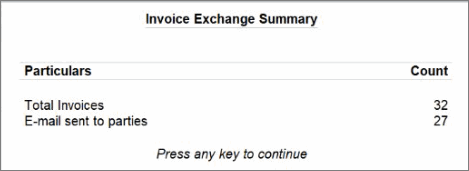
You can also send the invoice in bulk later. The Invoice Exchange Summary provides the total count of sent invoices.
Create and Send Credit Notes to Buyers
- While recording the credit note voucher, enter Party A/c Name.
- In the Receipt Details screen, enter the Original Invoice No. and Date.
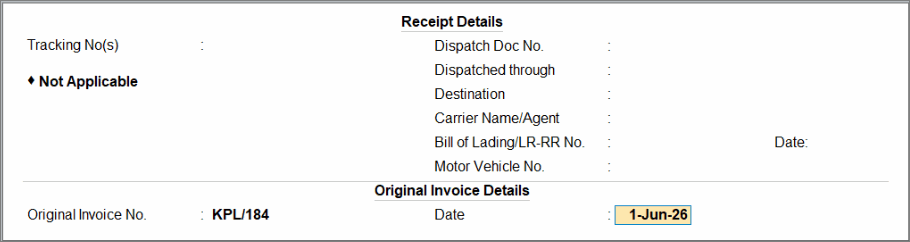
In the Party Details screen, by default, the buyers B2B ID will be updated.
If not, search for the B2B ID.
- Enter the necessary details, and press Ctrl+A to save.
- To send the credit note to the buyer, press Y.
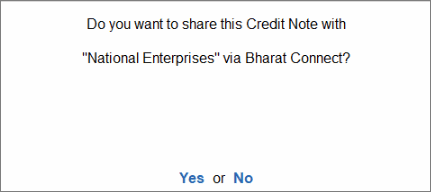
You can also send the credit notes in bulk later.
Send Bulk Invoices and Credit Notes to Buyer via E-mail
If you generate multiple invoices or credit notes in a day, then you can avoid sending them individually after each transaction. Instead, you can send all invoices and credit notes in a single click to the respective parties at the end of the day.
- Gateway of Tally > Alt+Z (Exchange) > Send Invoices.
- Press F2 (Period) to select the period for which you want to view unsent invoices.
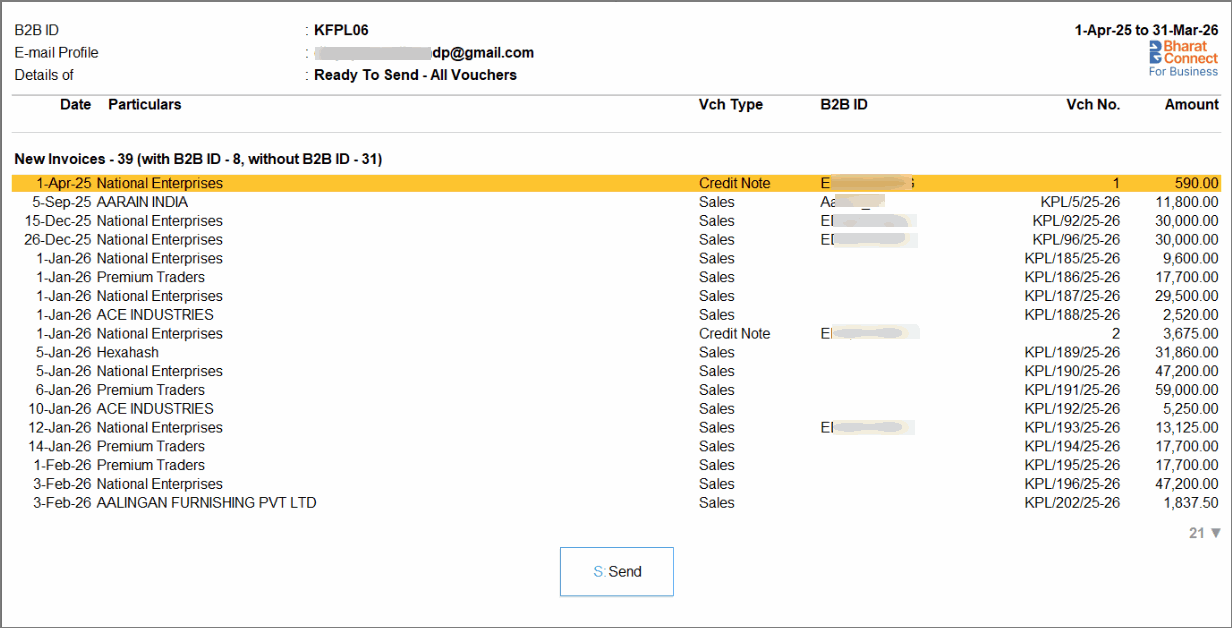
The list of invoices appears along with their B2B IDs (if available), including the count of invoices with and without B2B IDs.
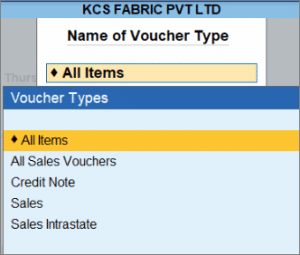
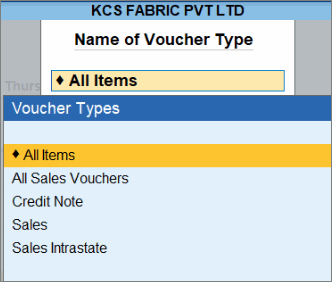
- Press F4 (Voucher Type) to select the required voucher type.
- Press S (Send) to start sending the invoices.
- Press Y to send the invoices to the respective parties.
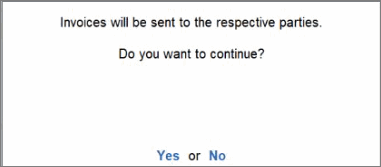
For buyers whose B2B ID is not updated, TallyPrime automatically searches and updates the B2B ID in the ledger and voucher and sends the invoices via Bharat Connect.
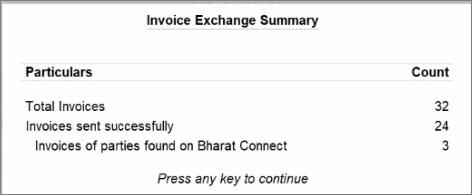
In the Invoice Exchange Summary, you can view the number of invoices sent and any new parties identified on Bharat Connect.
- Press Y to send the invoices to parties via E-mail.
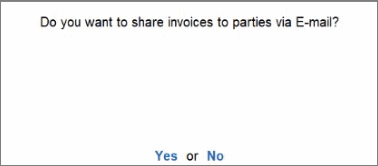
- If you want to include the current and previous balance of the buyer in the e-mail preview, then press F9 (E-Mail Config) and enable Show Previous and Current Balances of Ledger.
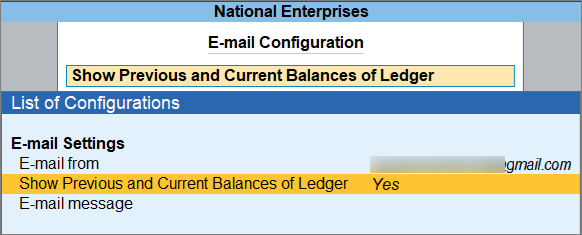
- Complete the E-mail Authentication.
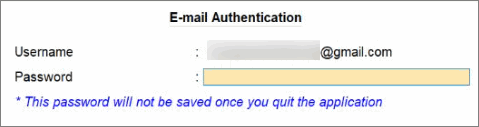
If you are using e-mail domains such as Gmail, Yahoo, Microsoft, and similar services, you need to enter the App Password generated for your account.
To know more about generating App Password, click here..
For example, if you are using Gmail to send emails, follow these steps to generate an App Password:
-
Open Google App Passwords.
-
Sign in to your Gmail account using your password.
-
In the App Passwords screen, enter the app name as Tally and click Create.
- A 16-digit App Password will be generated.
Once the App Password is generated, you can continue using the same password without generating it again. Ensure that you save it securely for future use.
If you are in Rel 7.1 or later, then you can now complete the E-mail Authentication with OAuth.
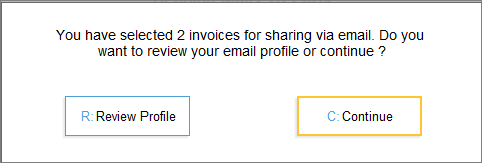
You will receive a message to either review the E-mail settings before sending the invoices or continue to send them.
-
- Press R (Review Profile) to review the e-mail settings, which will take you to the E-mail Authentication screen.
- Alternatively, press C (Continue) to continue sending the invoices.
The invoices are sent to the buyers via e-mail, and you can view the number of invoices in the Invoice Exchange Summary.
After the invoices are sent, buyers receive an E-mail notification with an attached invoice or credit note copy, along with a preview of the invoice or credit note.
If the buyer is not registered, they will receive an embedded invite to register on Bharat Connect.
In case you are sharing invoices and if the buyer is registered on Bharat Connect, they can view the next steps and navigate to the Bharat Connect Activities report in TallyPrime to:
- Accept the invoice on Bharat Connect and record the purchase.
- Make the payment and share the confirmation
In case you are sharing credit notes, they can view the next steps and navigate to the Bharat Connect Activities report in TallyPrime to:
- Accept the Credit Note on Bharat Connect and record the Debit Note in your books.
Questions & Answers
- What invoice details will my buyer receive through Bharat Connect?
Your buyer receives detailed invoice information such as item name, quantity, rate, amount, description, batch details, GST rate, HSN, and due date, which are auto-filled in their purchase voucher. - Will invoices shared on Bharat Connect automatically reflect on the GST portal?
No, invoices shared via Bharat Connect are not automatically reflected on the GST portal. GST filing is a separate process, and actions on one platform do not affect the other. - What should I do if the buyer has not received an invoice that I sent?
If an invoice is successfully sent, its status will show as “Sent to Buyer.” If there’s an issue, check the Failed Invoice report to identify the reason and resolve it. - Can I resend an invoice after making changes to it?
Yes, you can modify and resend an invoice, provided that e-invoicing has not been completed and the buyer has not yet accepted or rejected the invoice. - Can I send invoices even if the buyer’s B2B ID is not available in my records?
Yes, when sending invoices in bulk, TallyPrime automatically fetches and updates the buyer’s B2B ID, if available on Bharat Connect, before sending the invoices. If the B2B ID is not available, the invoices will be shared via e-mail to the buyer’s.


