Record Purchase of Goods and Services for SEZ Unit in TallyPrime
As a dealer registered in an SEZ unit, you can purchase goods and services from another SEZ unit or from parties in the Domestic Tariff Area (DTA).
When purchasing from a DTA supplier, the supplier can make the supply either under a Letter of Undertaking (LUT)/Bond without charging IGST or on payment of IGST.
- If the supplier makes the supply under LUT/Bond, you do not need to record any GST tax while recording the purchase.
- If the supplier makes the supply on payment of IGST, record the purchase with the applicable IGST. You can subsequently claim the input tax credit (ITC), subject to GST provisions.

Ensure that you have:
- Created the company with the GST details.
- Configured your party masters, purchase ledger, stock item, service ledgers, and IGST tax ledger with GST details.
Purchase of Goods by SEZ Unit from GST Regular Party
In the Purchase voucher:

- Select the purchase ledger marked as GST applicable.
- Under Name of Item, select the stock items. Enter the Quantity and Rate.
- Select the tax ledger for IGST.
- Press Alt+A (GST – Tax Analysis) to view the report.
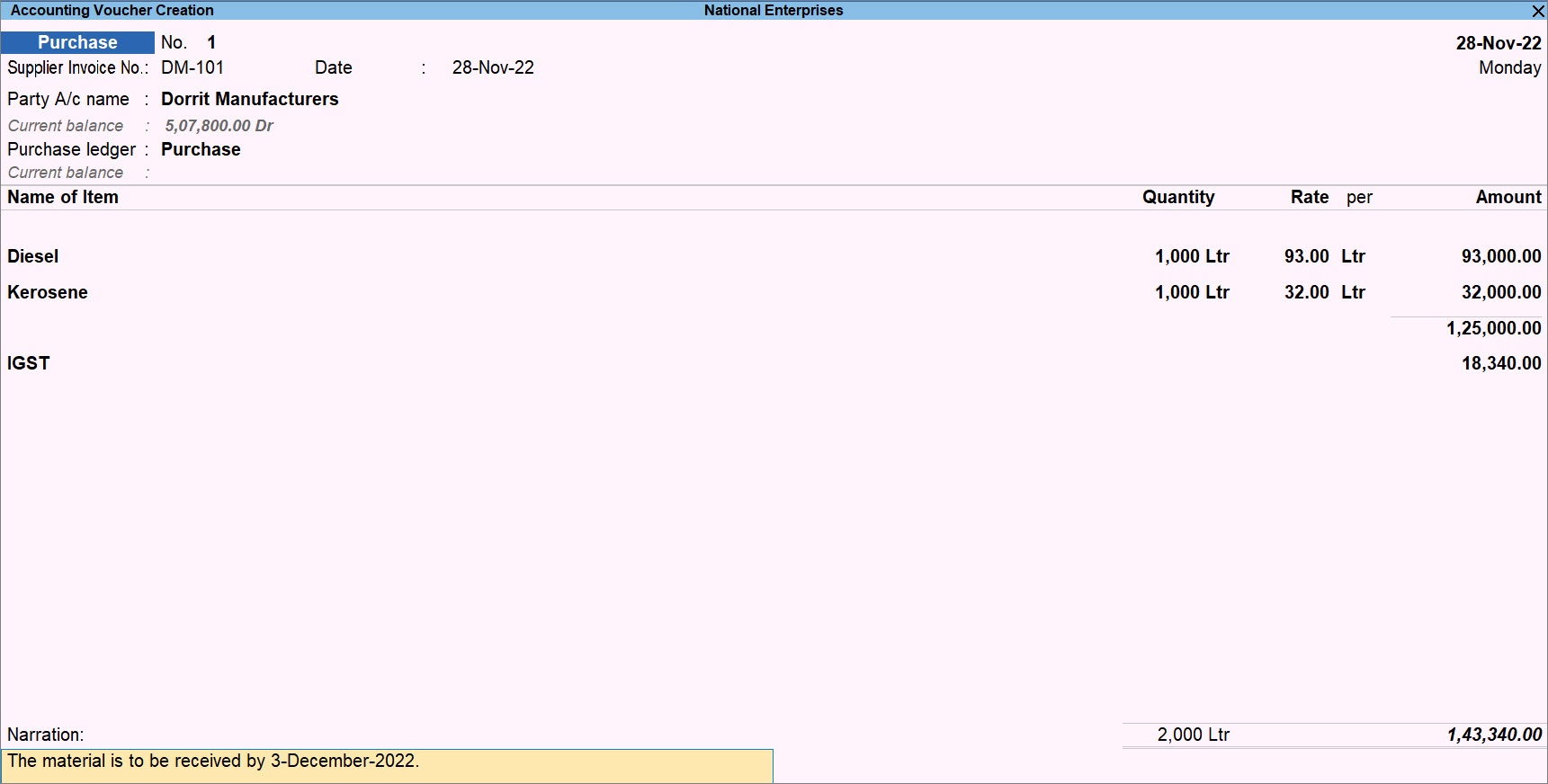
- Press Ctrl+A to save the voucher.
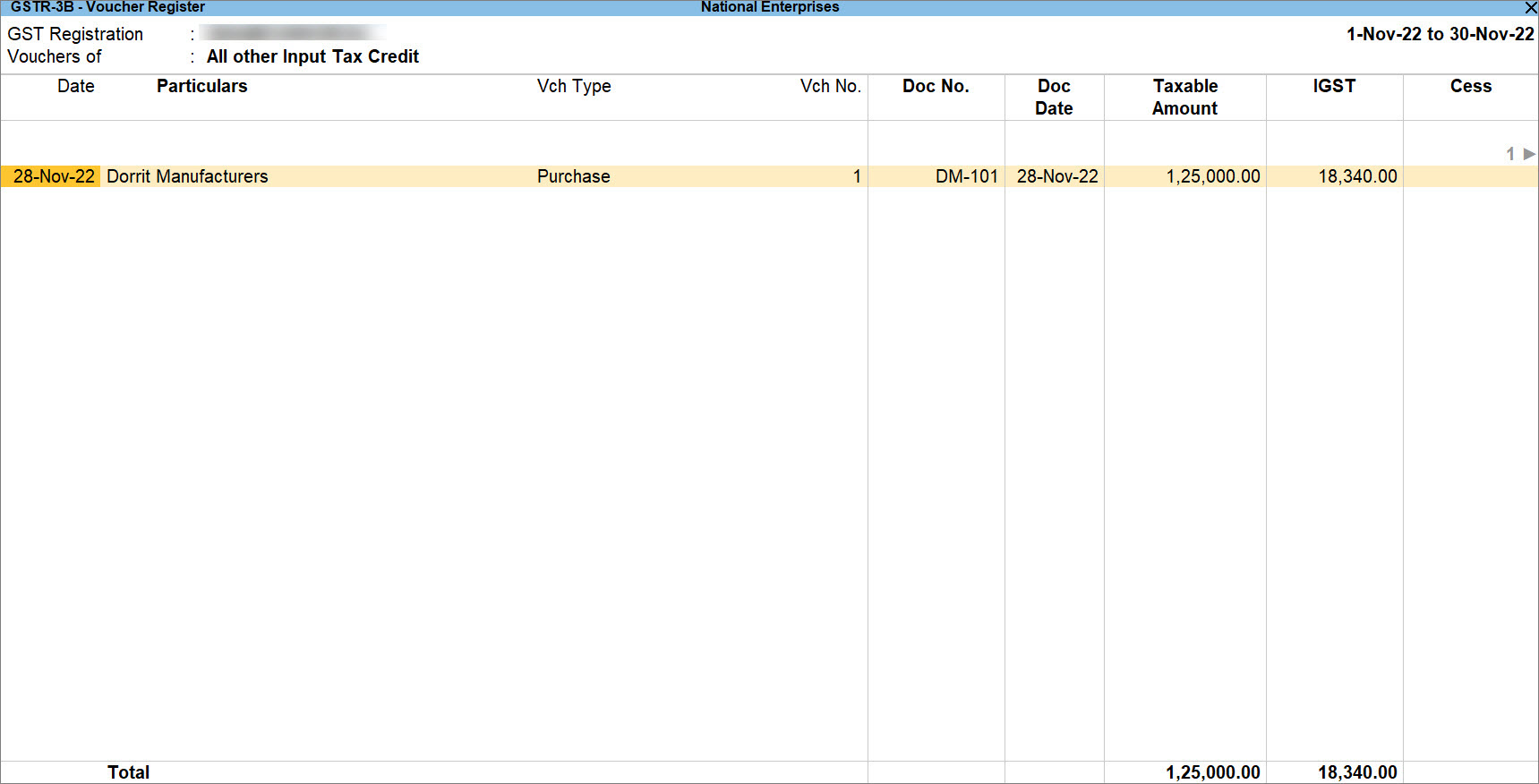
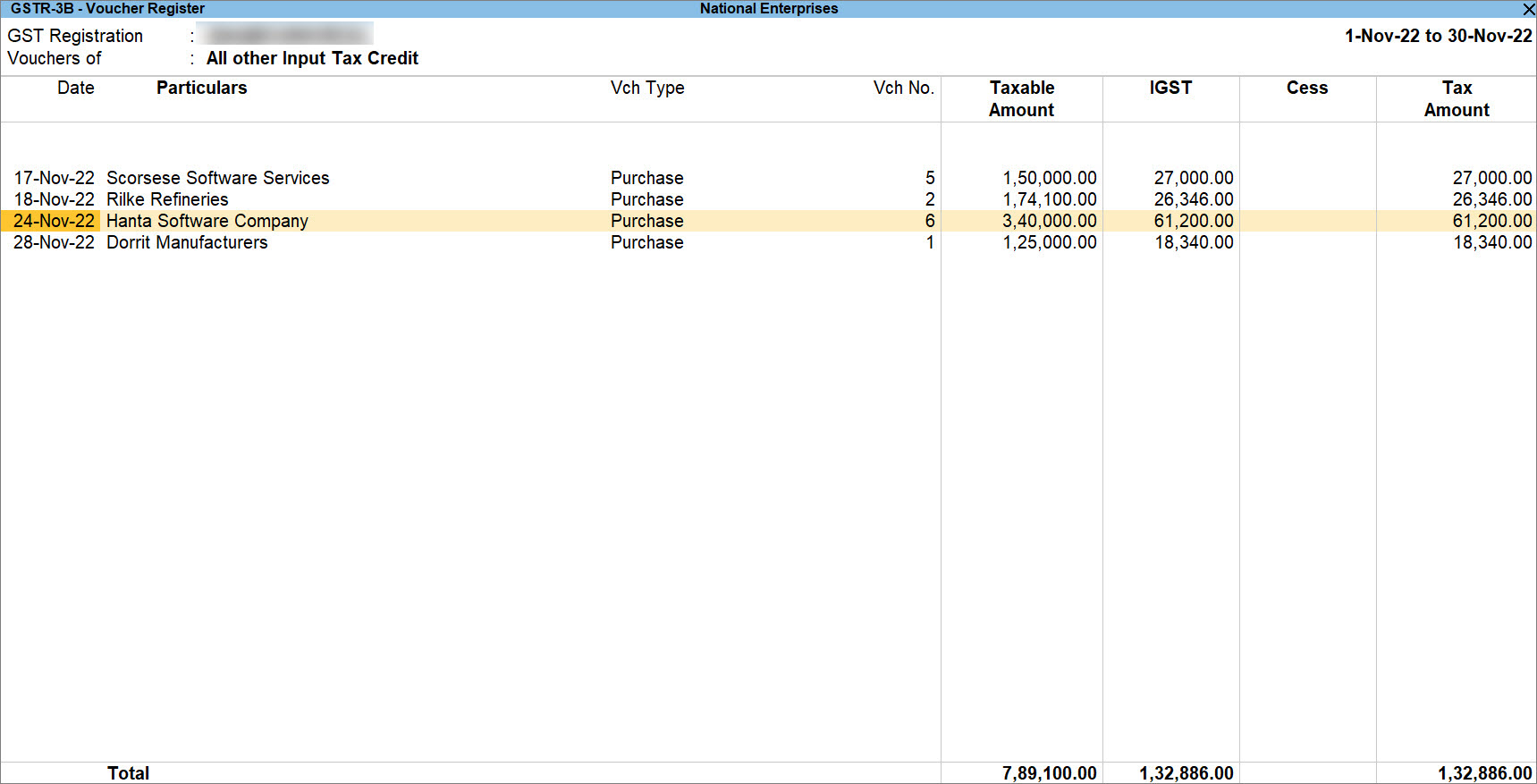
A purchase voucher recorded for the purchase of goods from a Regular party appears under the Input Tax Credit Available section in GSTR-3B.
If you are purchasing goods with LUT/Bond, then select the purchase ledger with the Nature of Transaction selected as DTA Imports – Nil Rated. In such case, no tax is charged and the voucher appears under Exempt, Nil Rated, and Non-GST Inward Supplies section in GSTR-3B.
Purchase of Services by SEZ Unit from GST Regular Party
In the Purchase voucher:
-
Press Ctrl+H (Change Mode) > select Accounting Invoice.
- Under Particulars, select the service ledger created under Purchase.
- Enter the Amount.
- Select the tax ledger for IGST.
- Press Alt+A (GST – Tax Analysis) to view the report.
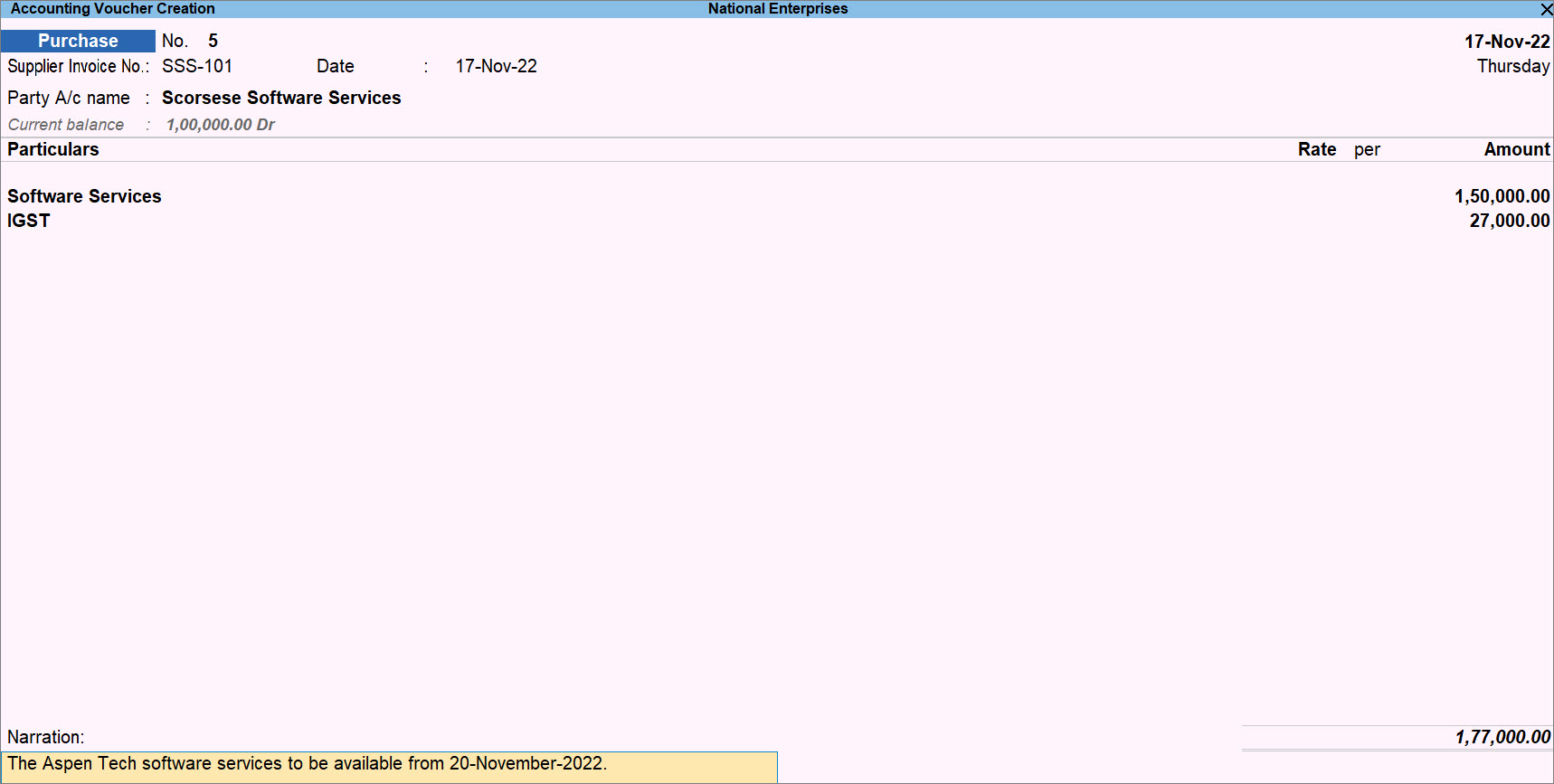
- Press Ctrl+A to save the voucher.
A purchase voucher recorded for the purchase of services from a Regular party appears under the Input Tax Credit Available section in GSTR-3B.
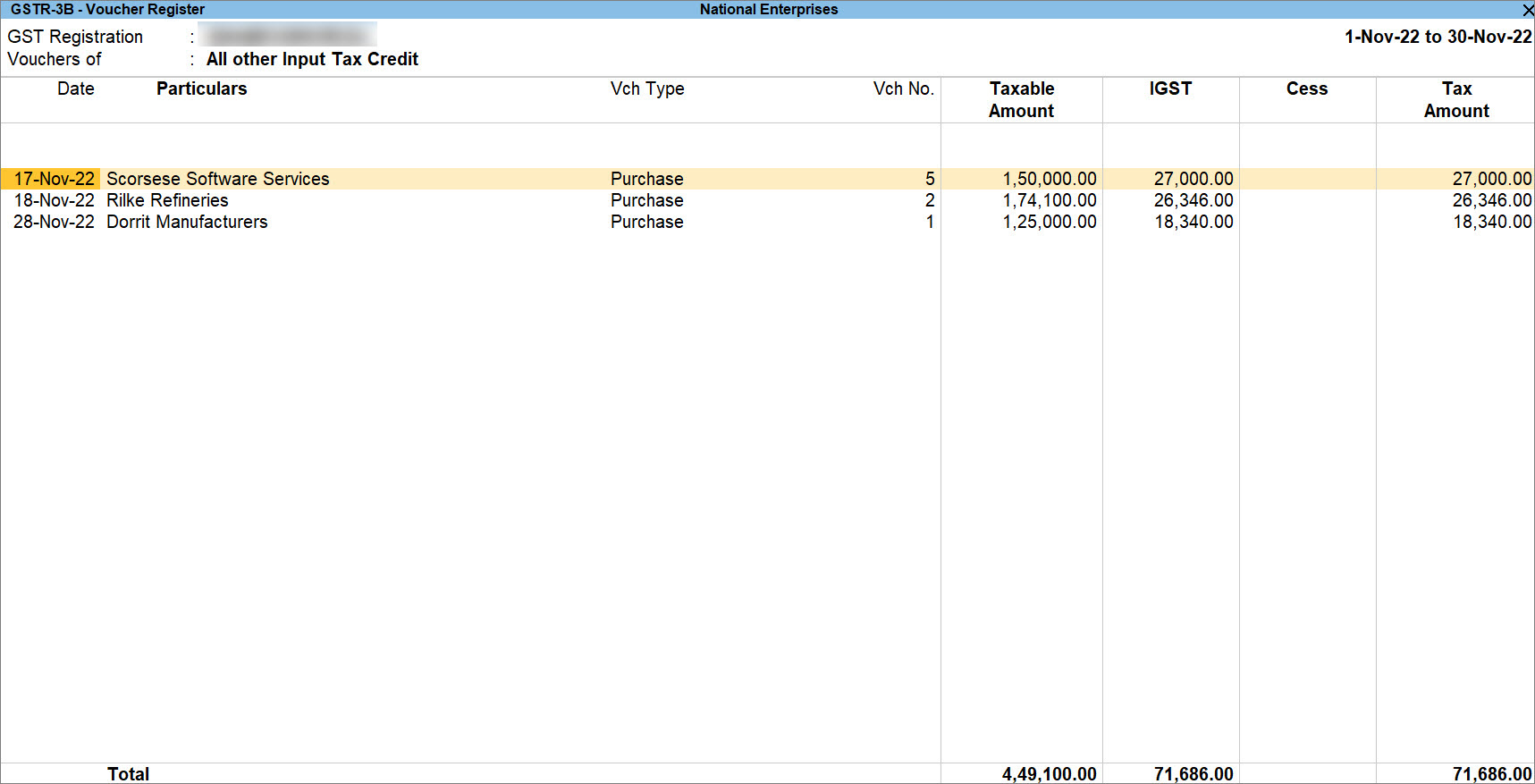
If you are purchasing services with LUT/Bond, then select the purchase ledger with the Nature of Transaction selected as DTA Imports – Nil Rated. In such case, no tax is charged and the voucher appears under Exempt, Nil Rated, and Non-GST Inward Supplies section in GSTR-3B.
Purchase of Goods by SEZ Unit from Another SEZ Party
In the Purchase voucher:
- Select the purchase ledger marked as GST applicable.
- Under Name of Item, select the stock items. Enter the Quantity and Rate.
- Select the tax ledger for IGST.
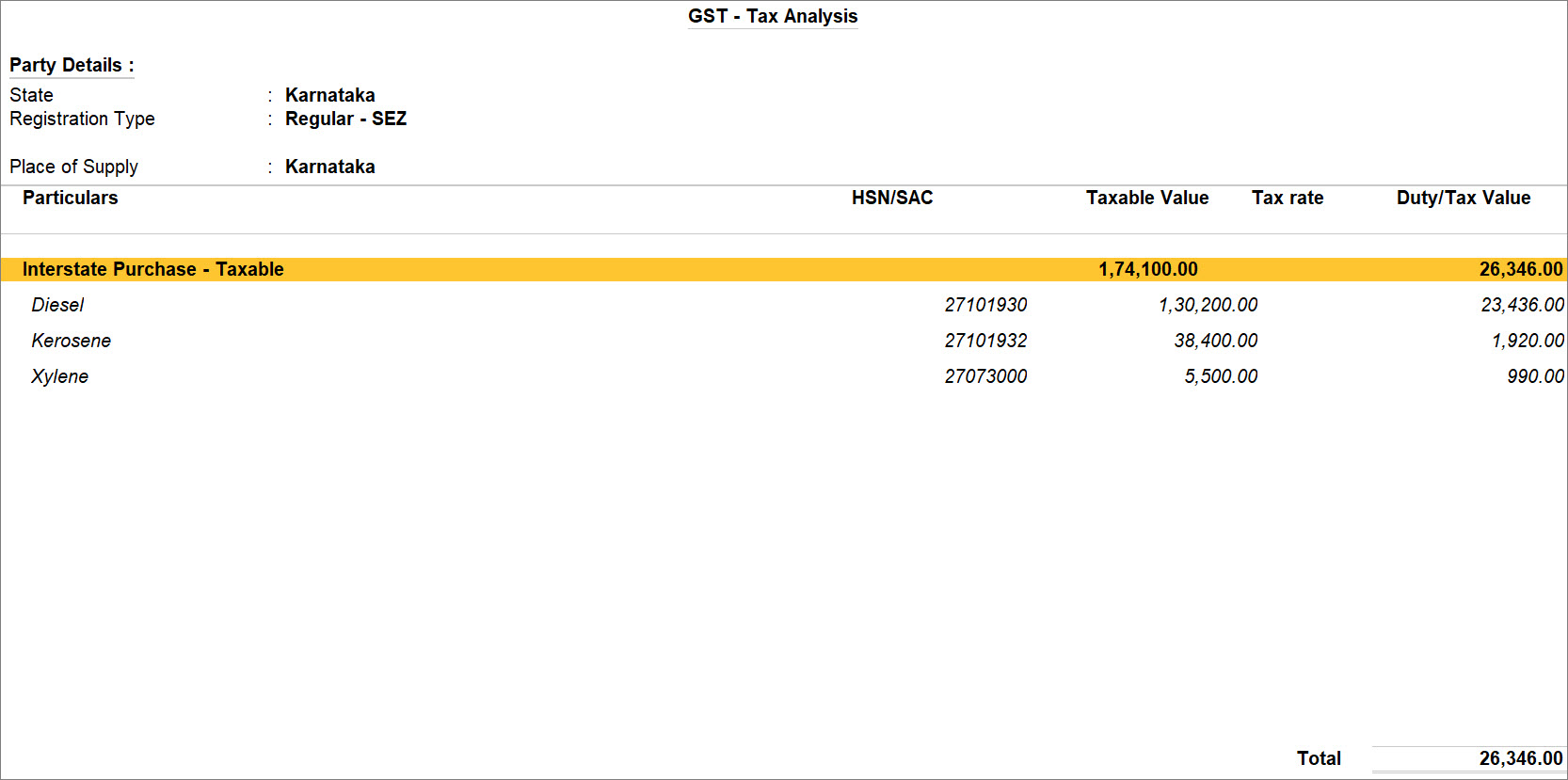
- Press Alt+A (GST – Tax Analysis) to view the report.
- Press Ctrl+A to save the voucher.
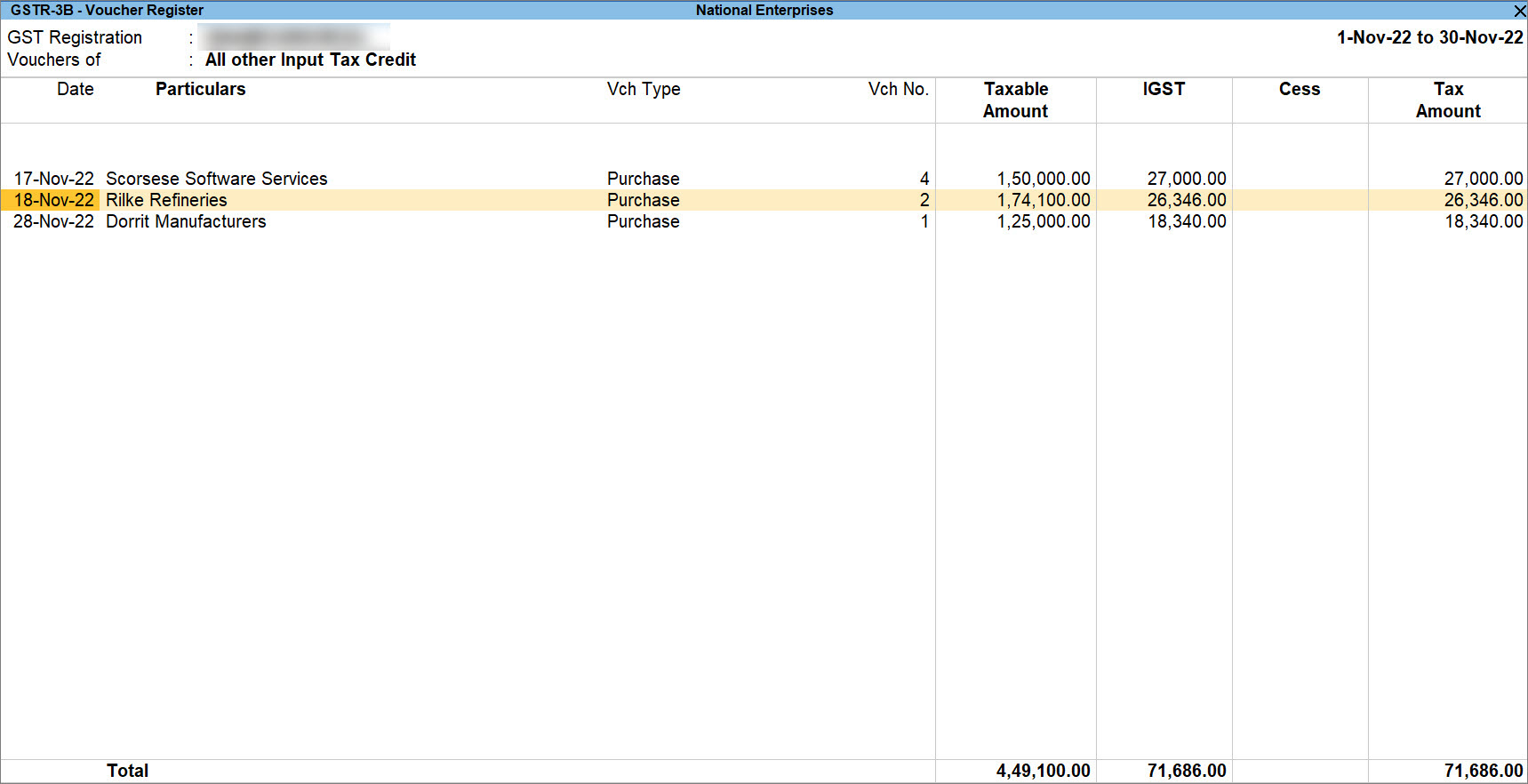
A purchase voucher recorded for the purchase of goods from a Regular-SEZ party appears under the Input Tax Credit Available section in GSTR-3B.
Purchase of Services by SEZ Unit from Another SEZ Party
In the Purchase voucher:
-
Press Ctrl+H (Change Mode) > select Accounting Invoice.
- Under Particulars, select the service ledger created under Purchase.
- Enter the Amount.
- Select the tax ledger for IGST.
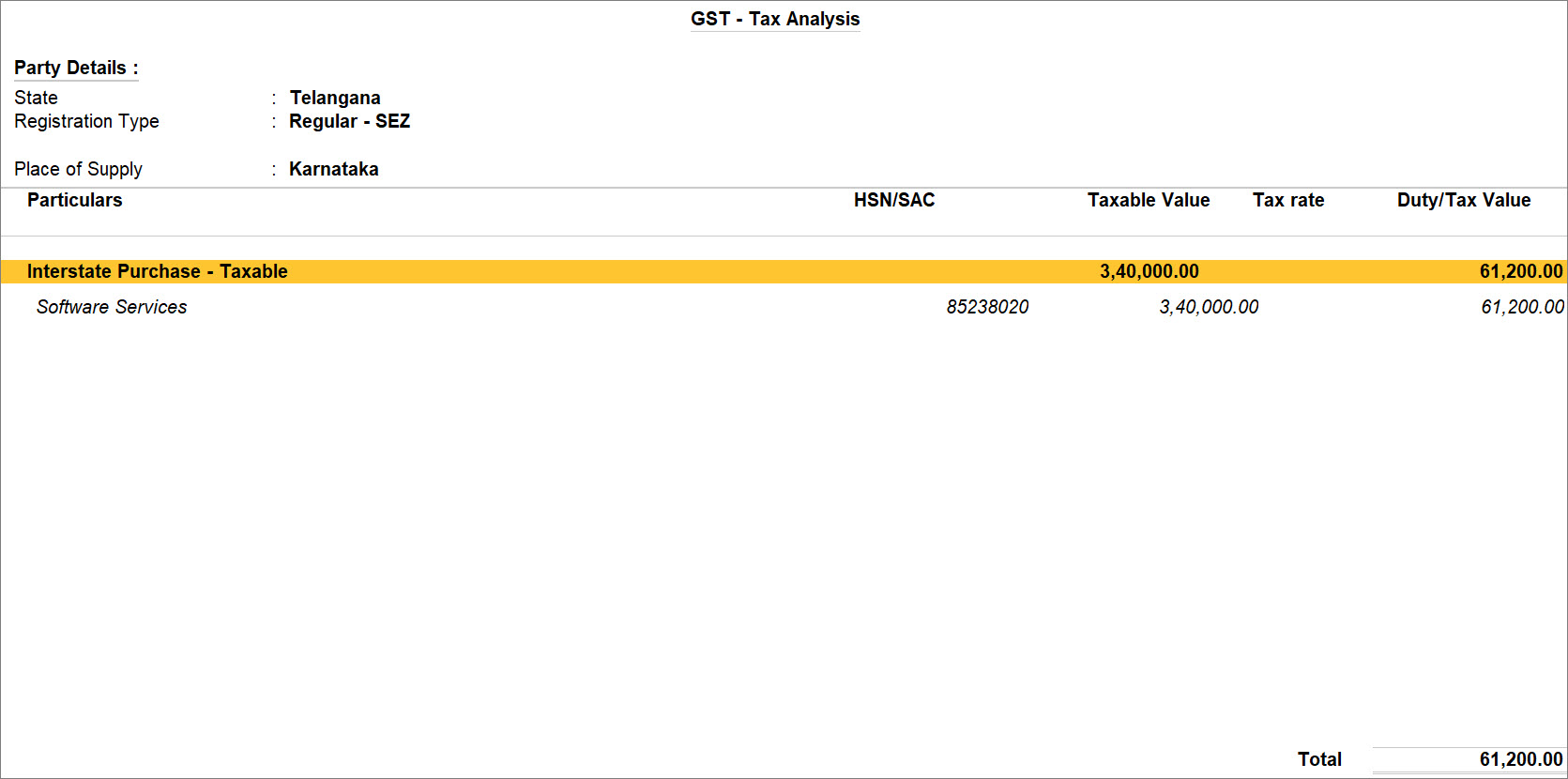
- Press Alt+A (GST – Tax Analysis) to view the report.
- Press Ctrl+A to save the voucher.
A purchase voucher recorded for the purchase of services from a Regular-SEZ party appears under the Input Tax Credit Available section in GSTR-3B.
Questions & Answers
- My SEZ supplier is located in the same state as my SEZ unit. Should I still select IGST, or will CGST and SGST apply since it is a local purchase?
Yes. Transactions involving an SEZ unit are treated as inter-state transactions under GST, irrespective of whether the supplier and recipient are located in the same State or different States. Therefore, IGST is applicable.