
Disconnect Users from TallyPrime Server
An administrator may require to disconnect the users from the companies in certain business management scenarios, such as a scheduled installation of the new release of TallyPrime.
Users who are accessing data from the TallyPrime Server can be disconnected from the TallyPrime Server monitor. All users working on a company, or individual users working on multiple companies, can be disconnected.
- In the Company View/User View, select the required Companies or Users.
- Press Alt+S (Disconnect). TallyPrime Server will ask for a confirmation.
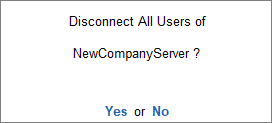
- Press Enter to disconnect the users.
In the TallyPrime client machine:
- A message will appear, asking the user to complete the task and close the companies. The user is provided a few minutes.
- The server waits and detects the closing of the company. No further steps need to be taken.
- If the user continues to operate in the companies, then the user will be disconnected, as TallyPrime client will shut down.
Is this information useful?
YesNo


