
Backup Your Data in Tally e-Billing
As you work with critical business data, it is recommended to regularly back up your company data to keep it available when required. In Tally e-Billing, you can back up your masters and transactions, which are exported as CSV files in a ZIP format. Each backup is available for 7 days from the date it is created and you can download and save the backup data.
- From Gateway > click Company > and then click Backup.
- In the Data Backup screen, click Backup Now to create a backup.
- In the Backup History, the backup request is added with the status Queued. Click Refresh to update the status.
The Backup History displays details such as Backup Time, Initiated By, Status, File Size, Expiry On, and the Download option.
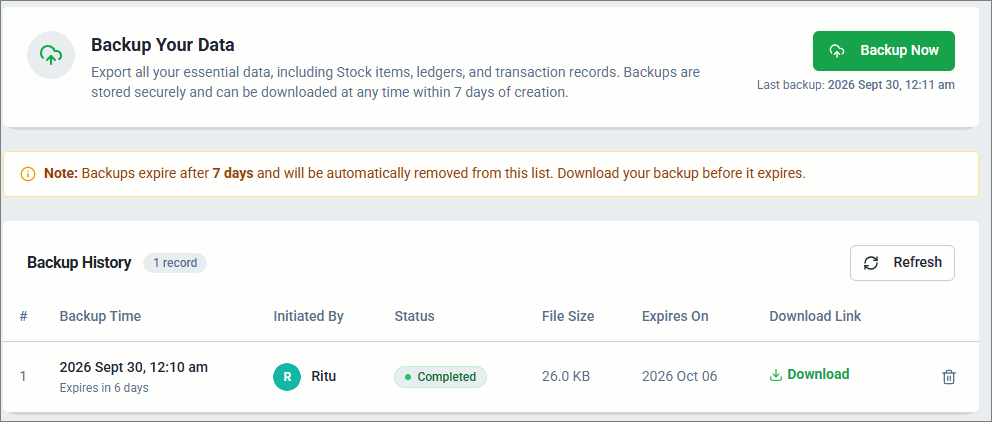
- Once the backup is Completed, you can Download and save the backup file at any time within 7 days of its creation.
The downloaded zip file contains masters and transactions in CSV format. - To remove a backup from the list, click Delete.
Is this information useful?
YesNo


