
Set Up Sales Ledger for UAE e-Invoicing
To generate UAE-compliant e-Invoices, you need to configure your sales ledgers with the appropriate statutory details in TallyPrime. By defining the taxability and supply type for the ledger, you can ensure accurate tax calculation and reporting in e-Invoices.

- Under Statutory Details, configure the details required for e-Invoicing.
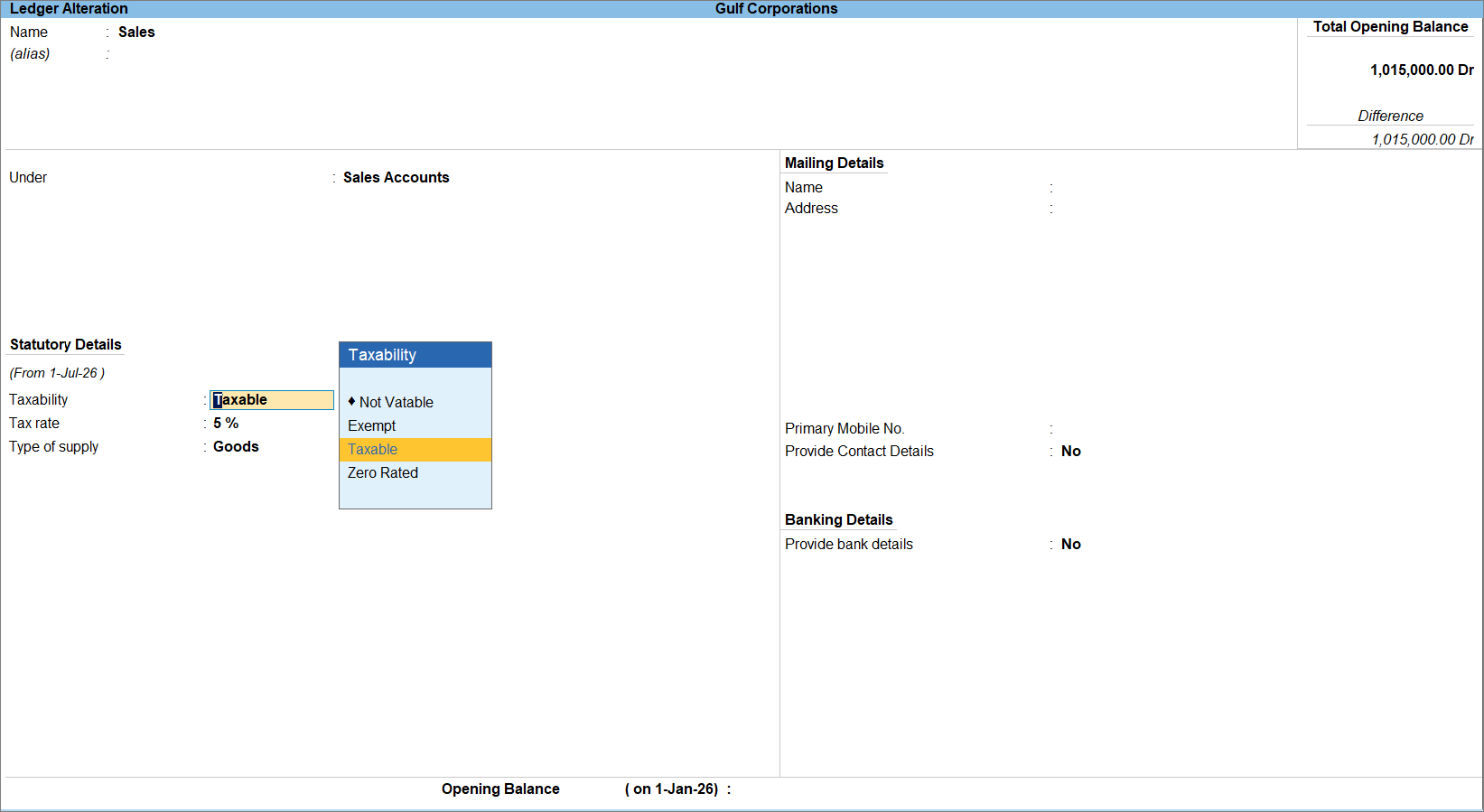
If you have enabled Nature of Transaction, and selected Domestic Exempt Supplies or Intra GCC Subsequent Transfers, select the applicable Reason for Exempt from the List of Reasons.- Taxability: Select the tax applicability for the ledger.
- Exempt: When the transactions recorded under the ledger are not subject to VAT.
- From the List of Reasons, select the Reason for Exempt.
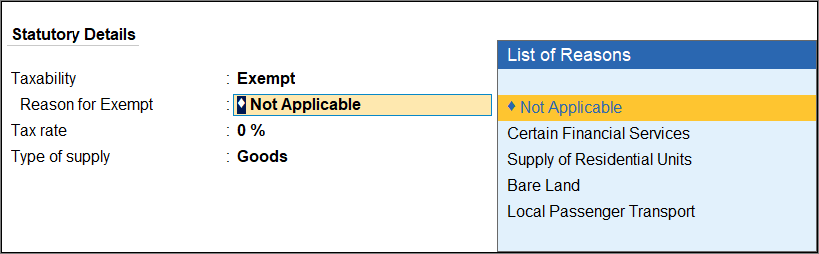
- From the List of Reasons, select the Reason for Exempt.
- Taxable: When VAT is applicable on the transactions recorded under the ledger.
- Zero Rated: When the transactions are taxable, but the applicable VAT rate is 0%.
- Exempt: When the transactions recorded under the ledger are not subject to VAT.
- Tax rate: If the Taxability Type is Taxable, specify the applicable VAT rate.
- Type of supply: Select the nature of supply, such as Goods or Services.
- Taxability: Select the tax applicability for the ledger.
- Alternatively, press Ctrl+I (More Details) > VAT Details to the VAT and e-Invoicing-related details for the ledger, if required.
- Provide other necessary details and press Ctrl+A to save.
Is this information useful?
YesNo


