
Nature of Transaction, Taxable Value, Rate of Tax modified in voucher
Cause
This exception appears when any of the following details defined in the ledger master are modified in the voucher:
- Nature of Transaction
- Taxable Value
- Rate of Tax
Such changes may lead to inconsistencies while preparing the Return.
Resolution
- Select the exception Nature of transaction, Taxable value, rate of tax modified in voucher, and press Enter.
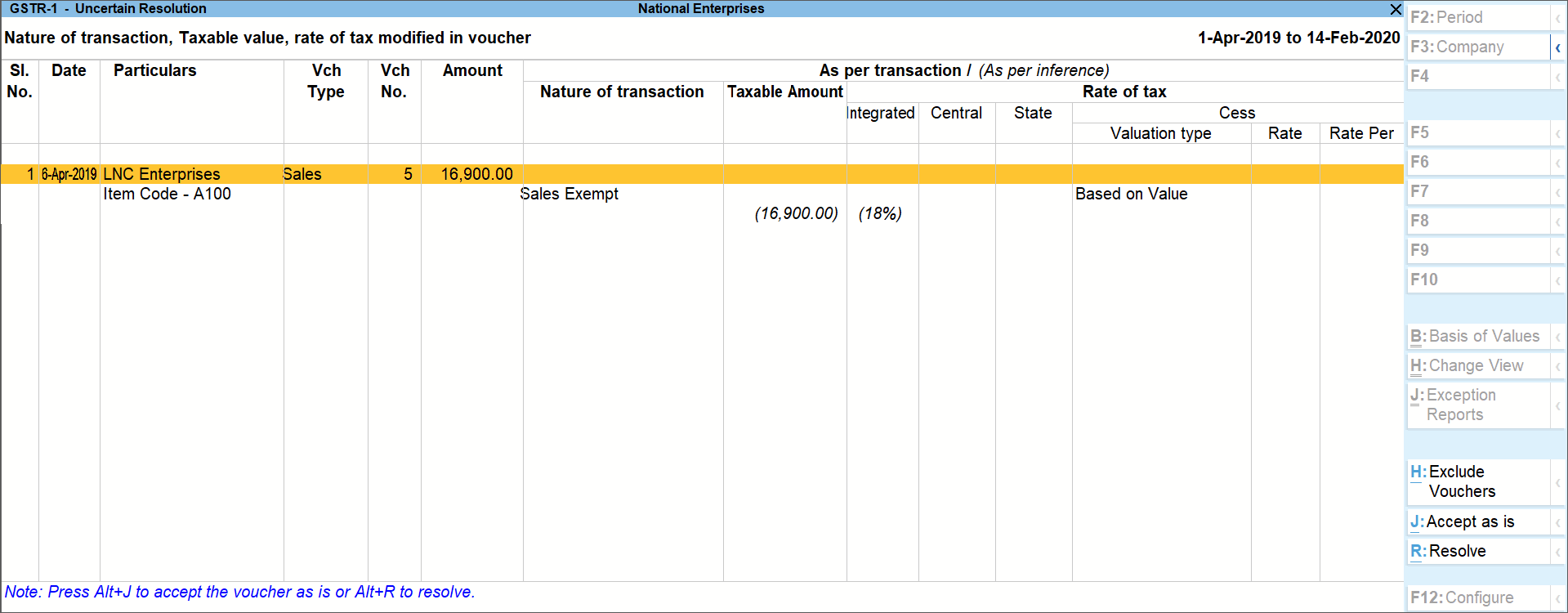
- Select the required voucher.
- Press Alt+R (Resolve) to select Nature of transaction and enter other details manually, or press Alt+J (Accept as is).
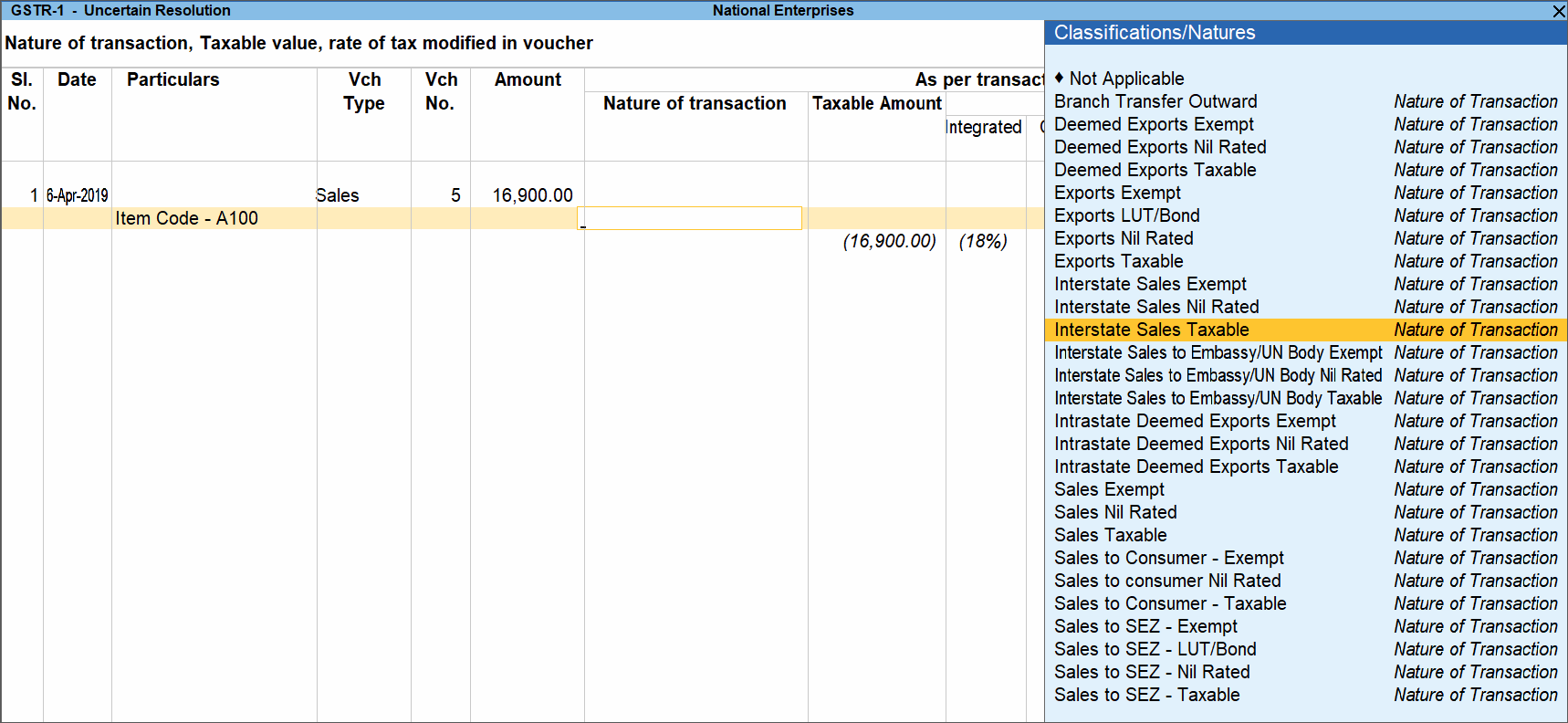
- Select the Nature of Transaction and enter other details, as required and press Enter.
- Similarly, resolve other vouchers.
- Accept the screen. As always, you can press Ctrl+A to save.
Is this information useful?
YesNo


