
Mismatch between expected tax amount and the modified tax amount in transaction
Cause
This error occurs when there is a mismatch between the calculated tax amount and the applied tax amount.
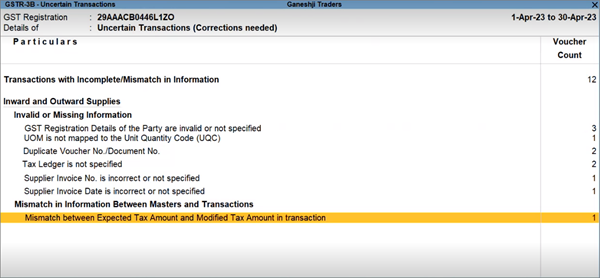
Resolution 1
You can configure TallyPrime to ignore the difference in tax values.
- Press Alt+K (Company) > press F11 (Features).
- Press Ctrl+I (More Details) > Additional Configurations.
The GST Rate and Other Details screen appears. - Press F12 (Configure) and enable Ignore difference in tax values.
- Ignore difference in tax values up to: 1.
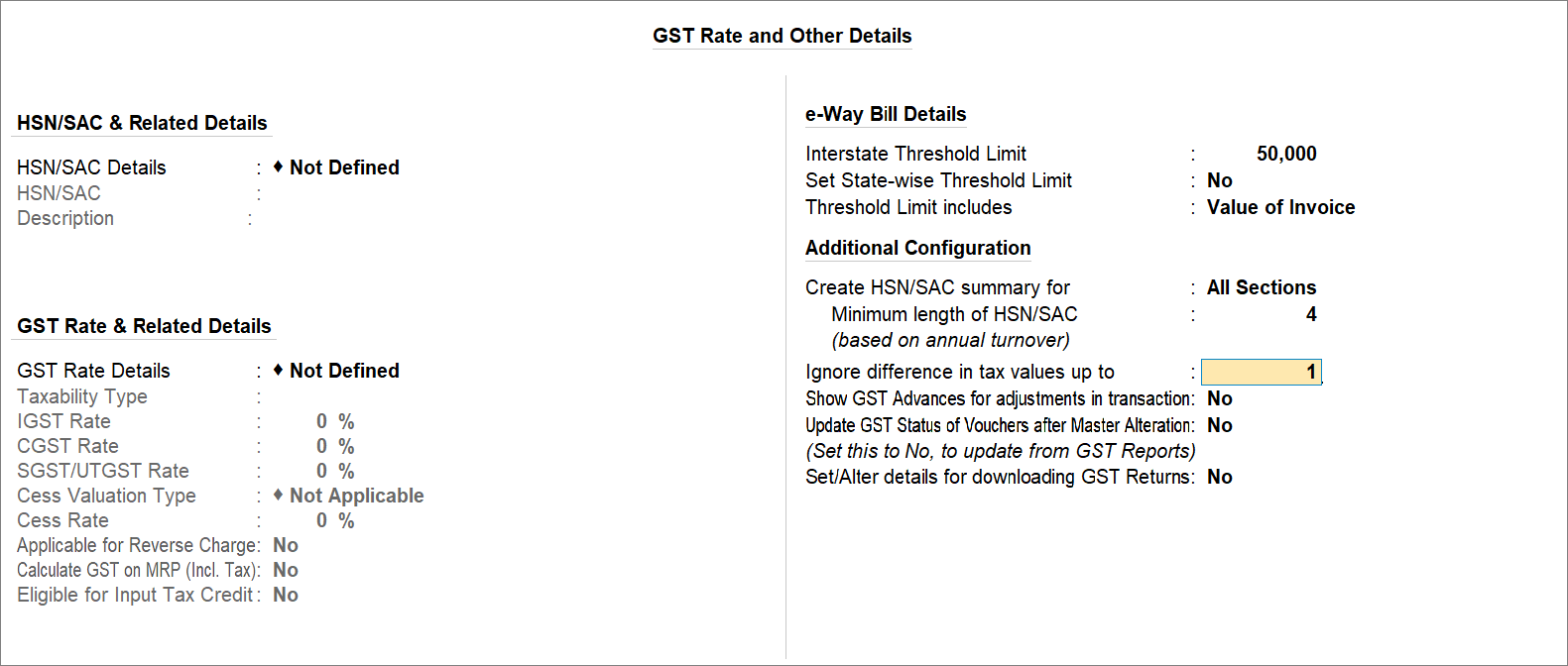
- Press Ctrl+A to save the screen.
Resolution 2
Even if you have configured TallyPrime to ignore differences in tax values up to 1, you may get this error when the difference is greater than 1.
In such a case:
- In the report, drill-down from the exception to open the voucher.
- Keep the cursor on the tax amount and press Spacebar.
The tax amount gets refreshed.
If the tax amount is not calculated based on the taxable amount, you should not accept the transaction as is.
Is this information useful?
YesNo


