
Manage Tally.NET IDs | Create & Enable Tally.NET Services for Users
When you purchase a TallyPrime license, you provide an e-mail address, which becomes your Tally.NET ID. However, for other users in your organisation, you will need to create a Tally.NET ID, so that they can access TallyPrime features, especially online services.
Before you begin | Prerequisites
- Ensure that you have a valid e-mail address.
Create Tally.NET ID for Users
If you don’t have a Tally.NET ID for specific users in your organisation, then you can easily create Tally.NET IDs for them.
- Open www.tallysolutions.com.
- Log in using your account administrator’s e-mail address and password.
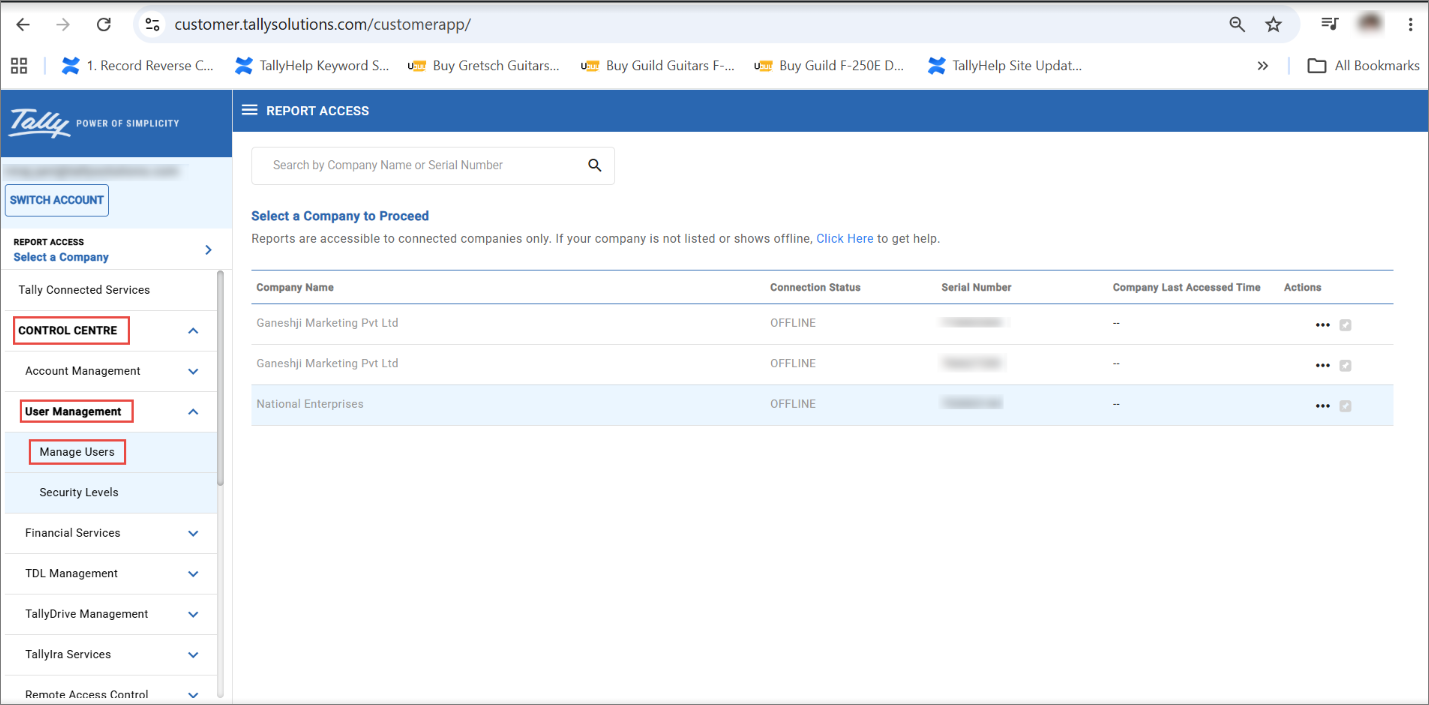
- Click Control Centre > User Management > Manage Users.
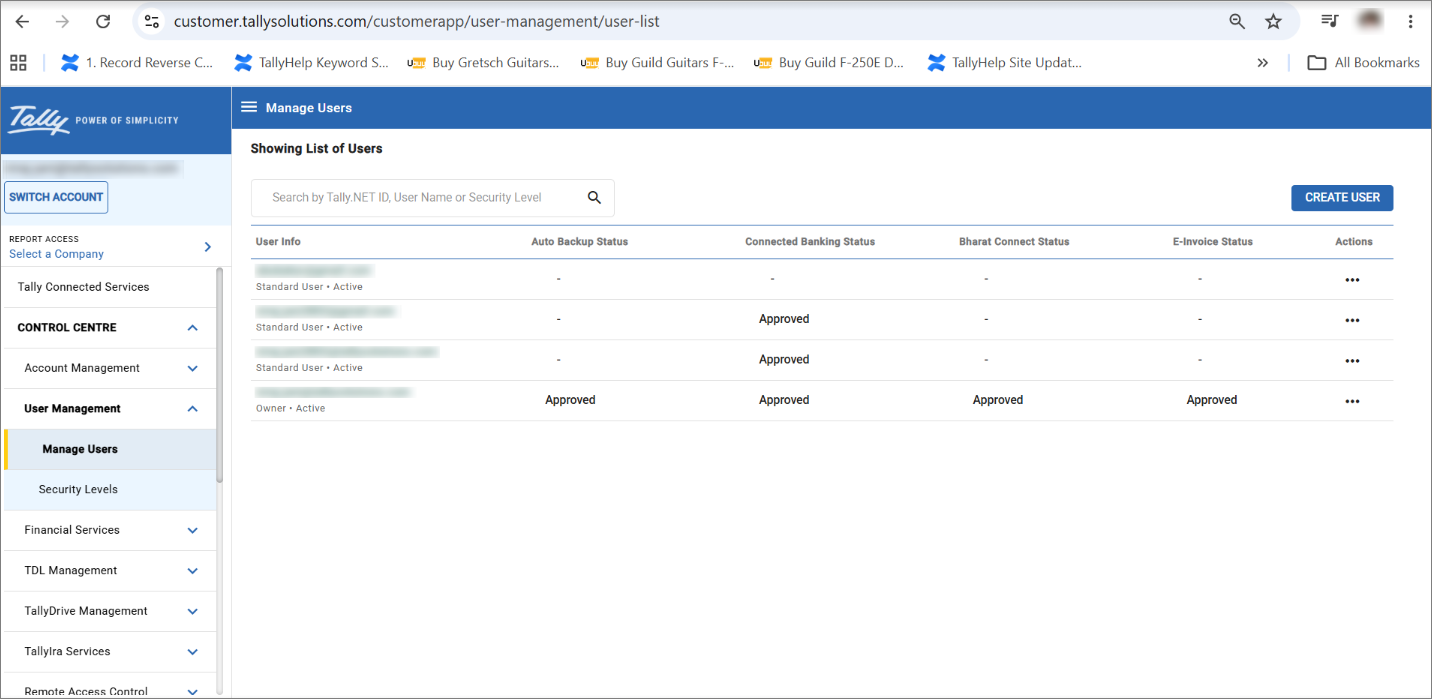
- In the Manage Users screen, click CREATE USER.
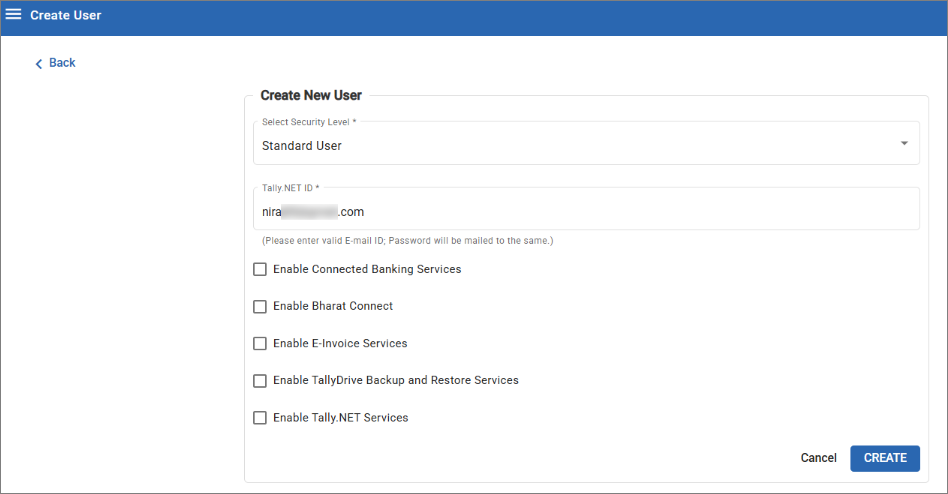
- Create New User.
- In the Create New User section, select the required Security Level as Standard User or Owner.
- In the Tally.NET ID field, enter a valid e-mail address.
The password for the Tally.NET ID is sent to the same e-mail address.
- Enable the features that you want the user to access.
- Click CREATE.
Know Your Tally.NET ID
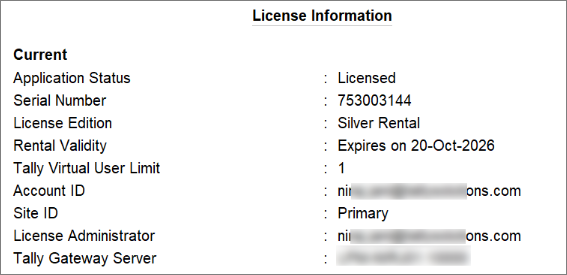
Your Tally.NET ID is linked to your active TallyPrime license.
To know your Tally.NET ID:
- In TallyPrime, press F1 (Help) > Settings > License > Manage License.
Reset Your Tally.NET Password
If you have forgotten your Tally.NET password, then you can:
Questions & Answers
- What is Tally.NET ID?
A Tally.NET ID is an e-mail address that is required to access TallyPrime features, especially online services.
- I don’t have access to the e-mail address that is used as Tally.NET ID. How do I proceed?
If you can’t access the e-mail address used as Tally.NET, then you can resolve issue using one of the options given below:- Option 1: Update the password on the customer portal.
- On the login screen, select Forgot ID/Password.
- Click Reset password, enter your Tally.NET ID, enter Captcha, and click Reset.
- Option 2: Update the password from TallyPrime
- Press F1 (Help) > Settings > Manage License.
If you are in the Reactivate or Update process, TallyPrime prompts you to enter your ID and password. - Press Alt+R (Reset Password) on the right button bar.
- Enter your Tally.NET ID and press Enter.
In both options, you will receive an e-mail notification on your registered e-mail address (your tally.NET ID).
Follow the instructions in the e-mail to setup your password and use the same to login next time.
- Press F1 (Help) > Settings > Manage License.
- Option 1: Update the password on the customer portal.
Is this information useful?
YesNo


