
Country, state and dealer type not specified
Cause
This exception appears when one or more of the following conditions apply:
- Country or State is not specified in the party ledger master.
- The State selected in the transaction differs from the State specified in the party ledger.
- The Nature of Transaction is not derived due to missing or incorrect details.
Resolution
- Select the exception Country, state and dealer type not specified and press Enter.
All transactions with this exception are displayed, and the Uncertain Resolution screen appears. - Select the correct State, specify the GSTIN, if applicable, and select the appropriate Dealer Type.
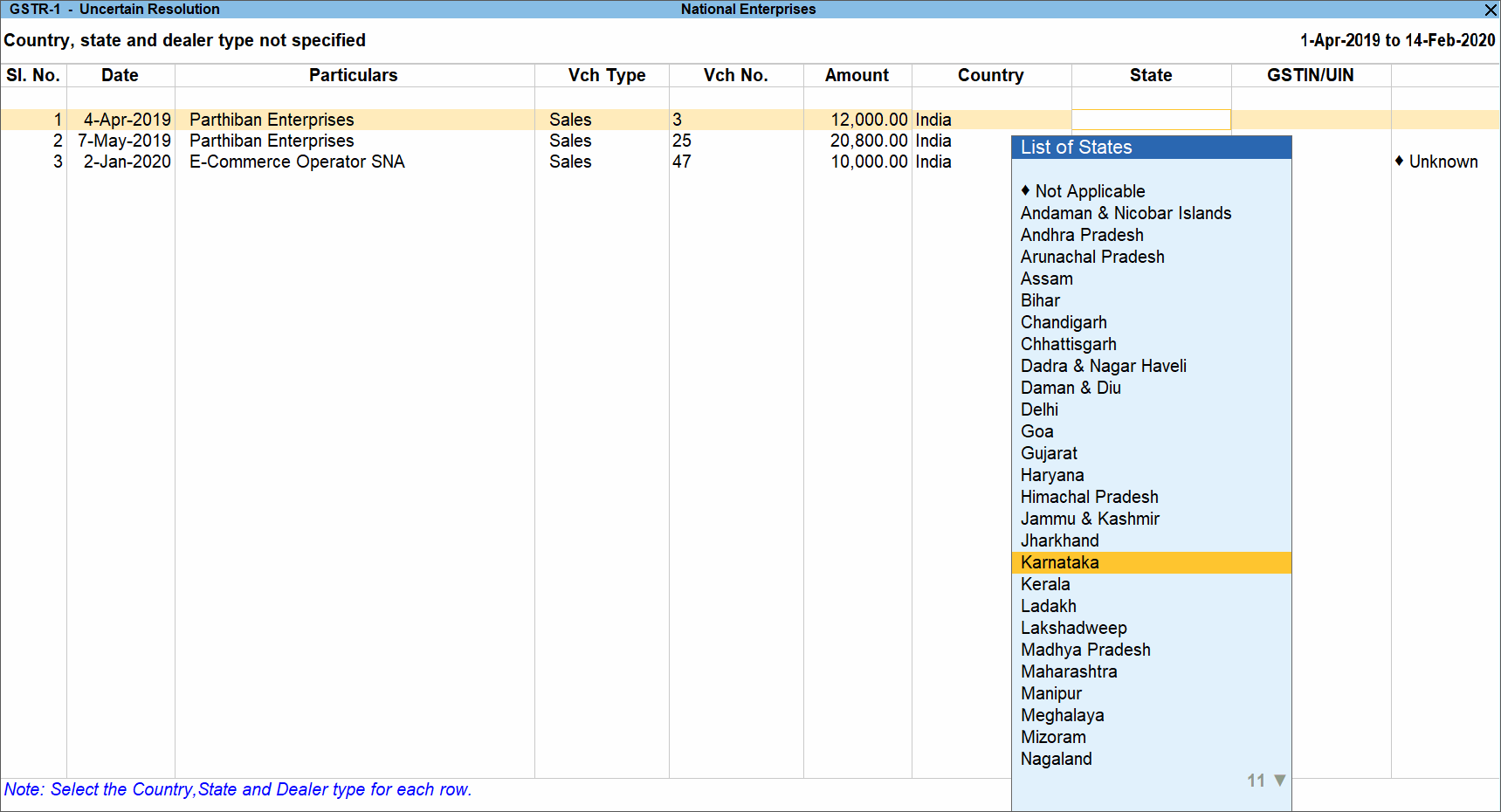
- Accept the screen. As always, you can press Ctrl+A to save.
If required, press Alt+H (Exclude Voucher) to exclude the voucher from the GSTR-1 Return.
Is this information useful?
YesNo


