
Record TDS on Expenses in TallyPrime
You can record TDS while accounting for business expenses. You can also record the expense first and deduct TDS later, or handle scenarios such as fixed assets, partial values, and cash payments separately.

Ensure that:
- You have enabled TDS in TallyPrime.
- You have created the requited TDS masters.
In the Journal voucher:
- Debit the expense ledger and enter the amount.
- Credit the party ledger.
The amount after TDS deduction is displayed automatically. - In the Bill-wise Details screen, enter the required details, and press Ctrl+A to save.
- Credit the TDS ledger.
The TDS amount is displayed automatically.
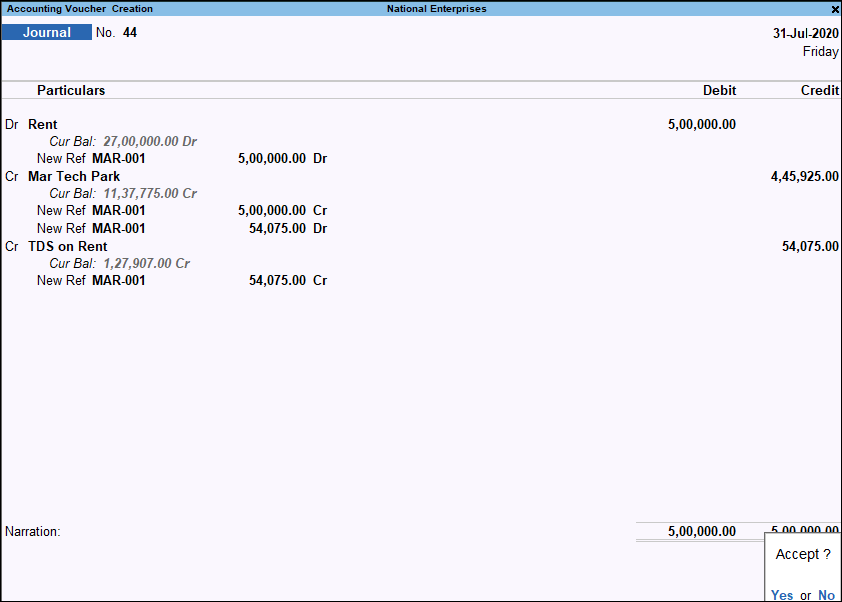
- Press Ctrl+A to save the voucher.
Account for expenses and deduct TDS later
In some cases, you may account for an expense when you receive the bill and deduct TDS later. Record the expense first and then record the TDS deduction through a separate Journal voucher.
Account for the expense
In the Journal voucher:
- Debit the expense ledger and enter the amount.
- Credit the party ledger and enter the amount.
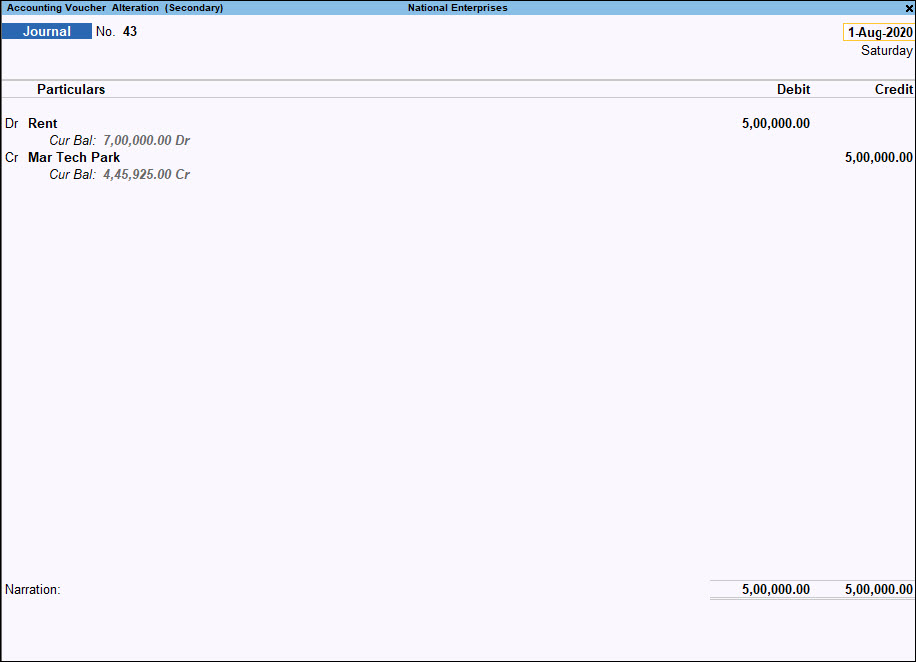
- Press Ctrl+A to save the voucher.
Deduct TDS later
In the Journal voucher:
- Debit the party ledger and enter the TDS amount.
- In the Bill-wise Details screen, enter the required details.
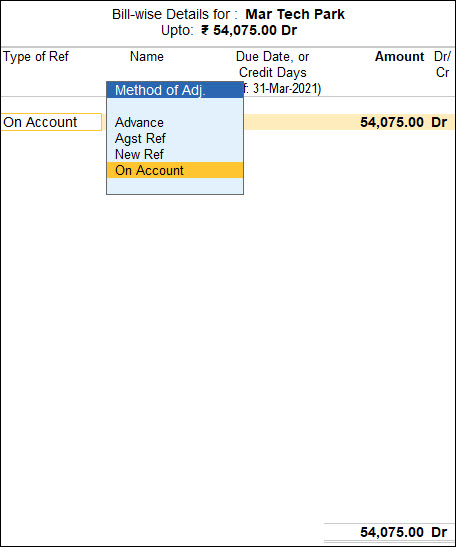
- Credit the TDS ledger and enter the TDS amount.
- In the TDS Nature of Payment Details screen, enter the required details, and press Ctrl+A to save.
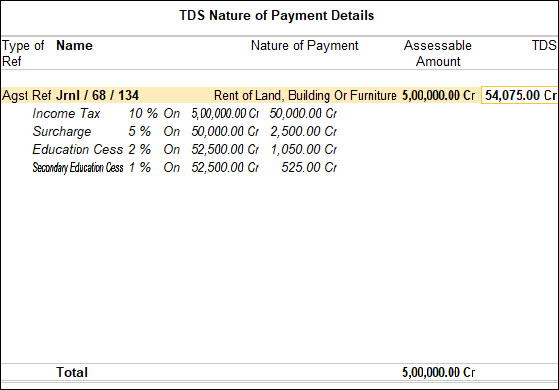
- Press Ctrl+A to save the voucher.
Record TDS on Fixed Assets
In the Journal voucher:
- Debit the fixed asset ledger and enter the amount.
- Credit the party ledger.
The amount is displayed automatically. - In the Bill-wise Details screen, enter the required details.
- Credit the TDS ledger.
The TDS amount is displayed automatically.
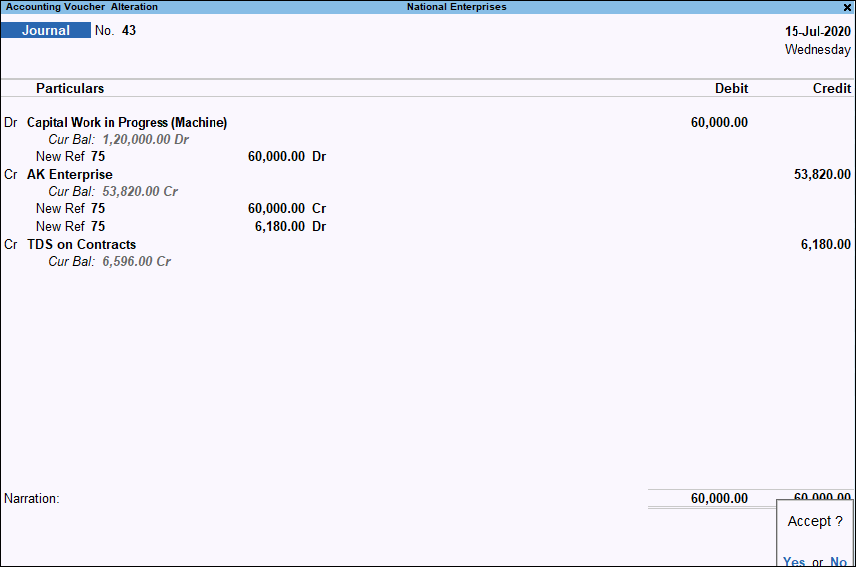
- Press Ctrl+A to save the voucher.
Deduct TDS on Partial Values
You can deduct TDS on only a part of the transaction value by modifying the assessable amount.
In the Journal voucher:
- Press F12 (Configure) > set Modify Tax details for TDS to Yes, and press Ctrl+A to save the configuration.
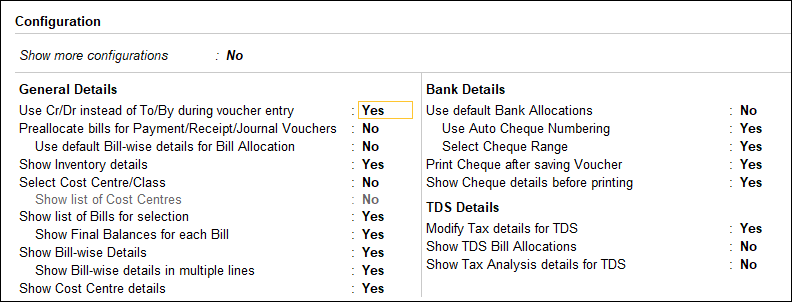
- Debit the expense ledger and enter the amount.
- Enter the TDS Nature of Payment Details.
- In the TDS Nature of Payment Details screen, press F12 (Configure) and set Allow modification of assessable amount to Yes.
- Select the Nature of Payment and enter the required Assessable Value.
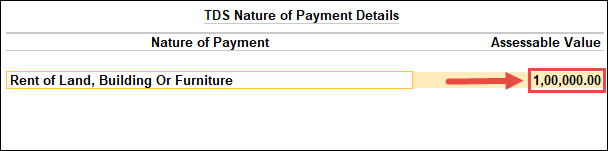
- Press Enter to save the details.
- Press Ctrl+A to save the voucher.
Deduct TDS when expenses are paid through cash
You can record expenses paid through cash while deducting TDS from the party.
In the Purchase voucher:
- Select Cash as the Party A/c name.
- In the Supplier (Bill from) field under Party Details, select the party.
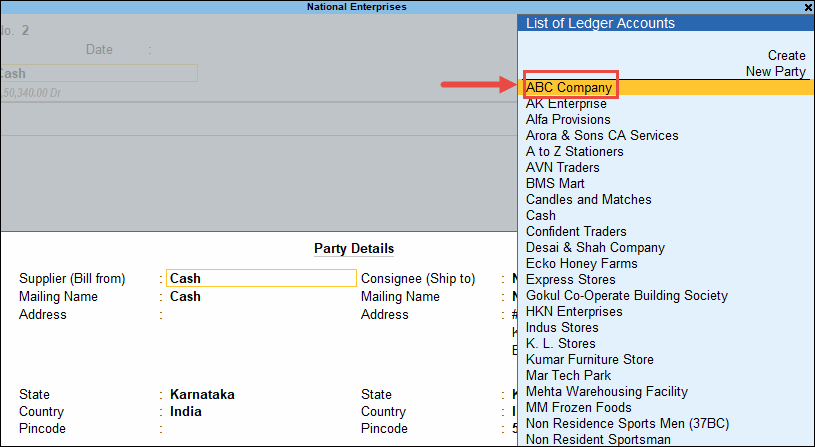
- Select the expense and TDS ledgers.
- Verify the party details displayed for TDS.
If you enter the party name manually in Party Details instead of selecting it from the list, specify the party’s PAN number and Deductee Type after selecting the TDS ledger.
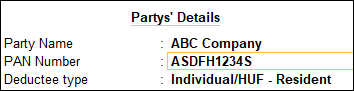
- Press Ctrl+A to save the voucher.
Questions and Answers
-
Why is TDS not getting calculated on an expense?
Check the TDS applicability and Nature of Payment configured for the expense and party. Also verify the party’s PAN and deductee details. -
How can I check the TDS calculation for an expense transaction?
Open the transaction and press Ctrl+O (Related Reports) > TDS – Tax Analysis. Press Alt+F5 (Detailed) to view the tax breakup.


