
Set Up Non-Revenue Accounts for GST
If you have any non-revenue account that participates in transactions attracting GST, you will need to set up the non-revenue account ledger for GST.

Ensure that:
- Your company has the required GST Registration details.
- You have created a ledger under Current Assets for non-revenue account.
In the non-revenue account ledger:
- Press F12 (Configure) > set the required options for GST
- Set Provide GST details to Yes.
- Set For Non-Revenue Accounts also to Yes.
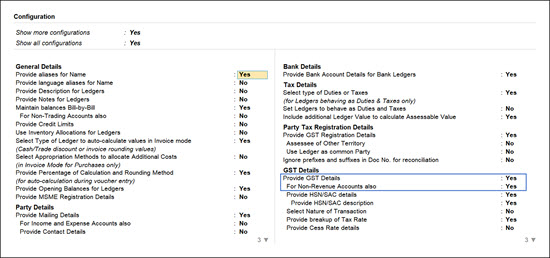
- Configure the non-revenue account for GST.
- GST applicability: Applicable.
- Specify the HSN/SAC and GST Rate details, as needed.
- Select the Type of supply as:
- Services: (Default) If the ledger is used to record sale of service.
- Goods: If the ledger is used to record sale of goods.
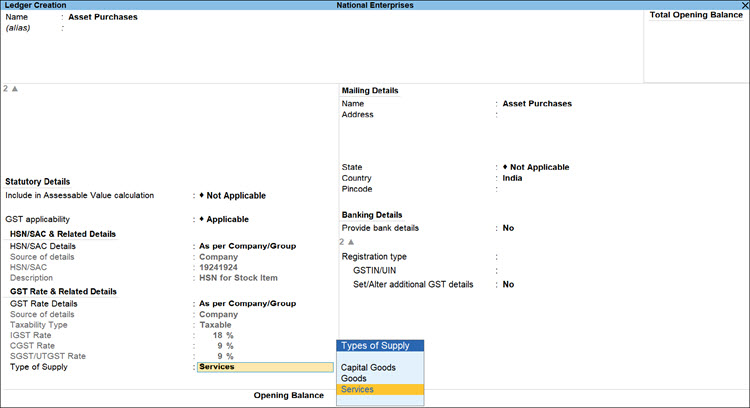
- Enter other details as needed, and press Ctrl+A to save.
Is this information useful?
YesNo


