
Account for Input Service Distributor Credit Under GST
GST FAQ | Errors and Resolutions
You can account for Input Service Distributor Credit (ISD) Credit in TallyPrime when your branch receives Input Tax Credit distributed by the head office (Input Service Distributor) through an ISD invoice or debit note. The ISD mechanism under GST is applicable only to input services.
-
Press Alt+G (Go To) > Create Voucher > press F7 (Journal).
-
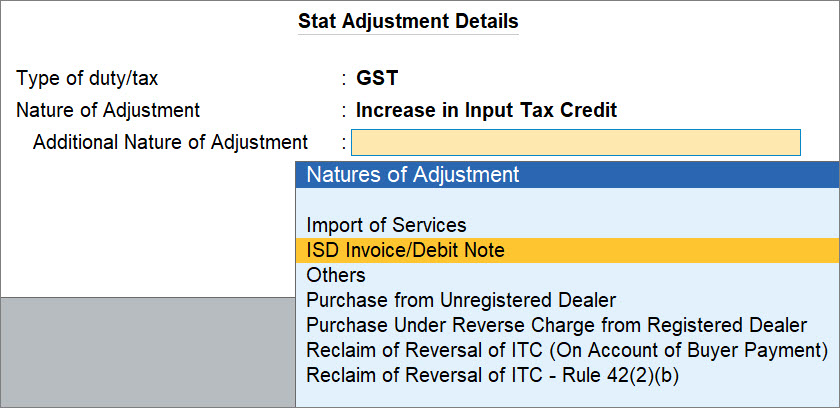
Specify statutory adjustment details.
-
Press Alt+J (Stat Adjustment).
-
Select Type of duty/tax as GST.
-
Select Nature of Adjustment as Increase in Input Tax Credit.
-
Select Additional Nature of Adjustment as ISD Invoice/Debit Note.
-
-
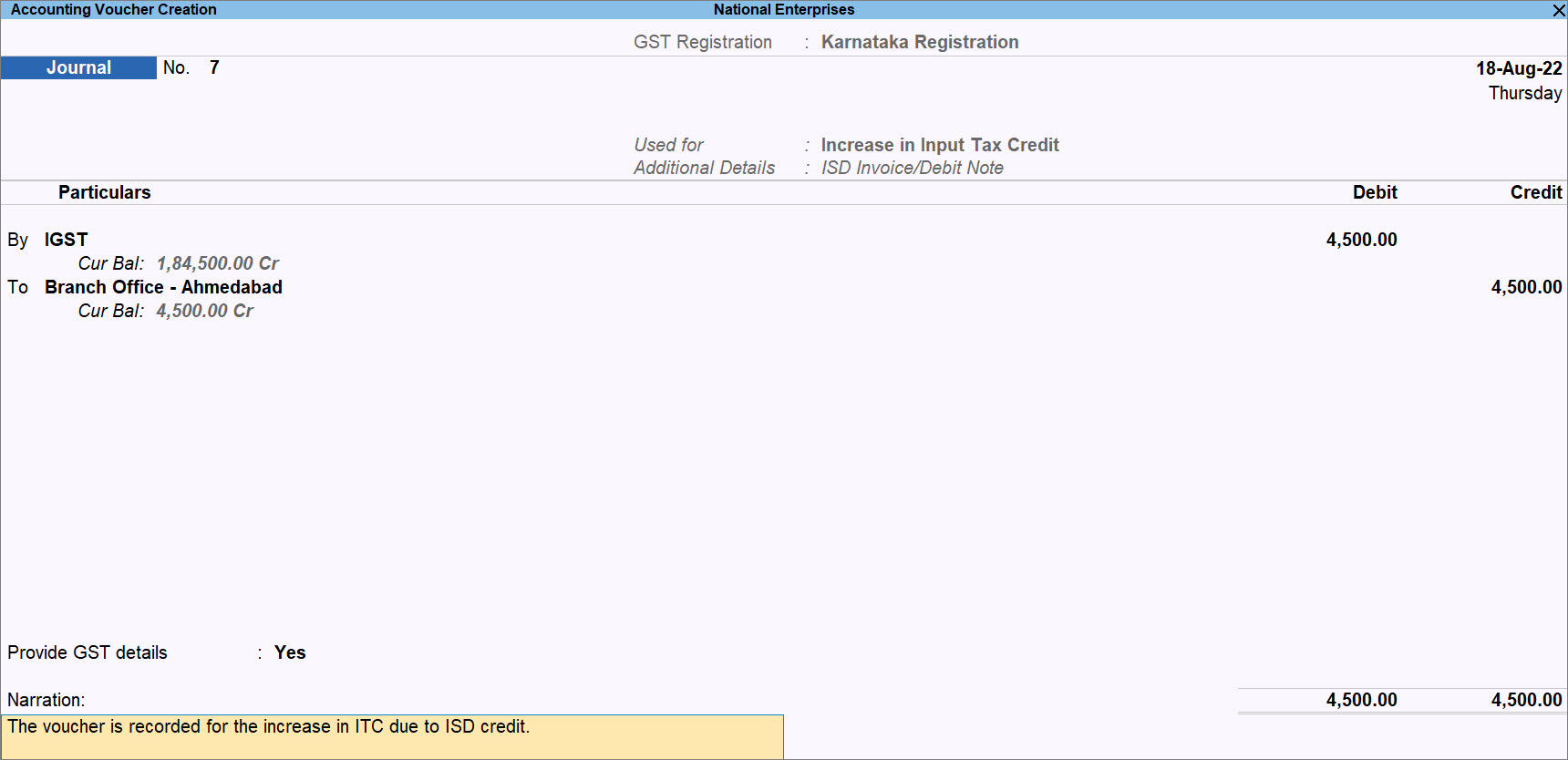
On the voucher, debit the tax ledgers and credit the purchase, expense, or branch account ledger, as applicable.
-
Under By (Debit), select the reversal of ITC ledger created under Current Assets or Expenses and enter the debit value.
-
Under To (Credit), select the purchase, expense, or branch account ledger, as applicable, and enter the amount of ITC.
-
-
Set Provide GST Details to Yes.
-
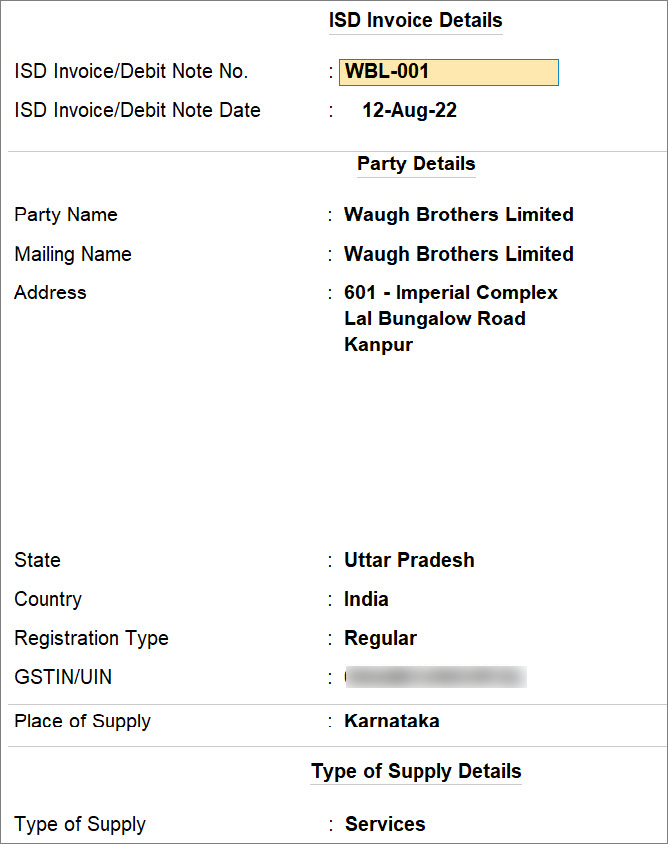
Enter ISD Invoice details:
-
ISD Invoice/Debit Note No.: Enter the invoice number or debit note number of the invoice or debit note provided by the ISD.
-
ISD Invoice/Debit Note Date: Enter the date on which ISD Invoice or Debit Note was provided by the ISD.
-
-
-
Verify Party Details such as Party Name, Mailing Name, and Address.
These details are prefilled based on the selected party ledger. You can alter, if required. -
Set the Registration Type as Regular and enter the GSTIN/UIN.
-
Enter Supply Details.
-
Place of Supply: The place of supply will be prefilled based on the transaction (sales, purchase, or others).
You can change it, if needed. -
Select the Type of Supply as Services.
-
-
Provide other necessary details, as needed, and press Ctrl+A to save the voucher.
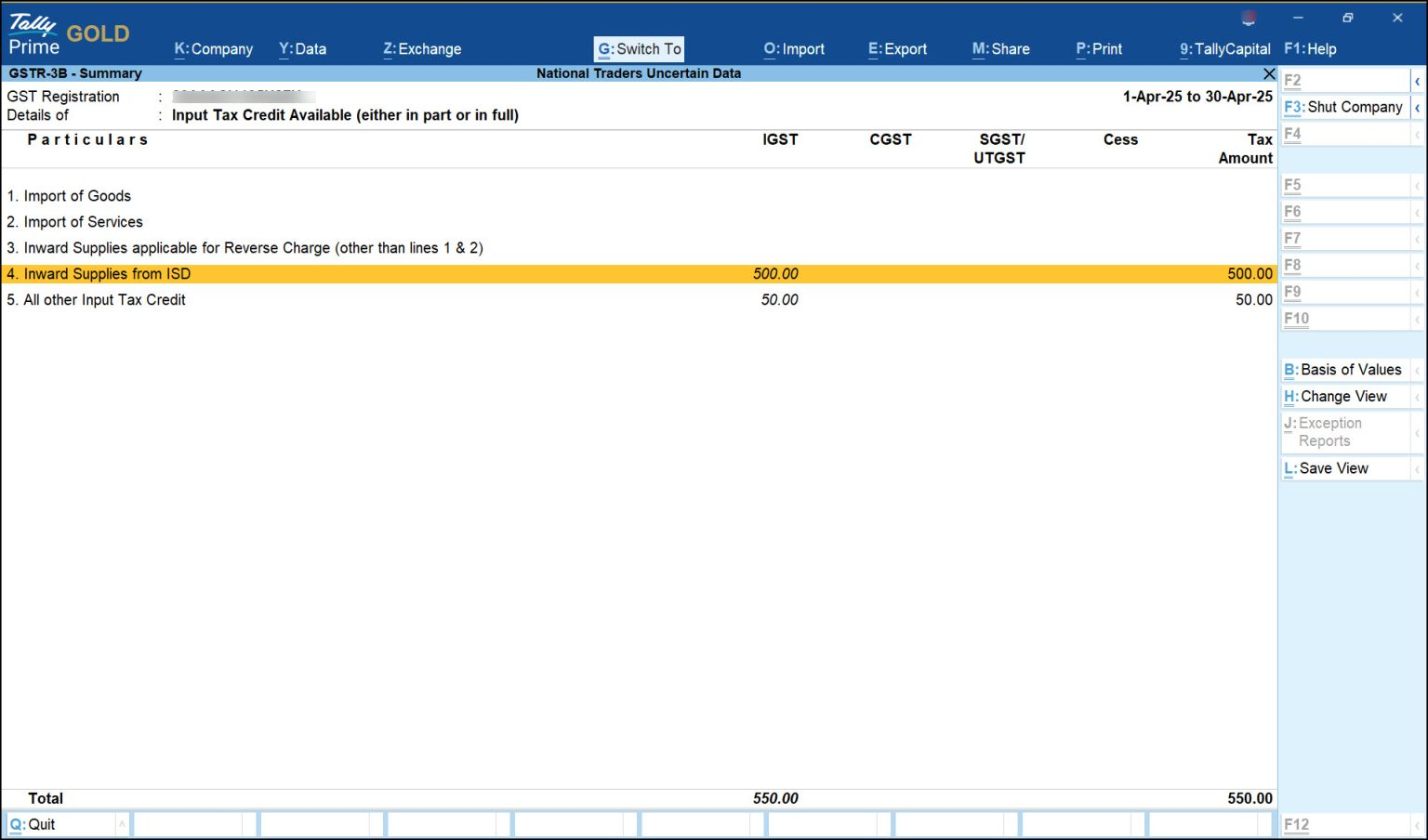
The voucher will be included in GSTR-3B and appear under 4A: Input Tax Credit Available (either in part or in full) > Inward supplies from ISD.
Questions & Answers
Can I account for ISD credit for goods or capital goods?
No, ISD credit applies only to input services. Credit related to goods or capital goods cannot be distributed through ISD.


