
Account for TDS on Purchases Under GST in TallyPrime
With TallyPrime, you can record purchase transactions with GST and deduct TDS as per the Income Tax Act, 1961. You can choose whether GST should be included in or excluded from the TDS calculation.
Before you begin | Prerequisites
- Enable TDS.
- Create TDS Nature of Payment.
- Create a party ledger under Sundry Creditors.
- Create a purchase or expense ledger (under Purchase Accounts or Indirect Expenses) and select the appropriate TDS Nature of Payment.
- Create GST duty ledgers (CGST, SGST, IGST, and Cess, as applicable) under Duties and Taxes.
- Set TDS applicability in each GST ledger to:
- Not Applicable: to exclude GST from TDS calculation
- Applicable: to include GST in TDS calculation
Record TDS Purchase under GST in TallyPrime
Use this procedure to record purchase transactions with GST and deduct TDS. Whether GST is included in or excluded from the TDS calculation depends on the TDS applicability set in the GST duty ledger.
- Open a Purchase voucher.
- Party A/c name: Select the party ledger enabled for TDS.
- Purchase ledger: Select the purchase or expense ledger linked to the required TDS Nature of Payment.
- Enter the Quantity and Rate for the stock item or expense.
- Select the GST duty ledgers (CGST, SGST, IGST, or Cess) and ensure one of the following is set in the GST ledger master:
- To exclude GST from TDS calculation, ensure to select the duty ledger where Is TDS Applicable is set to Not Applicable.
GST values are recorded in the voucher but are not considered for TDS calculation. - To include GST in TDS calculation, ensure to select the duty ledger where Is TDS Applicable is set to Applicable.
- To exclude GST from TDS calculation, ensure to select the duty ledger where Is TDS Applicable is set to Not Applicable.
- Select the TDS duty ledger, as applicable.
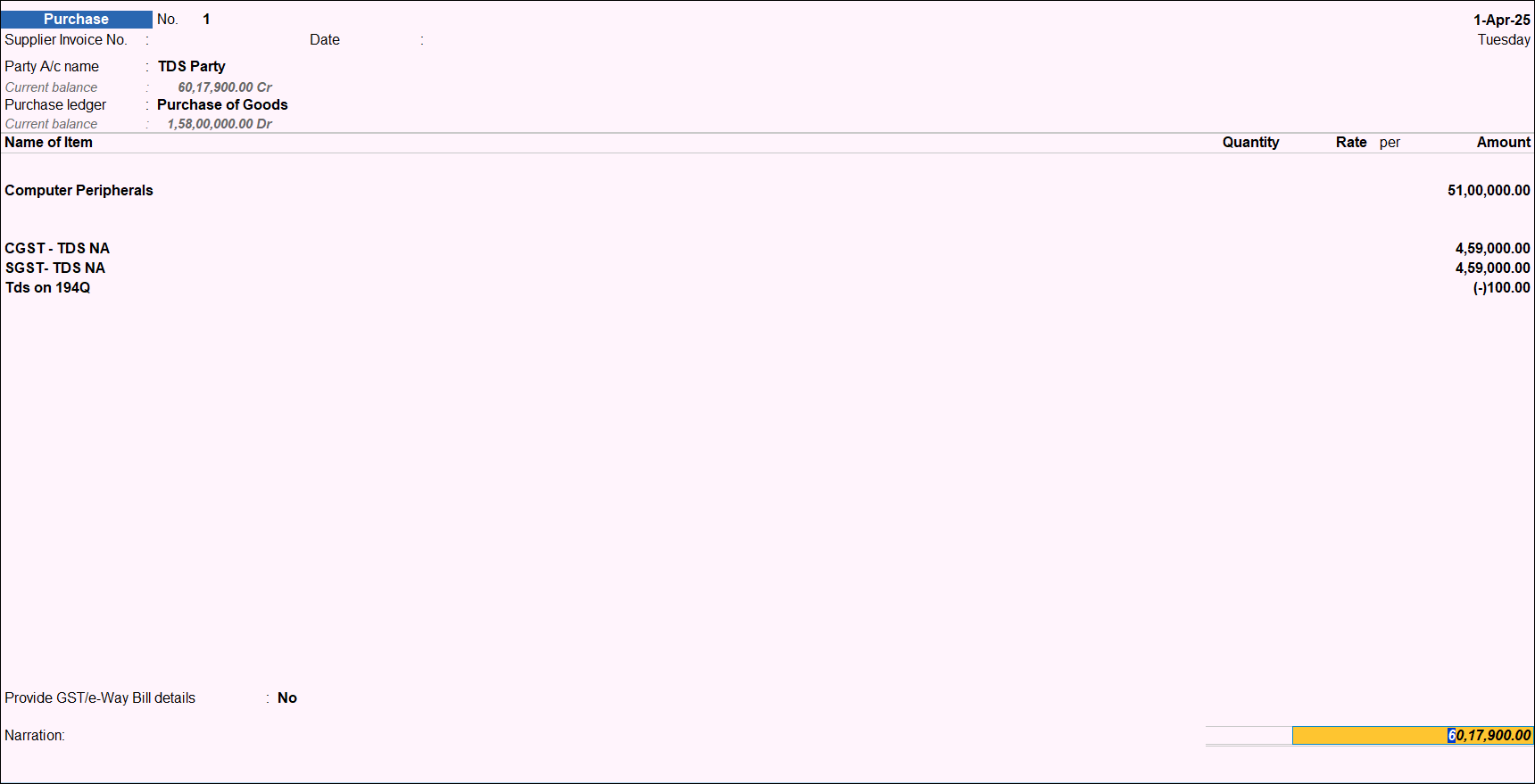
- Accept the voucher or press Ctrl+A to save.
Is this information useful?
YesNo


