
Print Payment Advice Report Using TallyPrime (Payroll)
The Payment Advice report enables you to generate Payment Advice or Bank Transfer letters for disbursing salary amounts from a selected bank account to the respective bank accounts of employees, based on the Salary Payment voucher.
- Gateway of Tally > Displays More Reports > Payroll Reports > Payment Advice.
- Press C (Configure) to specify the following details in the Print Configuration screen.
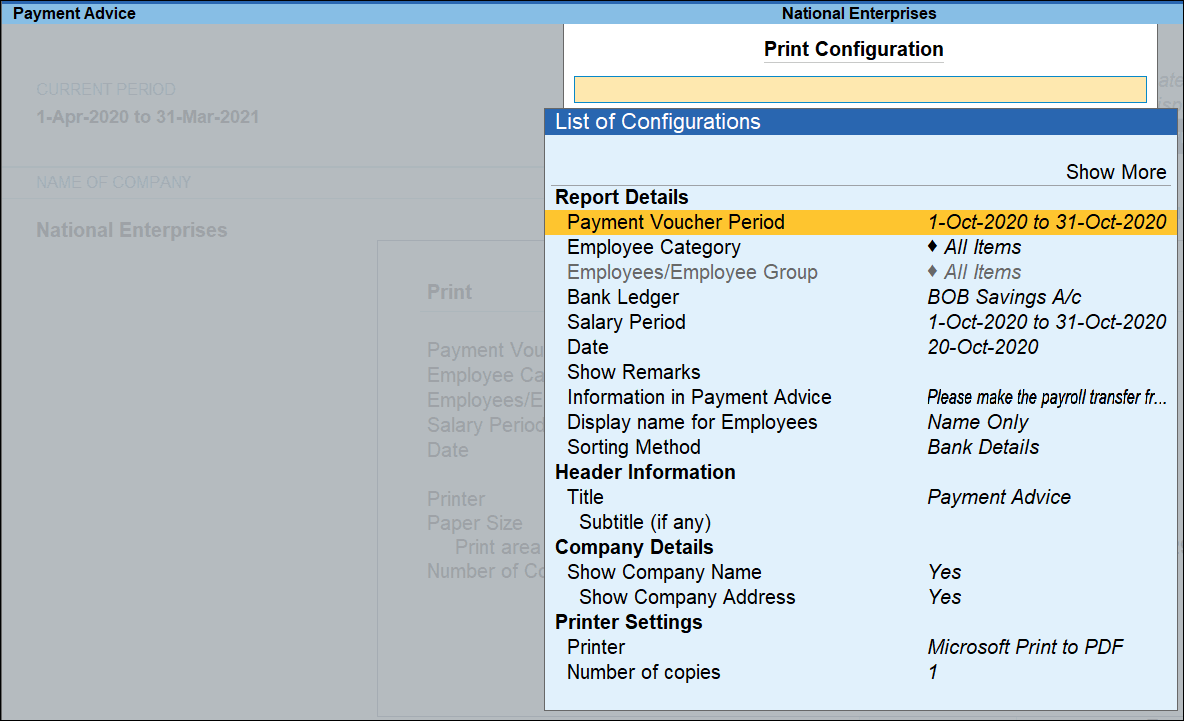
- Payment Voucher Period: Set the From and To date of the period for which the payment to be made.
- Employee Category: Select the appropriate Employee Category.
- Employees/Employee Group: Select the appropriate Employee or Employee Group.
- Bank Ledger: Select appropriate Bank Ledger to which the salary amount is paid.
- Salary Period: Set the From and To date of the salary period.
- Date: Specify the date for printing the payment advice.
- Show Remarks: Define a common remark for all employees to print in the Payment Advice.
- Information in Payment Advice: Enter the instruction to be entered in the Payment Advice.
Press Show More to add additional configurations. - Press Ctrl+A to accept the configuration.
- Press P (Print).
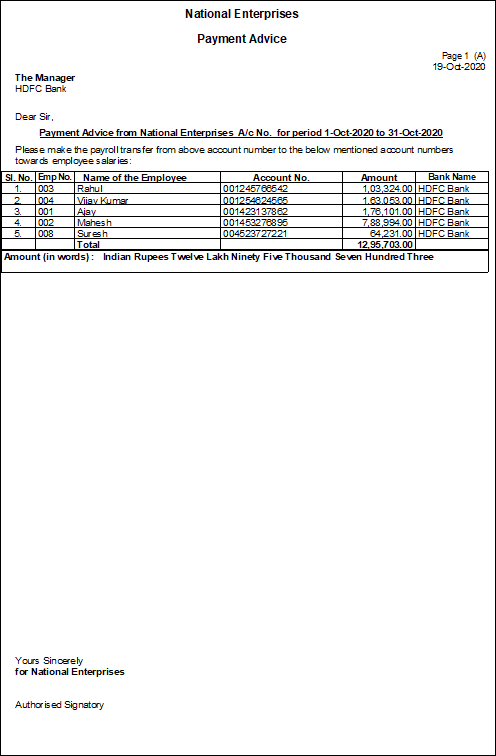
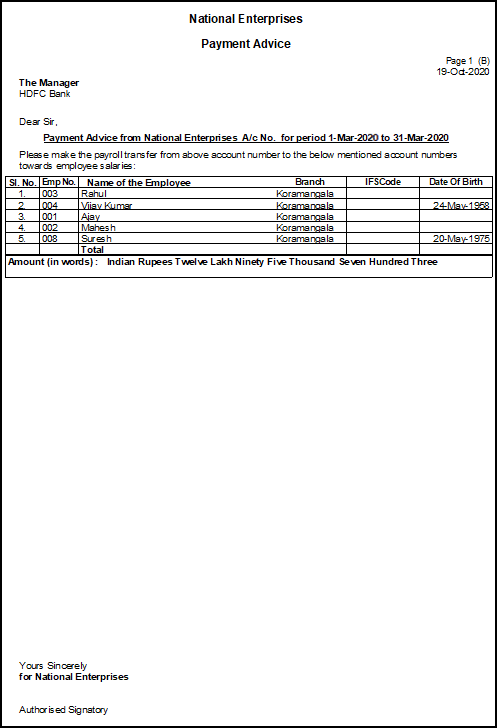
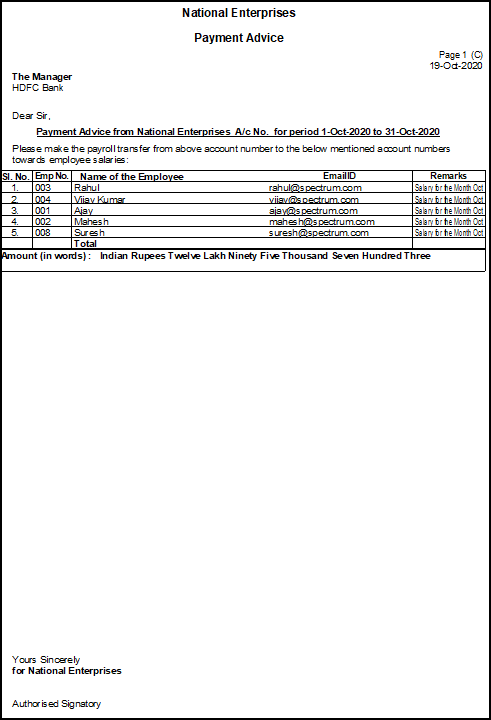
This is the default payment advice format. For changes specific to your bank’s requirements, contact your nearest Tally Partner.
Is this information useful?
YesNo


