
View Employee Pay Head Breakup in TallyPrime (Payroll)
The Employee Pay Head Breakup report displays the opening balance, credit/debit transactions and closing balance for the selected period.
- Press Alt+G (Go To) > type or select Employee Pay Head Breakup > and press Enter.
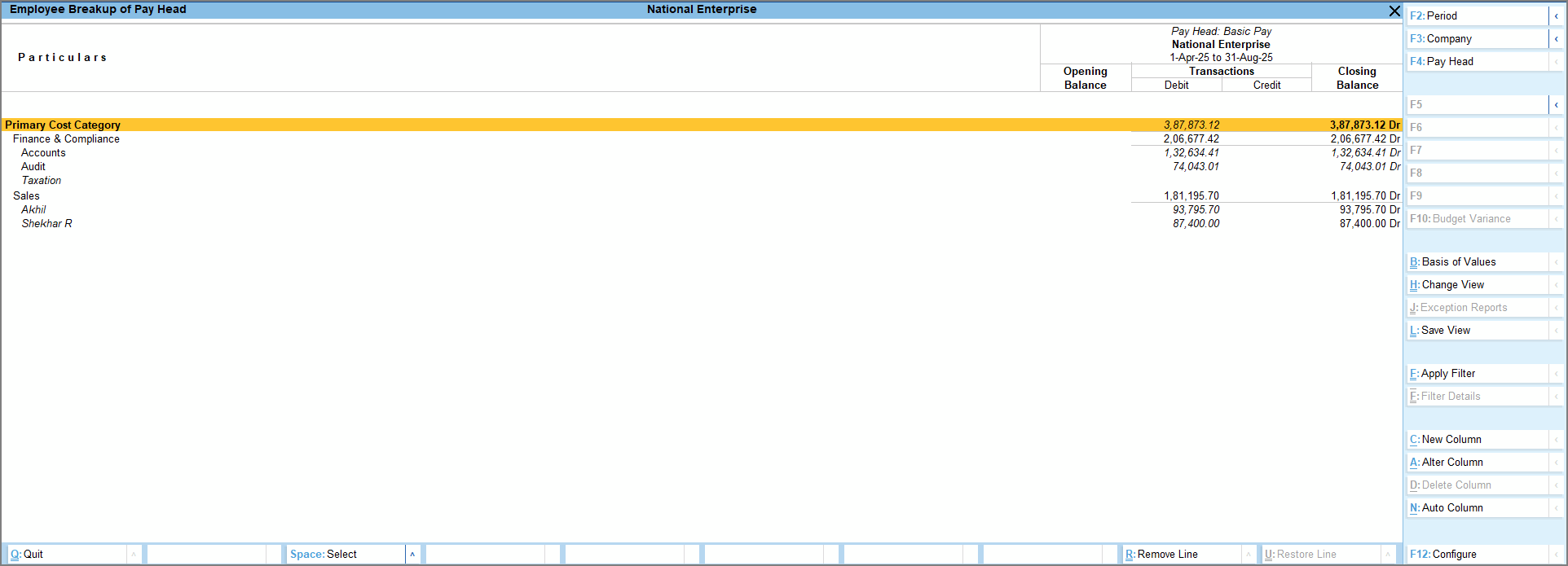
- Select the required pay head from the List of Pay Heads.
- Drill down from Employee Breakup of Pay Head to Employee Summary, then to Employee Monthly Summary, and further to Employee Vouchers.
- Open the required voucher and modify it as needed.
- Press F4 (Pay Head) and select any other pay head as required.
- To view related reports like Payroll Statement and Ledger Cost Centre Breakup, press Ctrl+H (Change View).
Is this information useful?
YesNo


