
Manage Reversal and Reclaim of ITC for Union Territory Merger Transition
During the Union Territory (UT) merger transition, you may need to reverse the remaining Input Tax Credit (ITC) in the books of the existing company and reclaim the credit in the books of the new company.
You can record these adjustments using journal vouchers with statutory adjustment in TallyPrime.

-
The required tax ledgers (IGST, CGST, UTGST) are available.
-
Ledgers for ITC Reversal and ITC Reclaim is available in the companies, as required.
Reverse ITC in the Existing UT Registration
You can record an adjustment transaction to reverse the remaining input tax credit in the existing UT company registration.
-
Record a journal voucher with the Nature of adjustment as Increase of Input Tax Credit (ITC).
-
Press Alt+G (Go To) > Create Voucher > press F7 (Journal).
-
Specify statutory adjustment details.
-
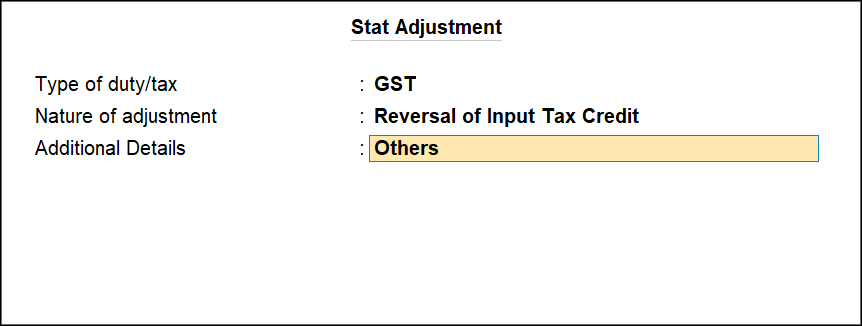
Press Alt+J (Stat Adjustment).
-
Type of duty/tax: GST
-
Nature of Adjustment: Reversal of Input Tax Credit
-
Additional Nature of Adjustment: Others
-
-
-
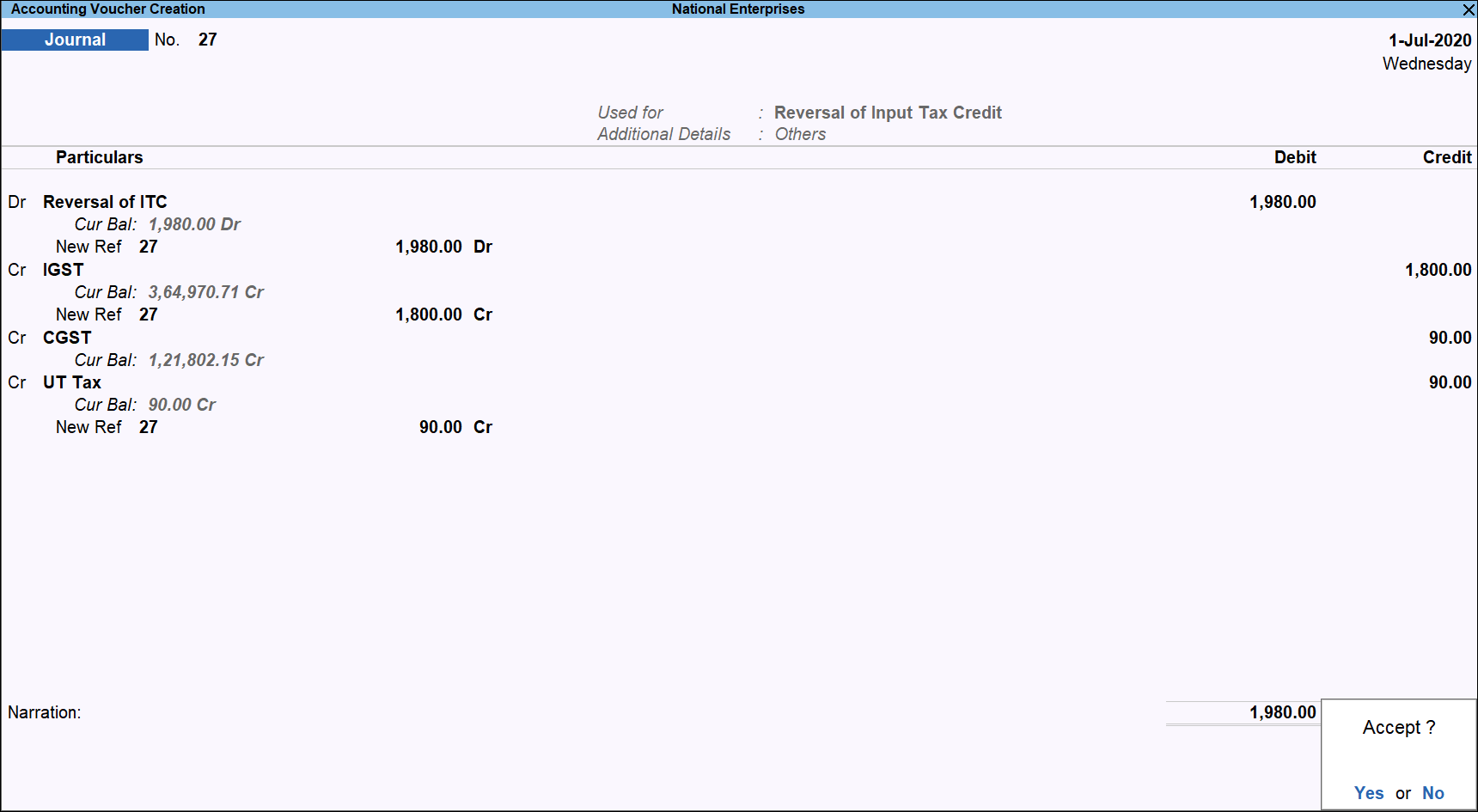
On the voucher, debit the reversal of ITC ledger and credit the tax ledger, as applicable, and enter the Amount respectively.
-
Press Ctrl+A to save.
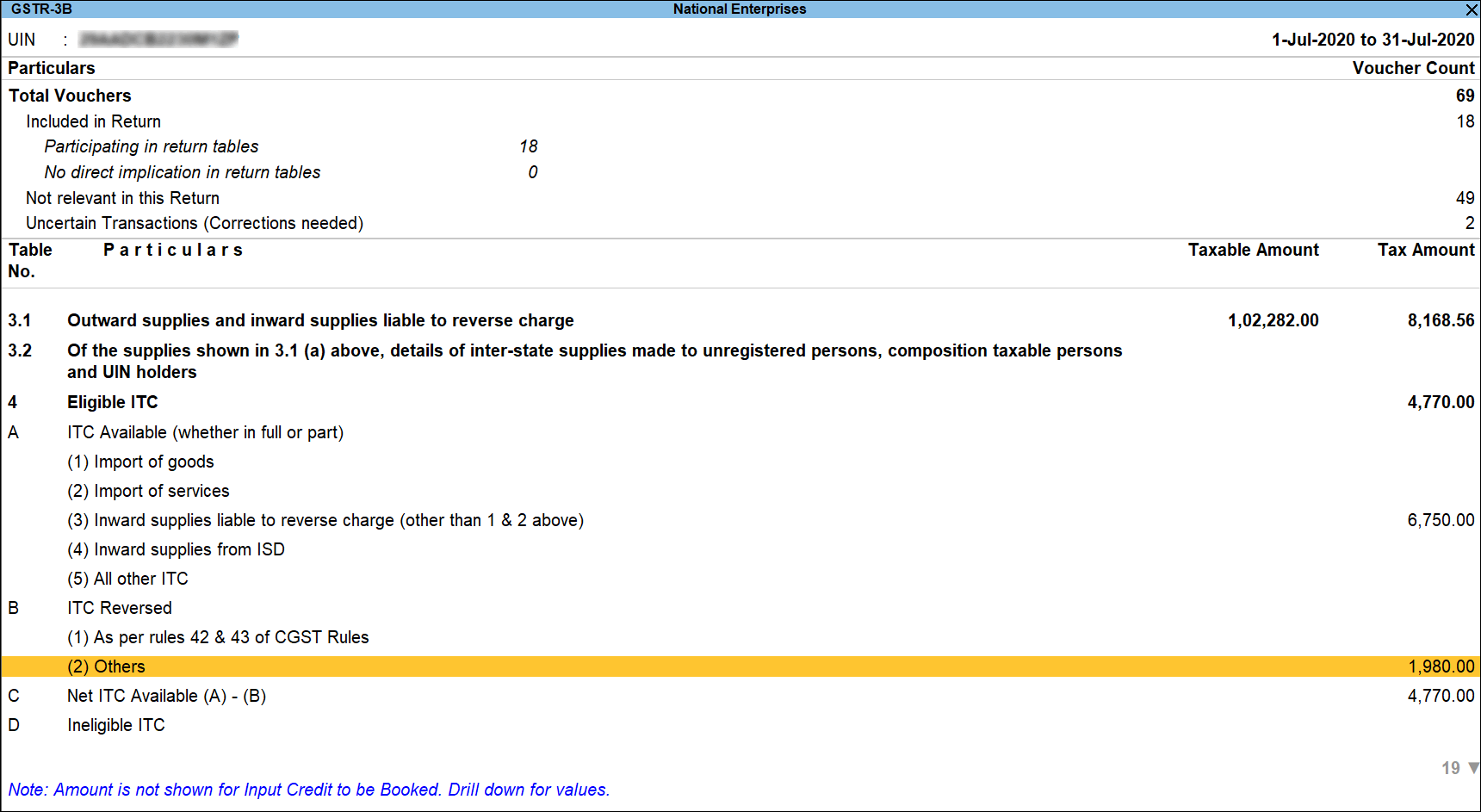
The reversal amount will appear in the table 4(B)(2)Others of GSTR-3B.
Reclaim ITC in the New UT Registration
After the transition from the existing UTC registration, you can reclaim the reversed ITC in the new UT company registration.
-
Record a journal voucher with the Nature of adjustment as Increase of Input Tax Credit.
-
Press Alt+G (Go To) > Create Voucher > F7 (Journal).
-
Specify statutory adjustment details.
-
Press Alt+J (Stat Adjustment).
-
Type of duty/tax: GST
-
Nature of Adjustment: Increase in Input Tax Credit
-
Additional Nature of Adjustment : Transfer of ITC
-
-
-
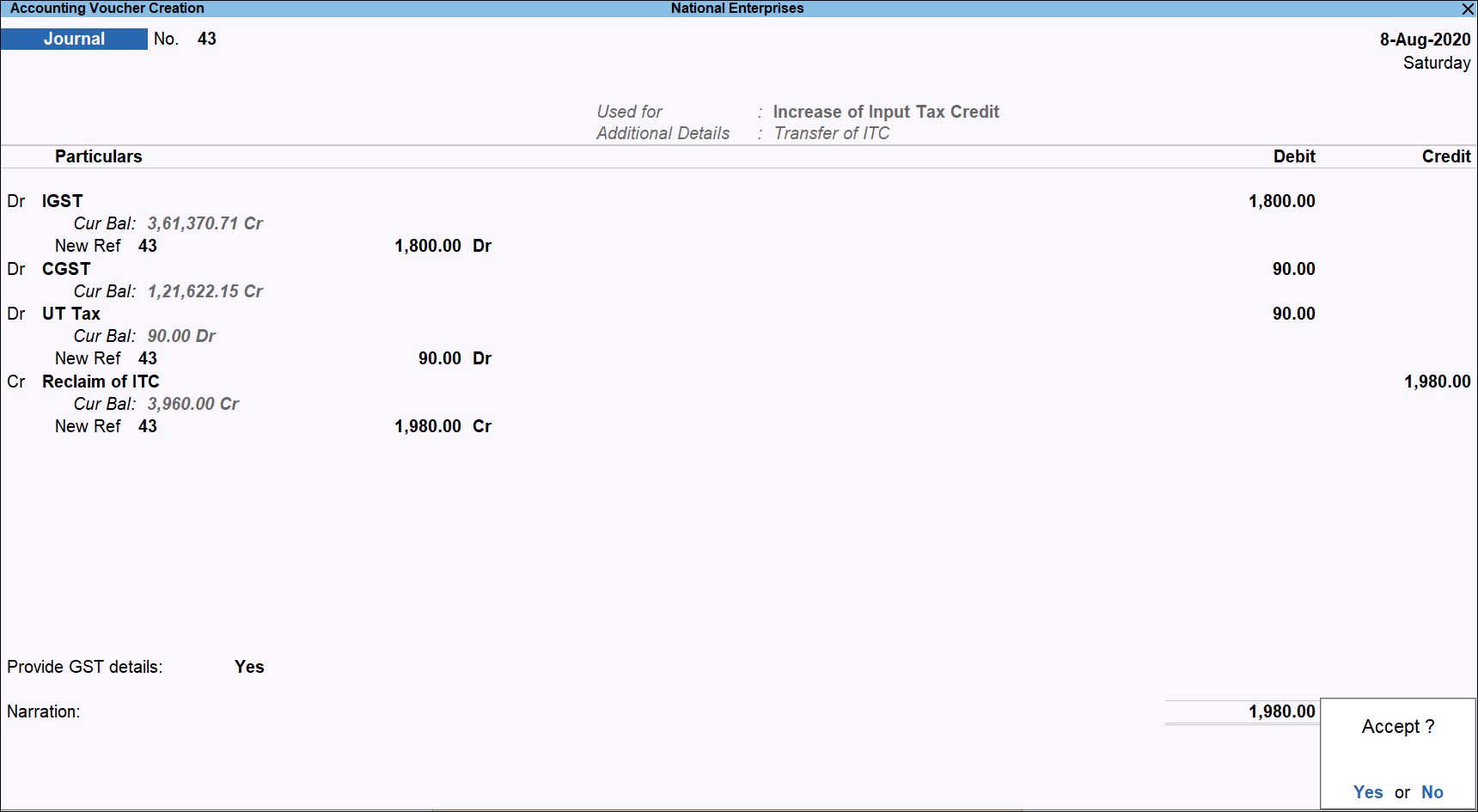
On the voucher, debit the Integrated Tax, Central Tax, and UT Tax ledgers and credit the Reclaim of ITC ledger created under Current Assets or Income.
-
Enable Provide GST Details and specify the Type of Input.
-
Press Ctrl+A to save.
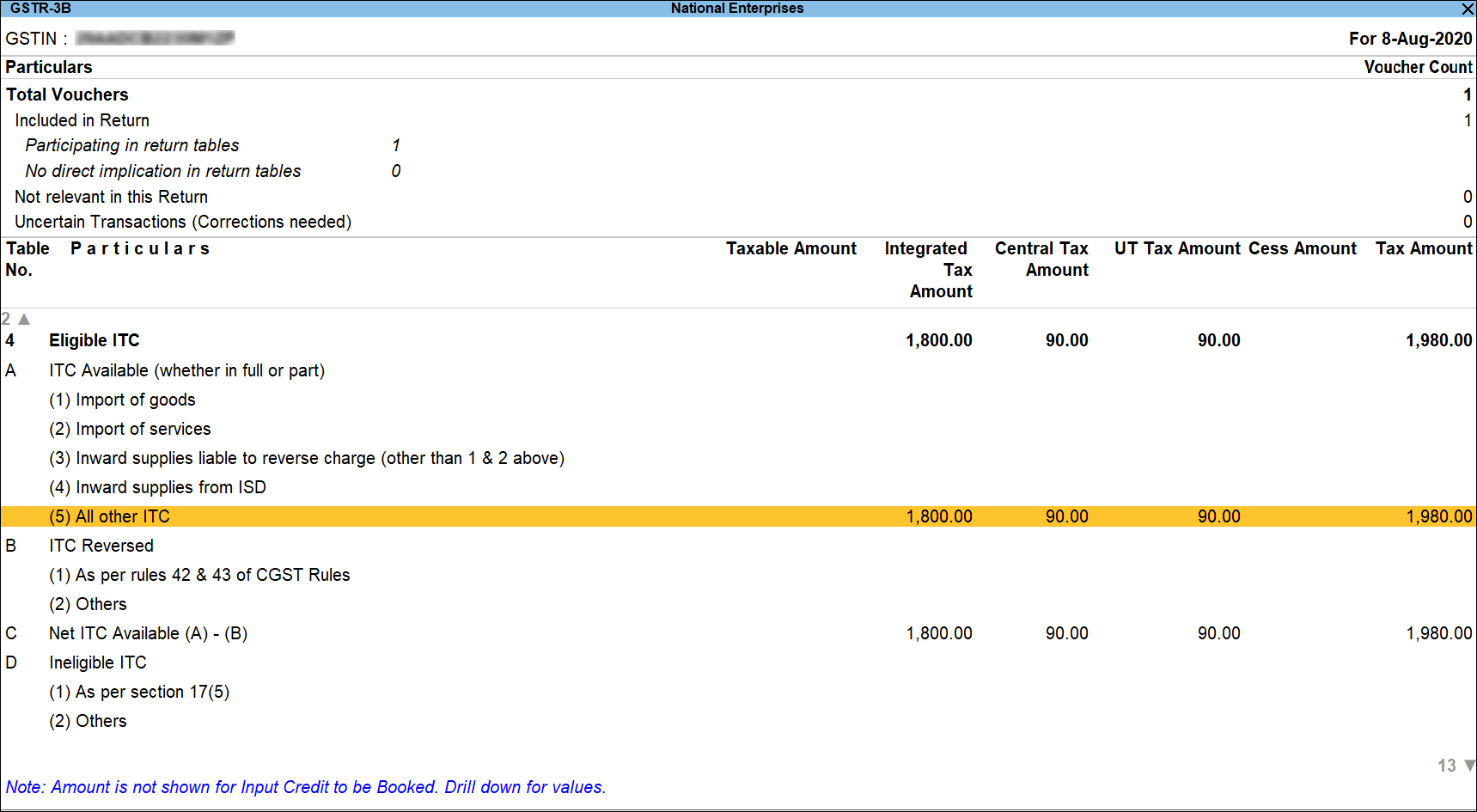
The reclaimed ITC value will appear in Table 4(A)(5) of GSTR-3B.
Questions & Answers
Why do I need to reverse ITC during a UT merger transition?
When a Union Territory merges, the existing GST registration becomes inactive. Any unutilized ITC in that registration must be reversed to comply with GST rules. This ensures that the ITC is not carried forward incorrectly in the old registration.
What happens if I don’t reverse ITC in the old UT registration?
The ITC will remain in the inactive registration and cannot be utilized. This may lead to compliance issues and mismatch in GST returns.
Can I use the same ITC Reversal/Reclaim ledger across companies?
No, each company (old UT registration and new UT registration) should have its own ledgers created for reversal and reclaim to maintain clear records.


