Split Company Data in TallyPrime
For TallyPrime 6.0 & later
|For TallyPrime 5.1 & earlier|
If you are currently handling a large volume of transactions in TallyPrime, it can be difficult for you to manage and share data. With the Split feature, you can create one or two new companies, as per your business needs to manage your data efficiently.
Before proceeding with the Split feature in TallyPrime, it is recommended to verify your data and resolve the errors after data verification.

Ensure that you have:
- Finalised the company books before proceeding with data split.
- Adjusted all unadjusted forex gains/losses by recording journal entries in case of multi-currency.
- Checked the Profit & Loss A/c and inventory statements and your purchase/sales bills are not pending. You have to account for them in the respective party ledgers or in the Sales Bills Pending report.
- Completed the transaction cycle, including the payments and filing of returns (TDS/TCS). Cross-check tax-related ledgers and reports for pending items, in case of tax compliance requirements.
- Filed and reconciled GST Returns. Clear any mismatched entries in GST reports.
- Taken backup of your data as required to a local drive or TallyDrive.
- Verified the company data to ensure that no errors occur during splitting.
Verify Company Data

- Press Alt+Y (Data) > Split > Verify Data.
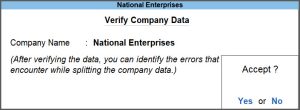
- Select the required company, and press Enter or select Yes to proceed.
If any errors are identified, TallyPrime will prompt you to resolve the errors. You can refer to the List of Errors screen to resolve those errors.

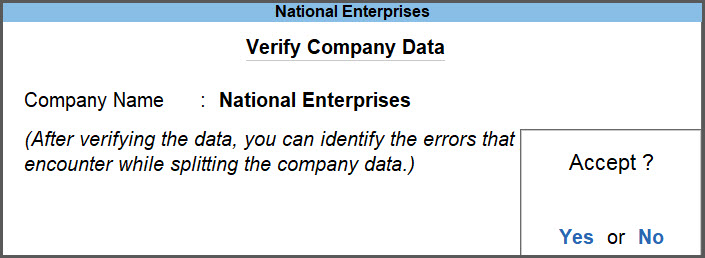

After completing the verification process, you can now proceed to split your data in TallyPrime.
Split Company Data
- Press Alt+Y (Data) > Split > Split Data.
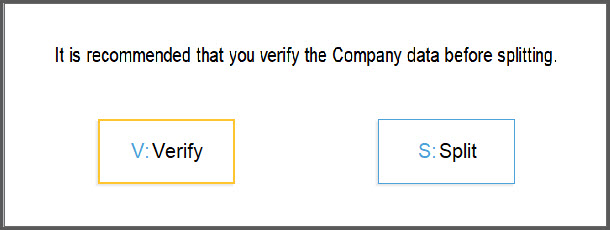
You will see a prompt to verify your data before splitting.
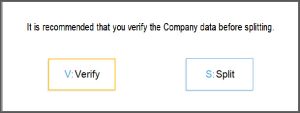
- Press S or select Split to split data, if you have already completed your data verification.
- In the Split Company Data screen, confirm the Split from date or enter a new date.
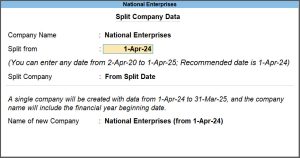
- In the Split Company field, select the appropriate option.
- From Split Date: To create a new company with data from the split date to the last entry date.
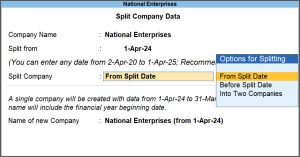
- Before Split Date: To create a new company with data from the first date of entry in the company till one day before the split date.
- Into Two Companies: To create one new company with data from the first date of entry in the company up to the day before the split date, and another new company with data from the split date to the final entry date.
- From Split Date: To create a new company with data from the split date to the last entry date.
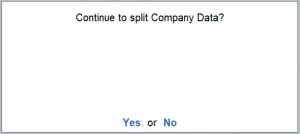
- Select Yes to accept.


During the data split, you can briefly see the progress bar. After the completion of data split, you can see the companies appearing under the NAME OF COMPANY in Gateway of Tally.