
Exception Types
Using this option you can resolve exceptions from a common screen by grouping all table-wise related exceptions into two buckets Party Ledger level Corrections and Configuration Level Corrections.
To resolve all party ledger level exceptions
- Select Information required for generating table-wise details not provided, and press Enter.
- Press Alt+F8 (Party-wise Corrections) in the Uncertain Resolution screen.
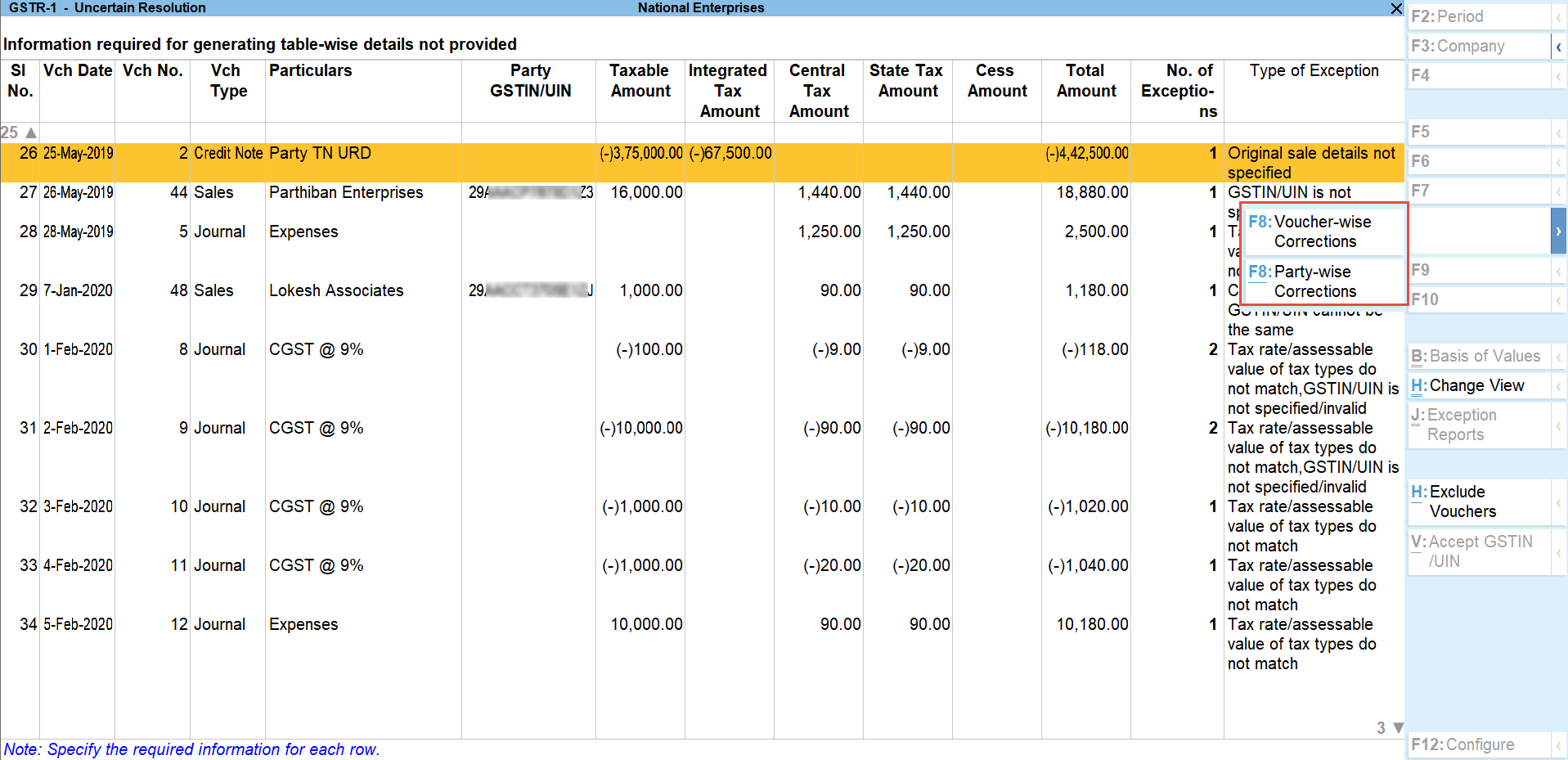
- Enter party GSTIN/UIN for the listed parties in the Party Ledger Level correction screen.

- Accept the screen. As always, you can press Ctrl+A to save.
The Contact person, Phone number, Mobile number and E-mail columns will appear as per the details provided in the party ledger (by enabling the option Provide contact details in configuration screen of party ledger).
To resolve all voucher level exceptions
- Select Information required for generating table-wise not provided, and press Enter.
- Press F8 (Voucher-wise Corrections) in the Uncertain Resolution screen.
- Update Party GSTIN for the listed vouchers.
- Accept the screen. As always, you can press Ctrl+A to save.
Drill-down from any row and resolve the respective exceptions to include the vouchers in return.
Filter for Item level and Ledger level exceptions
By default, the list of exceptions displays incomplete/mismatch information details voucher-wise. However, you can view the exceptions item master-wise or ledger-wise. In item master-wise view, all exceptions caused by an item can be resolved from a single screen.
Similarly, all exceptions caused by a particular ledger can be resolved from ledger-wise exceptions list.
To update the information and resolve exception at master level
- Press Alt+F8 (Item Exceptions).
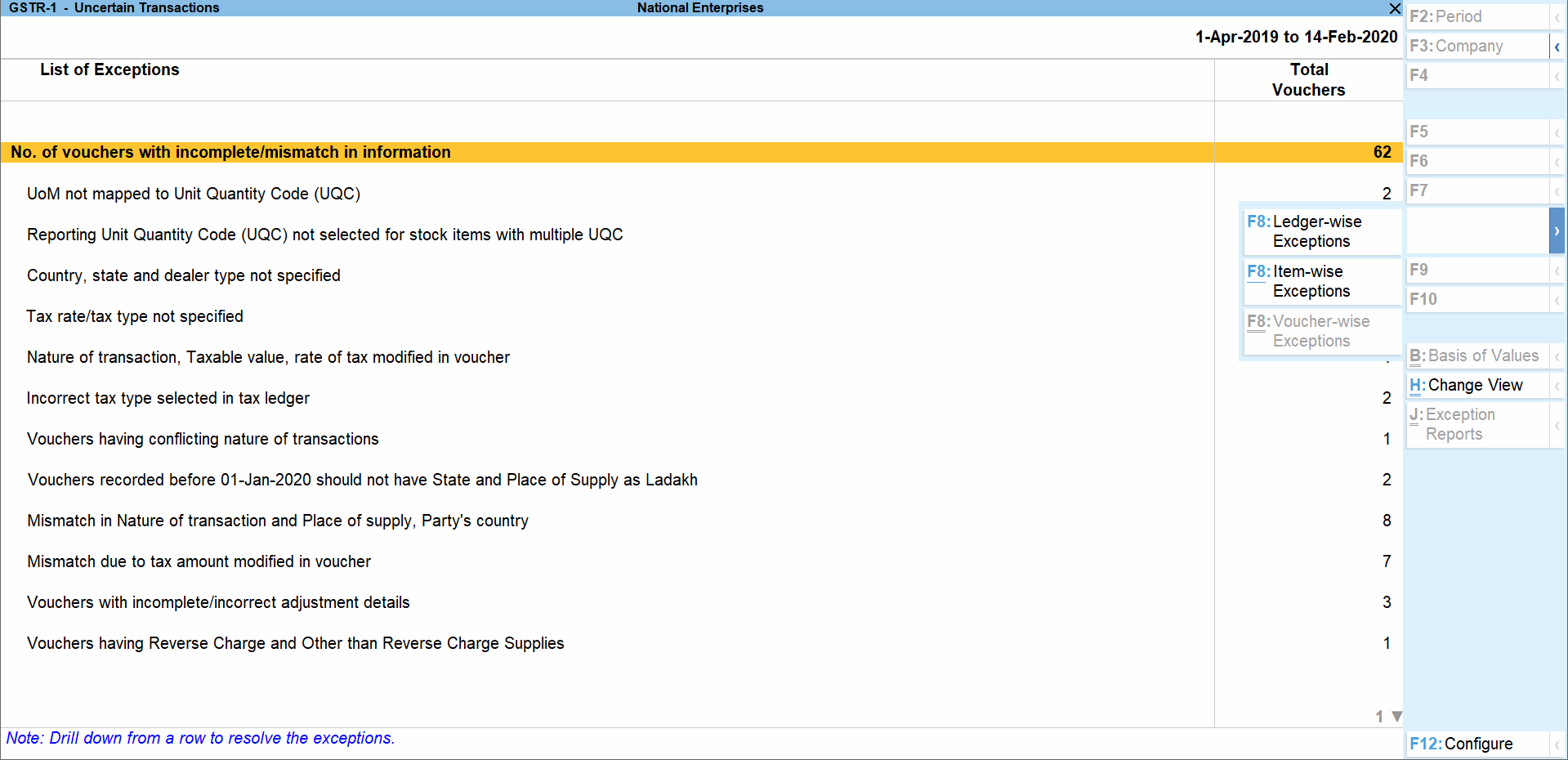
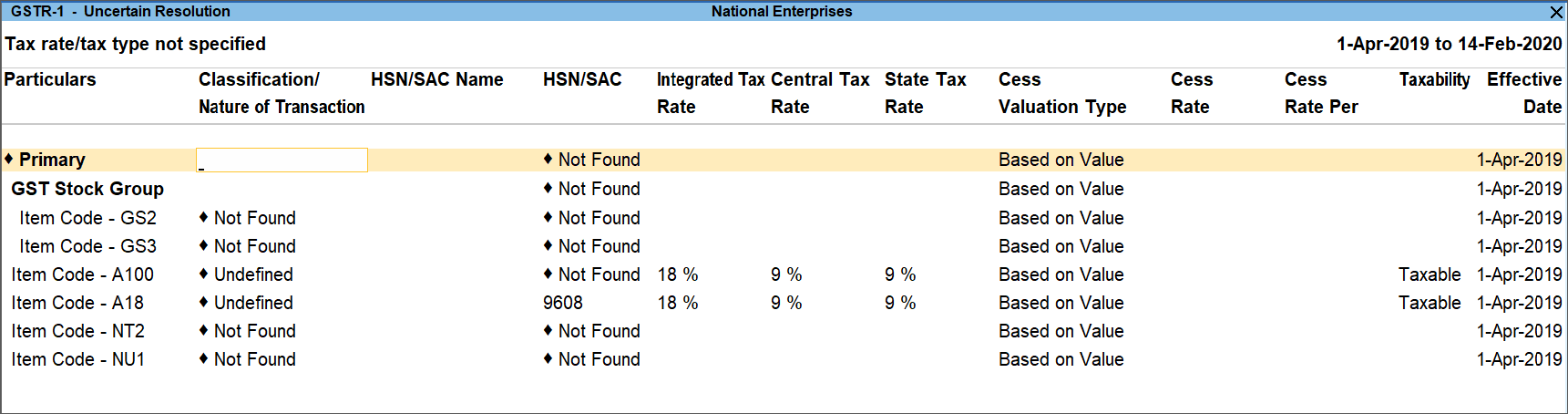
- Navigate to required exception type and press Enter from Total Masters column to display Multi Stock Alteration screen.
- Select the Classification/Nature of Transaction.

- Enter HSN/SAC, and tax rate.
- Select Taxability and enter the Effective date.
- Accept the screen. As always, you can press Ctrl+A to save.
Item Exceptions
To update the information and resolve voucher exception at voucher level
- Press Alt+F8 (Item Exceptions).
- Navigate to required exception type and press Enter from Total Vouchers column to display Uncertain Resolution screen.
- Select Nature of Transaction.
- Enter Rate Details.
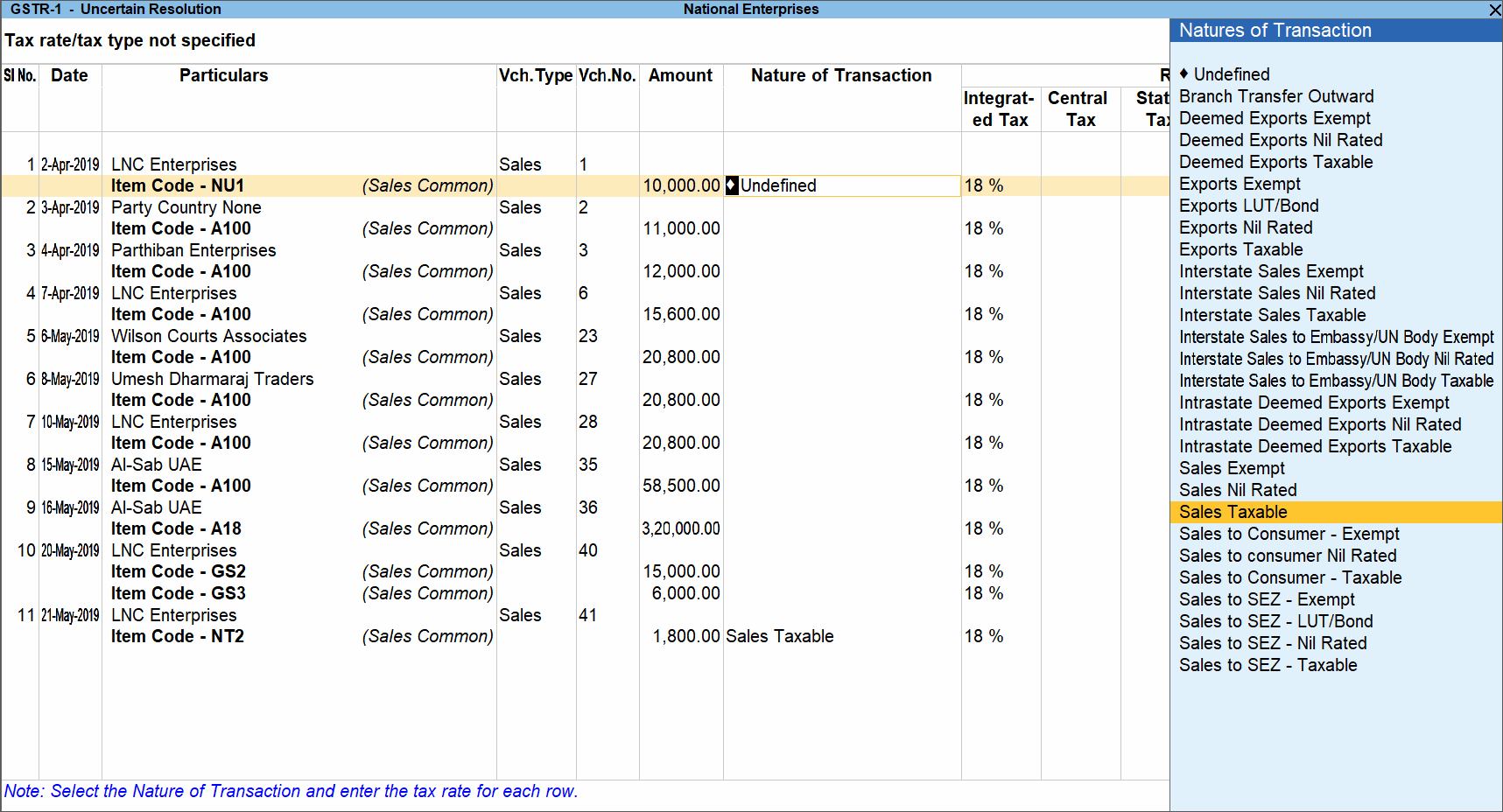
- Accept the screen. As always, you can press Ctrl+A to save.
To update the information and resolve voucher exception at master level
- Press Alt+F8 (Item Exceptions).
- Navigate to required exception type and press Enter from Total Masters column to display Uncertain Resolution screen.
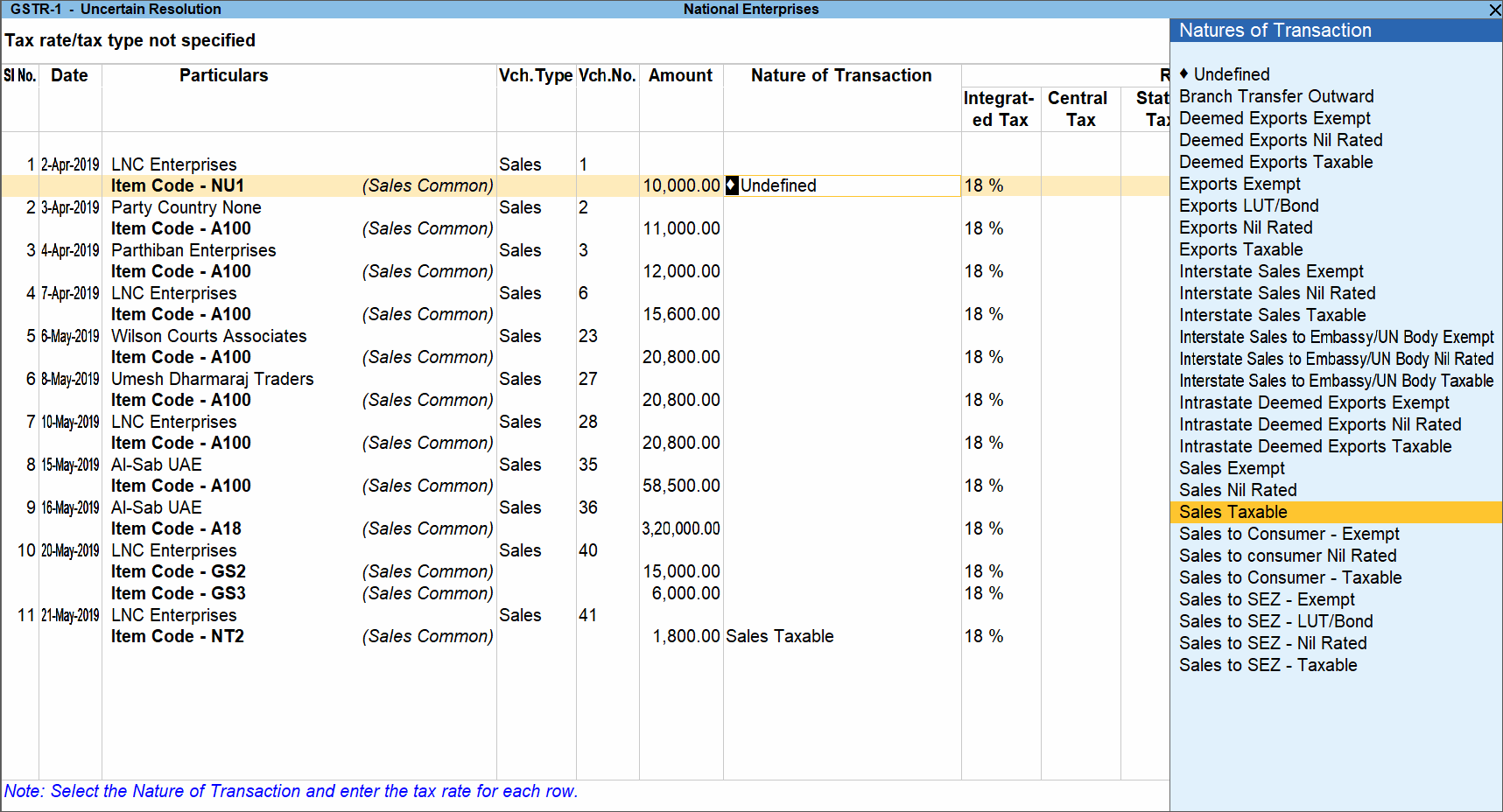
- Make the required corrections, like in this case, select the right Nature of transaction.
- Enter the rate details.
- Accept the screen. As always, you can press Ctrl+A to save.
Ledger Exceptions
To update the information and resolve exception at master level
- Press F8 (Ledger Exceptions).
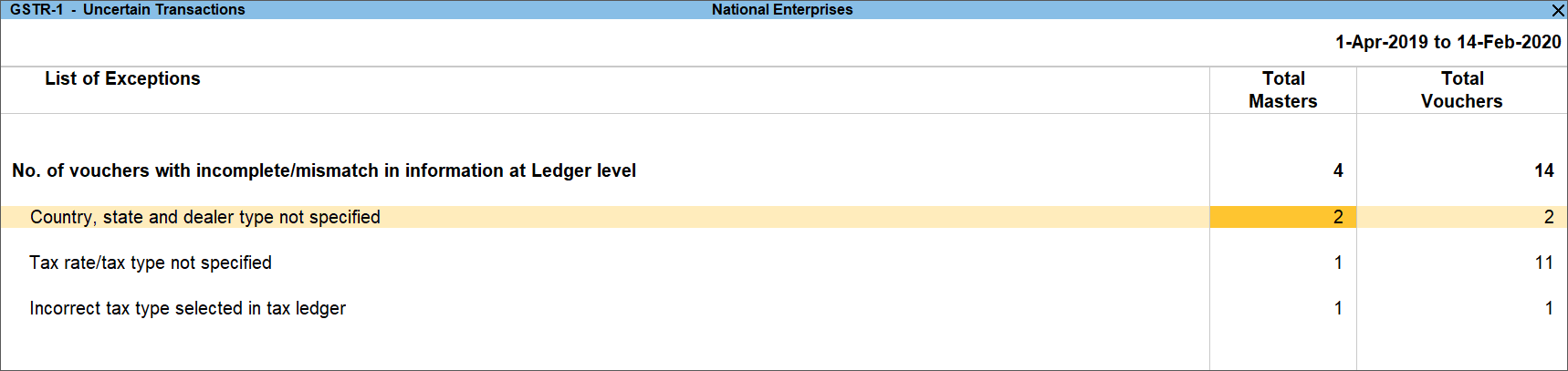
- Navigate to required exception type and press Enter from Total Masters column to display Multi Ledger Alteration screen.

- Enter HSN/SAC, and tax rate.
- Select Taxability and enter the Effective date.
- Accept the screen. As always, you can press Ctrl+A to save.
To update the information and resolve voucher exception at voucher level
- Press F8 (Ledger Exceptions).
- Navigate to required exception type, and press Enter from Total Vouchers column to display Uncertain Resolution screen.

- Select duty ledgers.
- Accept the screen. As always, you can press Ctrl+A to save.


