
View Document Summary Report for GST in TallyPrime
With the Document Summary report in TallyPrime, you can view the transaction count of sales, purchase from unregistered dealers, debit note, credit note, receipt voucher, payment voucher (including voucher marked for refund), and delivery note recorded for branch transfers.
Vouchers which do not have GST details, will not be captured in Document summary.
- Press Alt+G (Go To) > GSTR-1.
- Select Document Summary – 13 and press Enter to drill down.
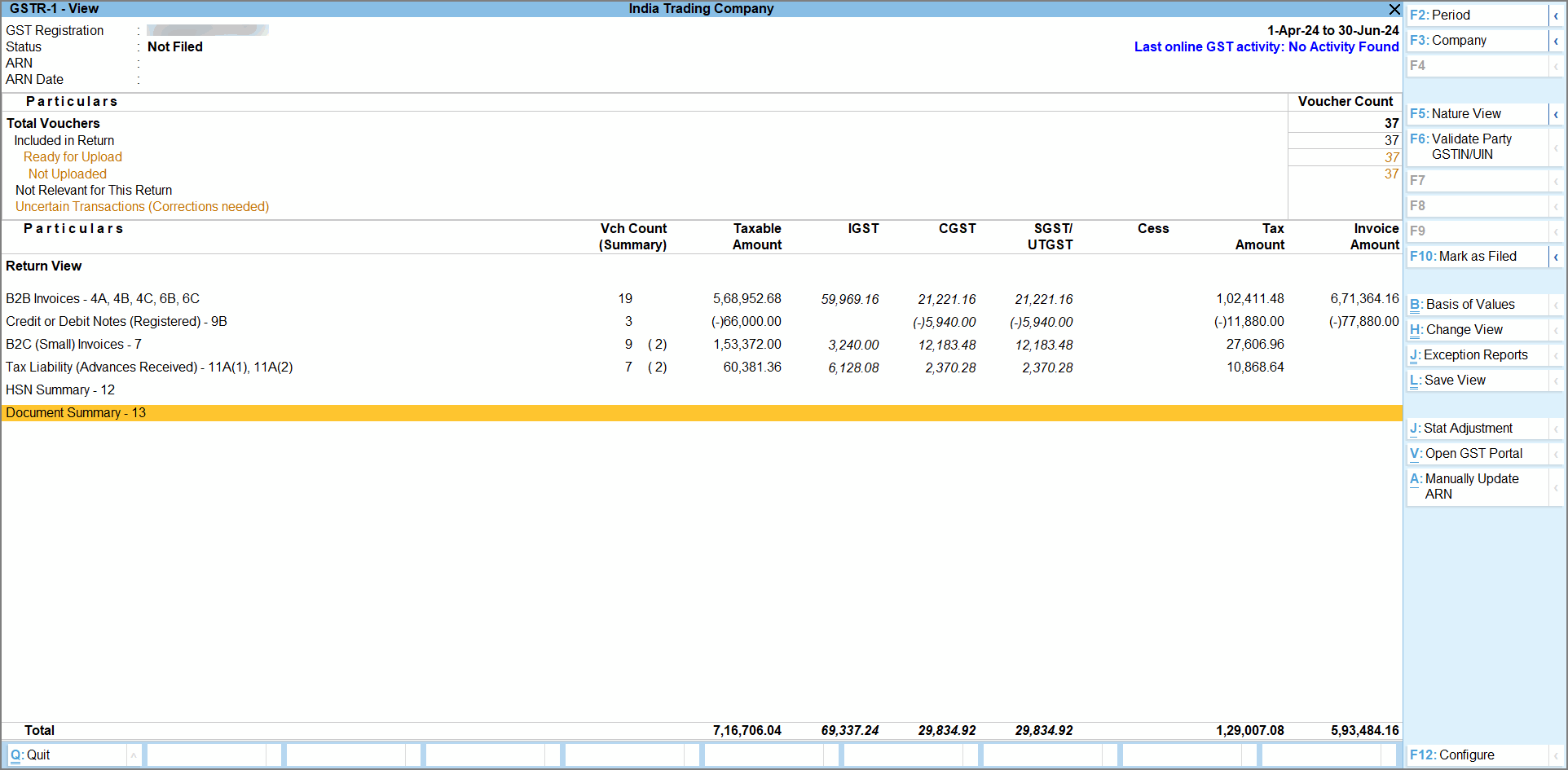
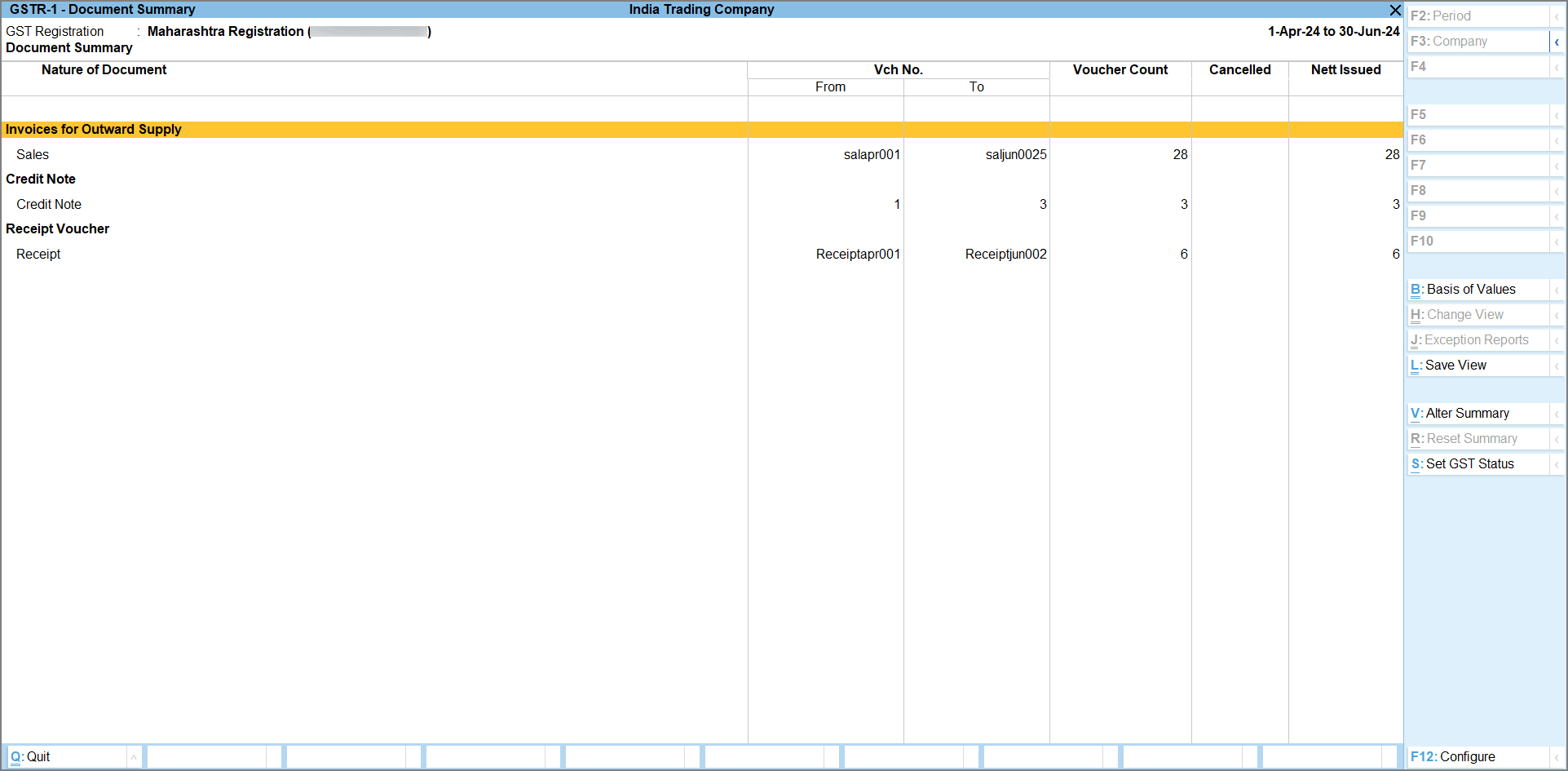
The explanation of each column of the report is given below:
- Nature of Document: Displays the transaction count of voucher type used for each nature of documents recorded during the return period.
- Vch No. From: Displays the first voucher number of the voucher type recorded for each nature of document during the return period.
- Vch No. To: Displays the last voucher number of the voucher type recorded for each nature of document during the return period.
- Voucher Count: Displays the total count of vouchers, including cancelled vouchers, recorded using the voucher types supported for each nature of document during the return period.
- Cancelled: Displays the number of vouchers cancelled during the return period.
- Nett Issued: Displays the number of vouchers as per each nature of document recorded during the return period.
- Drill down further to view the Document Summary report.
- To view the values from the Portal, as per your requirements, press Ctrl+B (Basis of Values) and select the Method of showing values from Portal.
- None: Displays only the values from your Books.
- Comparison of Books & Portal Values: Displays the values from your Books alongside the values downloaded from the GST Portal, allowing you to compare and analyse the differences easily.
- To change how the information is summarised in the report, press Alt+V (Alter Summary)
A message appears to confirm that altering the summary will remove the drill-down link to the required transactions.- Select Yes to confirm and modify the structure of the summary.
 The offline returns tool does not have the provision to import Document Summary details. Hence Document Summary details need to be recorded manually on the GST portal.
Is this information useful?
YesNo


