
Information Required for Generating Table-wise Details Not Provided
Cause
This exception appears when mandatory party-level or voucher-level details required for table-wise reporting are missing or incorrect.
The JSON file will not be accepted on the portal if the GSTIN/UIN of the company and party ledger are the same.
Resolution
Select Information required for generating table-wise details not provided, and press Enter.
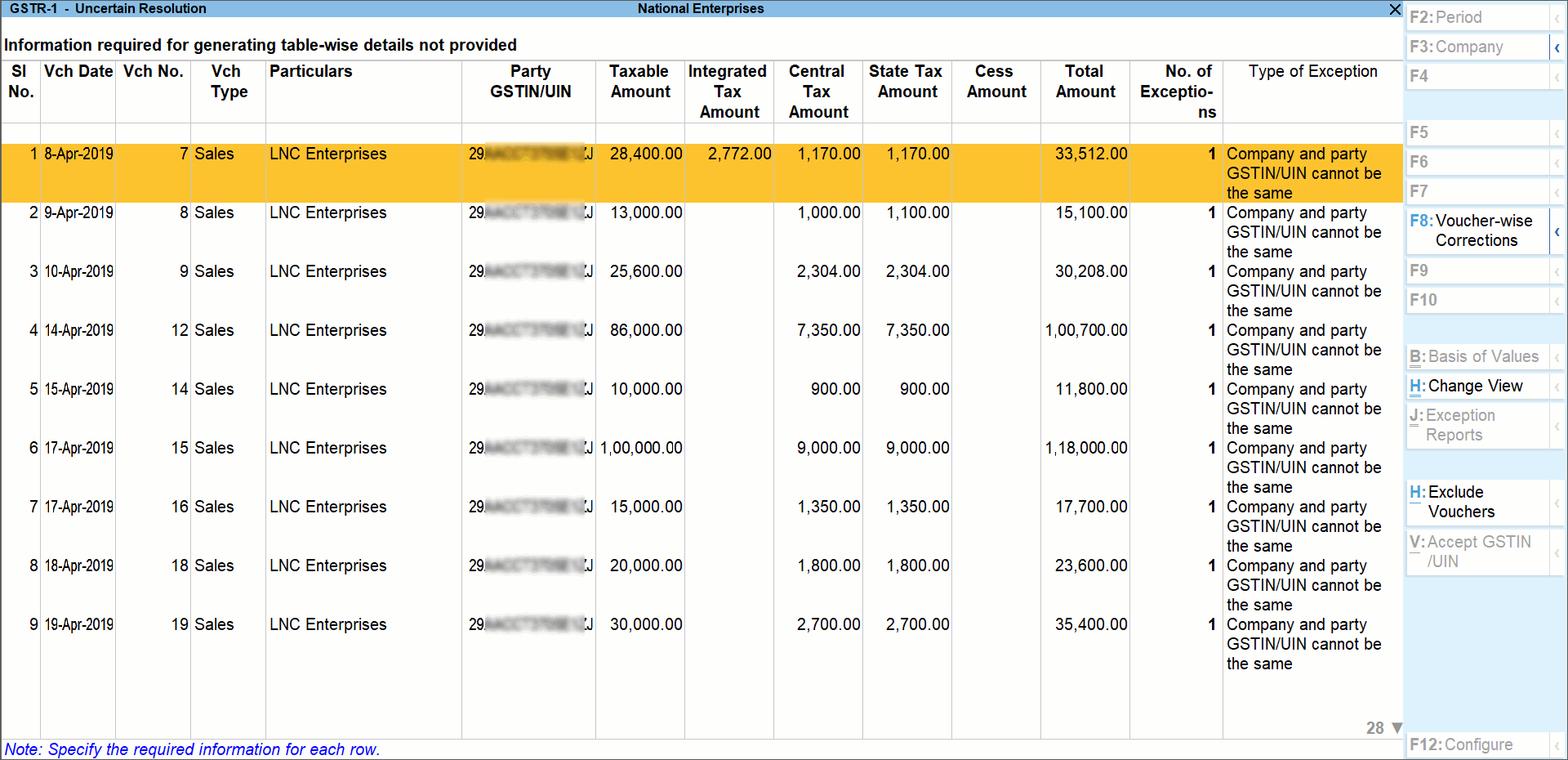
Exceptions Related to GSTIN/UIN
- If GSTIN/UIN is available but requires validation, the option Alt + V (Accept GSTIN/UIN) is enabled.
- Press Alt + V (Accept GSTIN/UIN) to accept the GSTIN/UIN as is.
- Press Enter to include the voucher in the return.
Alternatively: - Select the voucher and press Enter to open the Table-wise exceptions screen.
- Press Alt + V (Accept GSTIN/UIN).
- Press Enter to include the voucher in the return.
Difference in Central Tax and State/UT Tax Values
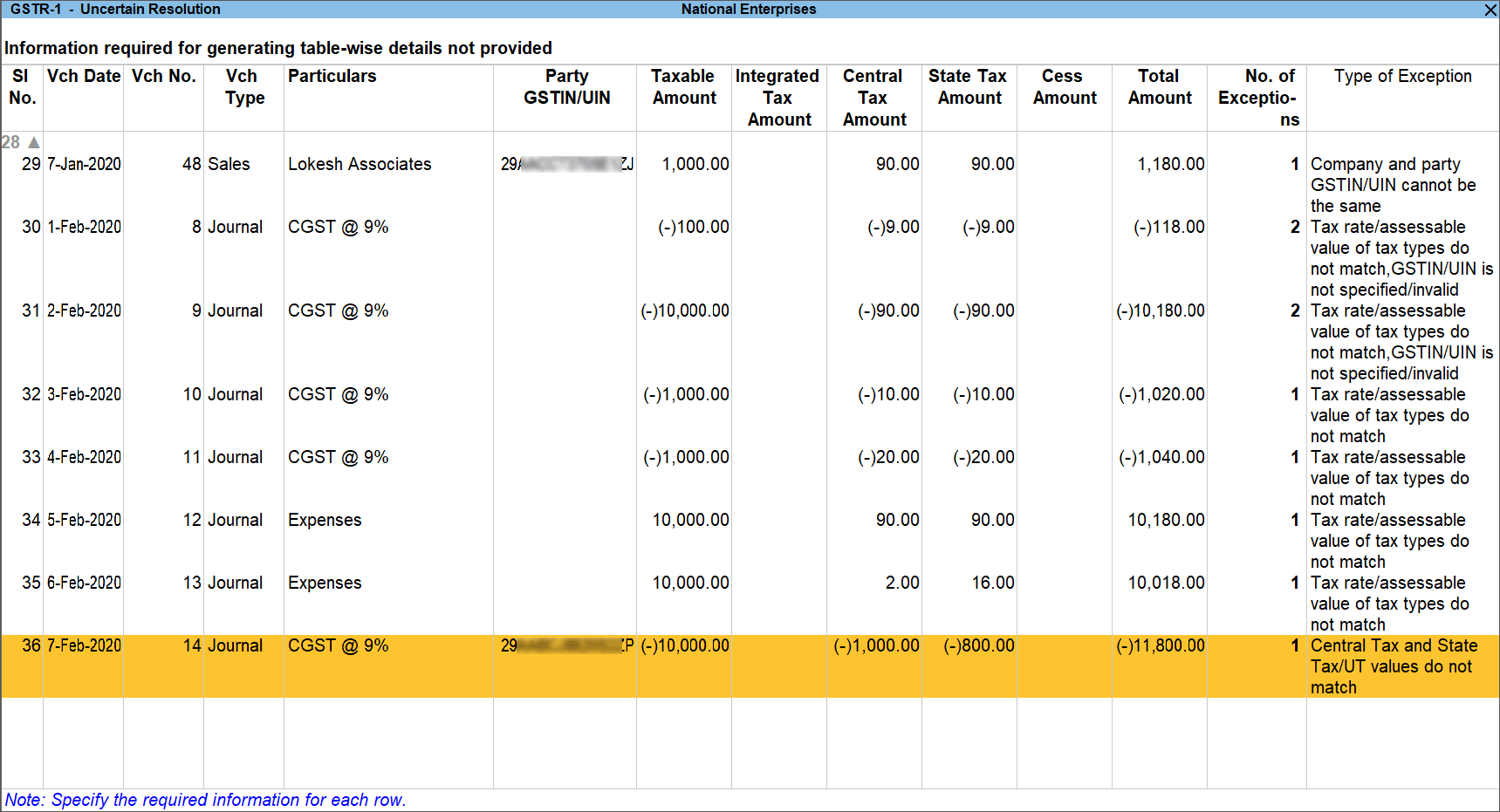
- Select the journal voucher displaying this exception and press Enter.
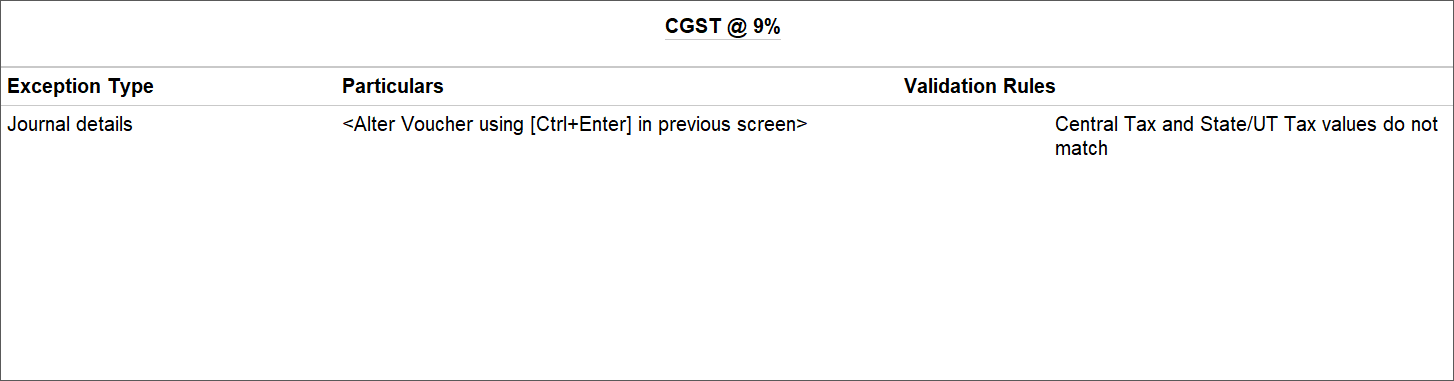
- Correct the tax values in the voucher.
- Accept the voucher.
Other Missing Table-wise Details
- Select any voucher and press Enter to open the Table-wise exceptions screen.

- Enter the missing information or correct incorrect details.
- Press Enter to return to the Uncertain Resolution screen.
Exception Types
Using this option you can resolve exceptions from a common screen by grouping all table-wise related exceptions into two buckets Party Ledger level Corrections and Configuration Level Corrections.
To resolve all party ledger level exceptions
- Select Information required for generating table-wise details not provided, and press Enter.
- Press Alt+F8 (Party-wise Corrections) in the Uncertain Resolution screen.
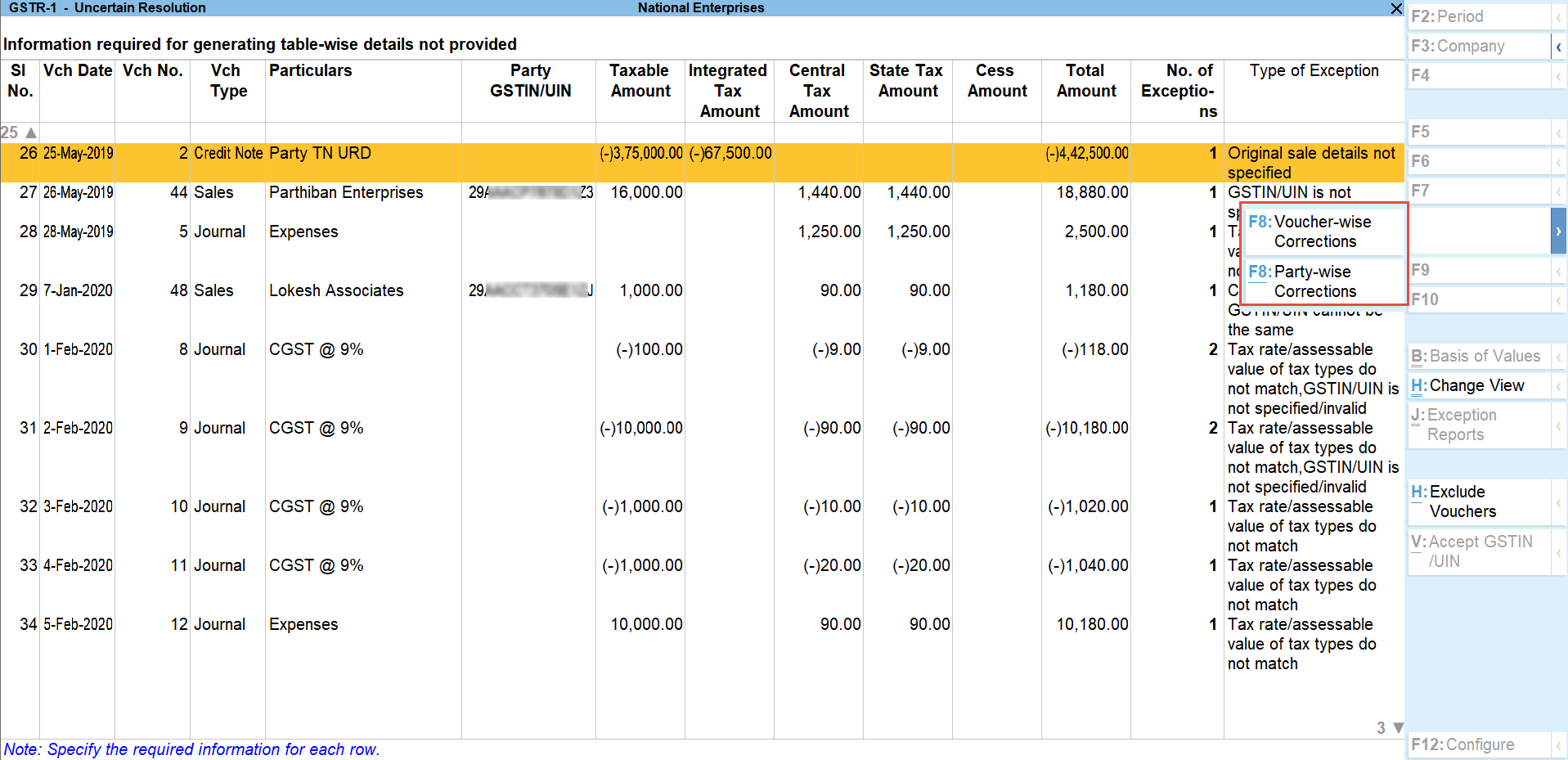
- Enter party GSTIN/UIN for the listed parties in the Party Ledger Level correction screen.

- Accept the screen. As always, you can press Ctrl+A to save.
The Contact person, Phone number, Mobile number and E-mail columns will appear as per the details provided in the party ledger (by enabling the option Provide contact details in configuration screen of party ledger).
To resolve all voucher level exceptions
- Select Information required for generating table-wise not provided, and press Enter.
- Press F8 (Voucher-wise Corrections) in the Uncertain Resolution screen.
- Update Party GSTIN for the listed vouchers.
- Accept the screen. As always, you can press Ctrl+A to save.
Drill-down from any row and resolve the respective exceptions to include the vouchers in return.


