
Reporting Unit Quantity Code (UQC) not selected for stock items with multiple UQC
Cause
The stock items have multiple Unit Quantity Codes (UQC) configured, but a Reporting UQC has not been selected for one or more of these items.
Resolution
- Select the exception Reporting Unit Quantity Code (UQC) not selected for stock items with multiple UQC and press Enter.
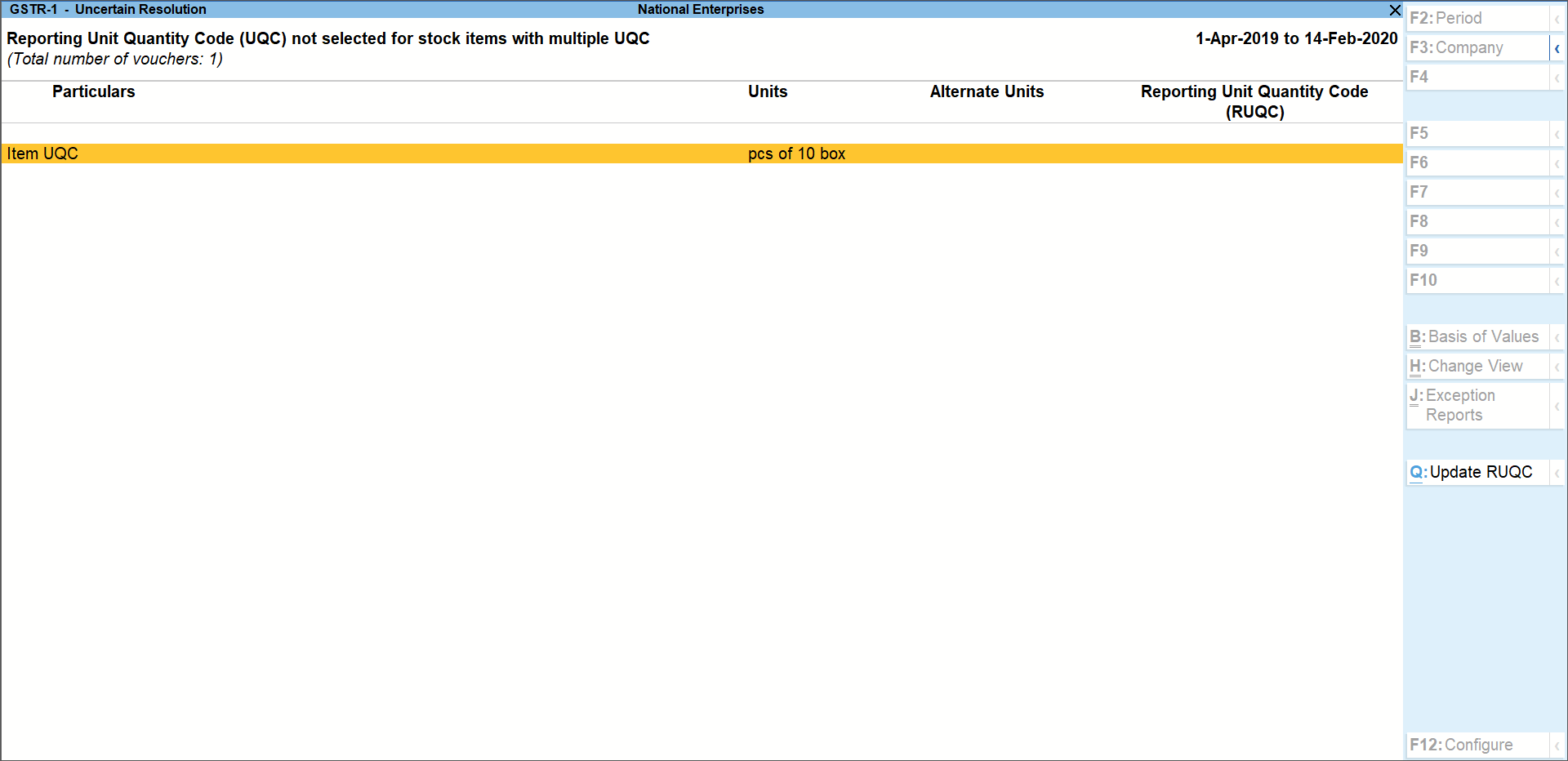
- Select the Item and press Alt+Q (Update RUQC).
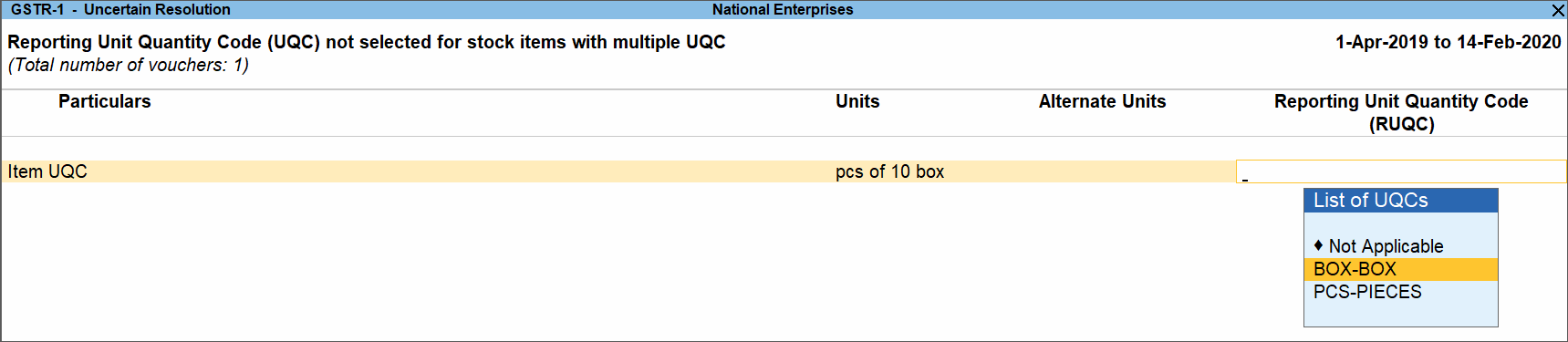
- Select the UQC and press Enter.
Is this information useful?
YesNo


