What’s New in 7.0
| हिन्दी |
TallyPrime Release 7.0 introduces powerful new features to enhance productivity, connectivity, and compliance. Auto Backup ensures data safety and accessibility. Direct PrimeBanking Payments from TallyPrime simplifies the payment and reconciliation process. SmartFind helps you quickly locate details across masters and transactions. GST updates include ITC reduction in IMS and improved e-Invoice & e-Way Bill handling.
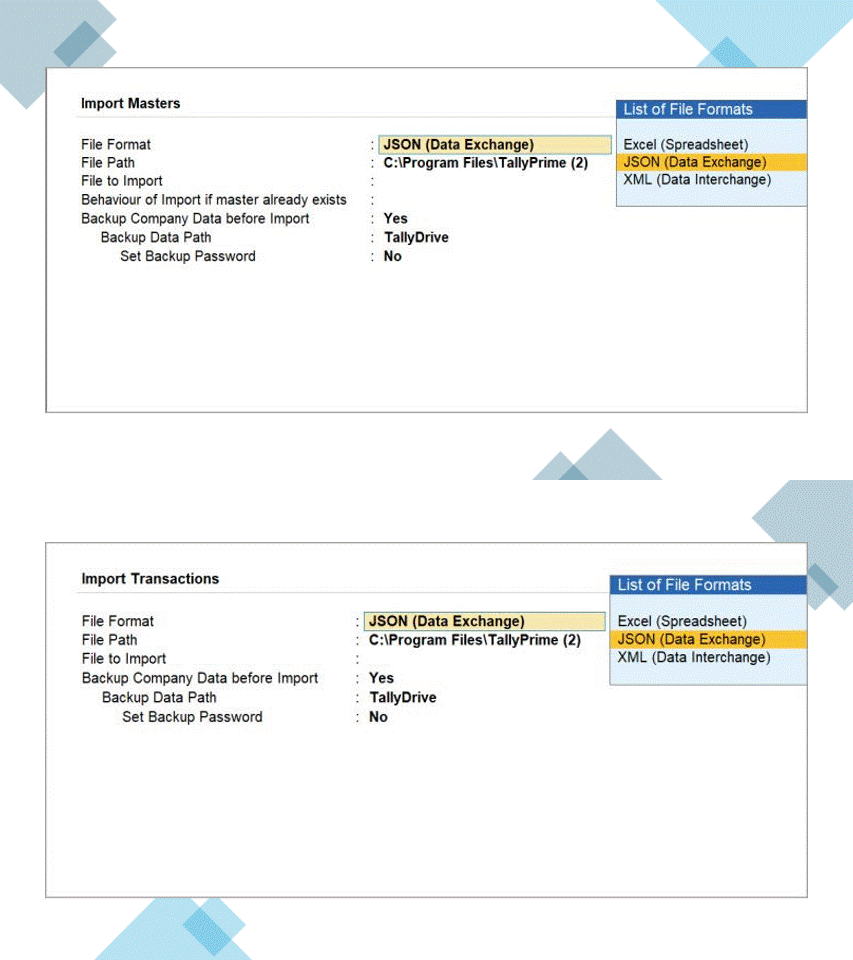
 JSON Data Exchange enables smooth integration with external applications, while smoother migration adds flexibility to your day-to-day tasks.
For UAE & KSA, the official currency symbols are now supported for Dirham & Saudi Riyal.
♦ For a seamless upgrade, ensure a valid TSS and updated license.
Safe & Effortless Auto Backup on Cloud or Local Device
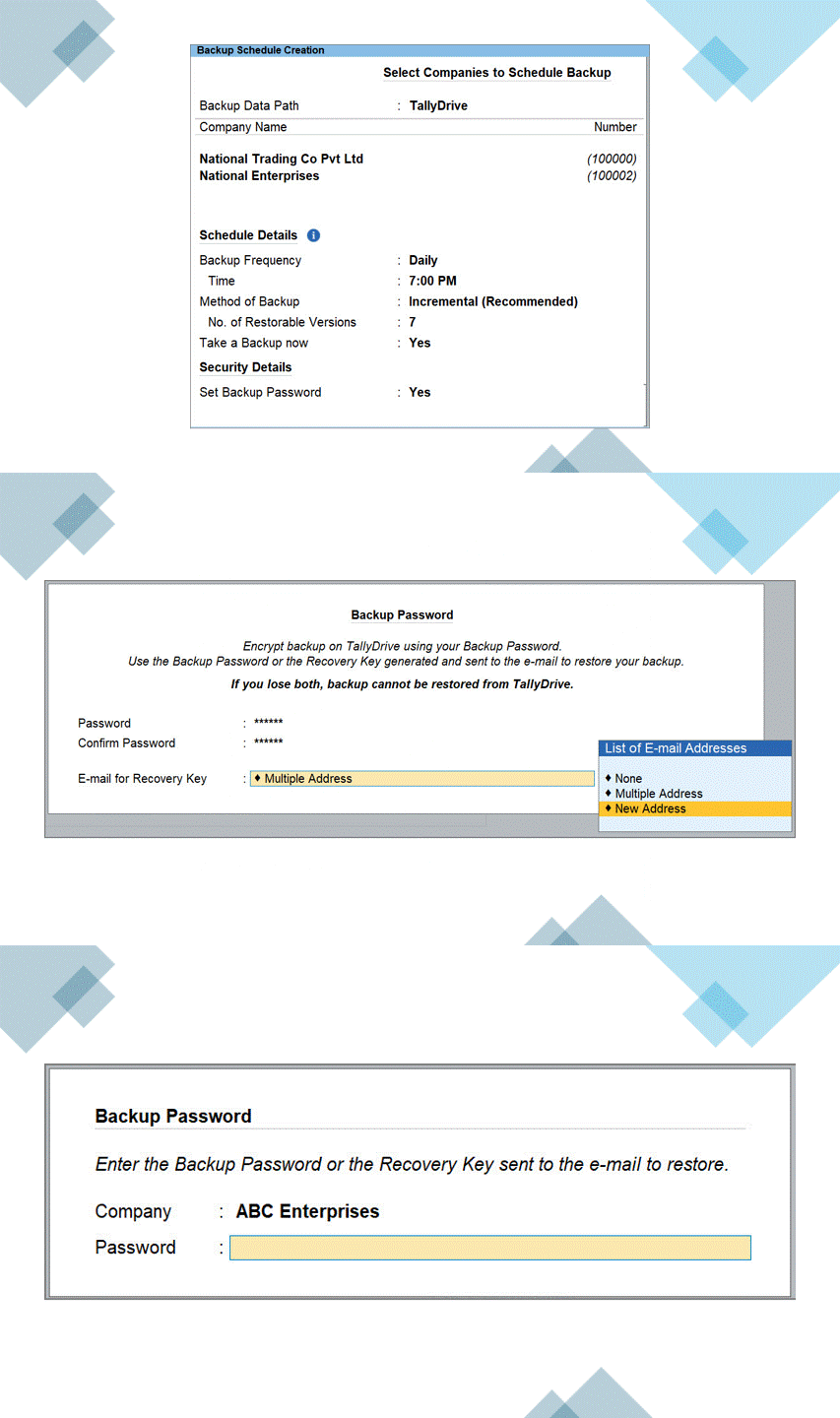
Schedule backup of your data to TallyDrive or local storage as per your set frequency. Schedules run even when TallyPrime is closed.
TallyDrive – Cloud Backup Storage
Securely back up data on cloud. Optionally protect backups with a Backup Password and Recovery Key for authorised restore.
Centralised Backup Management
Use Schedule Backup report () to view, create, edit, delete, and move schedules, or take instant backups. Access Manage TallyDrive report () to track storage and manage or download backups.
Flexible Restore – Latest or Any Previous Backup
Restore any specific version from TallyDrive, local drive, or downloaded backups.

Secure PrimeBanking Payments from TallyPrime
Online Payments: Streamline your payment process by online PrimeBanking payments inside TallyPrime.
Set Transaction Limits: Stay in control of online payments with single & daily transaction limits.
Real-Time Payment Status: Get the online payment status at the click of a button. This gives you a clear picture of the payments and any necessary actions.
Automated Payment Advice: Strengthen communication with your suppliers with automated payment advice, with just a configuration.
SmartFind: An Effortless Way to Locate
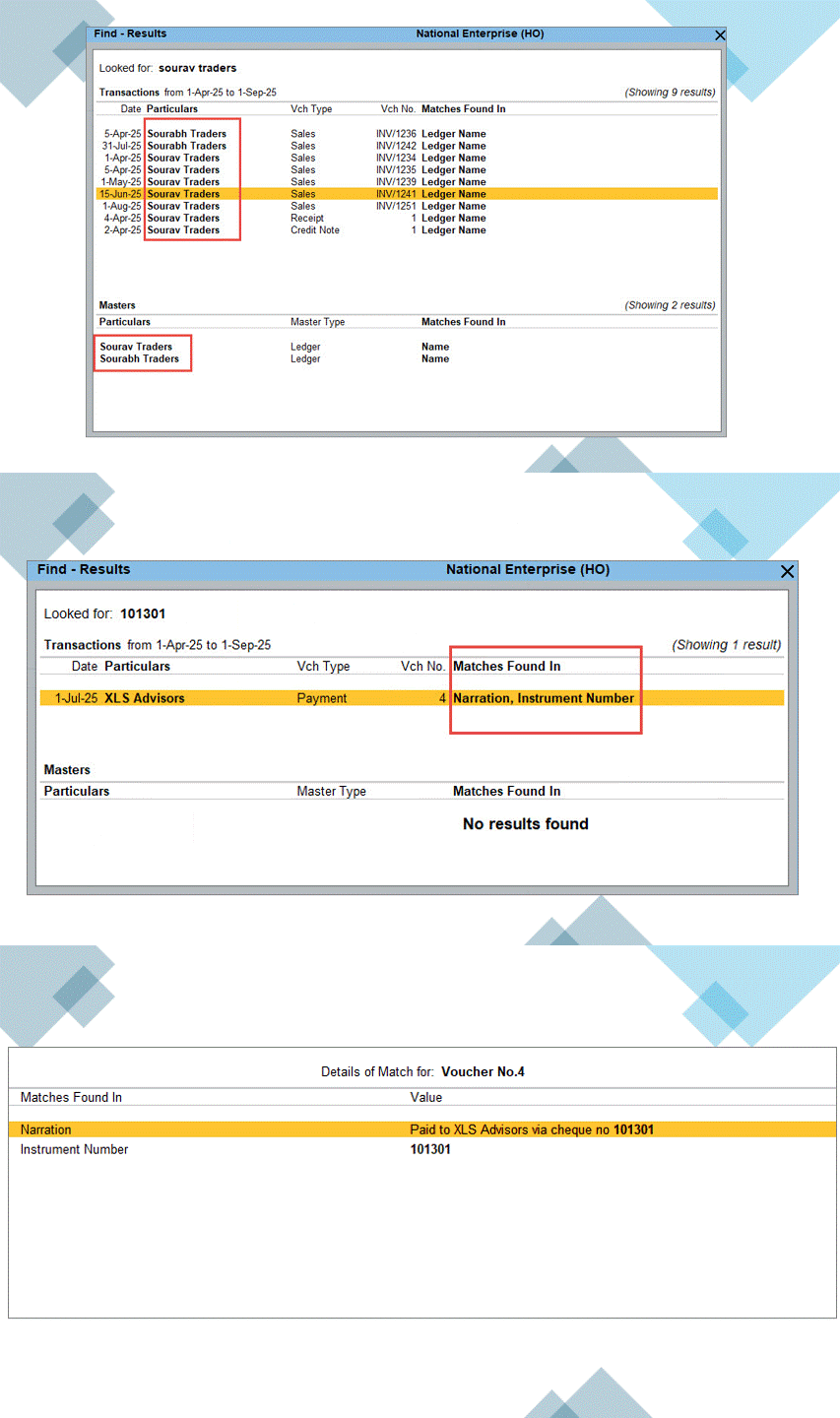
With SmartFind, TallyPrime brings a powerful way to instantly locate any details in masters & transactions, across all loaded companies.
You can find what you need, even if you don’t remember the exact name or spelling.
Robust Migration Experience
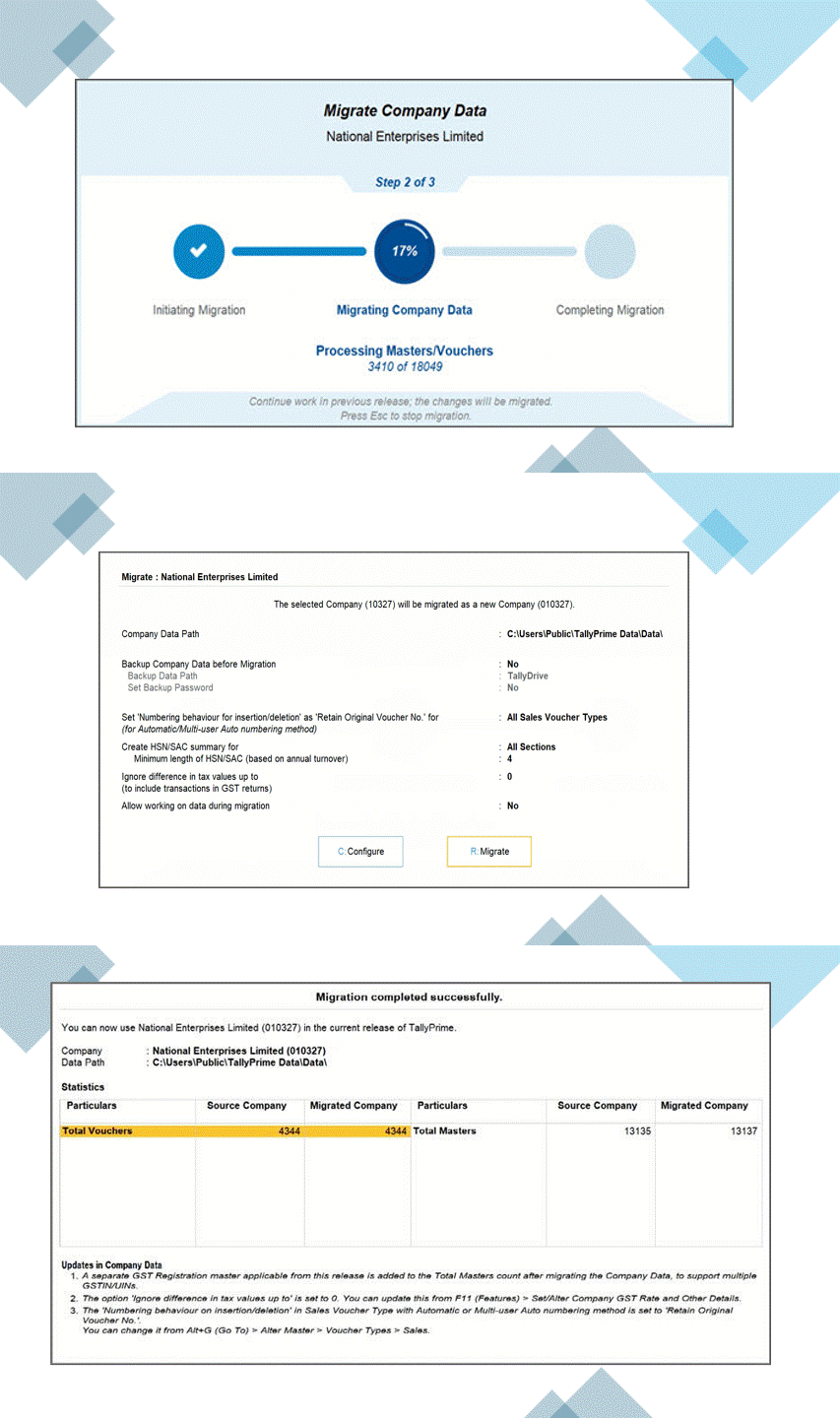
Migrating to the latest release from any TallyPrime release is now smooth & hassle-free.
If you are migrating from TallyPrime 2.1 or earlier or Tally.ERP 9 Release 5.0 or later, you can:
- Continue working as usual in the previous release, even during migration. All the updates will automatically appear in the migrated company.
- Stop and resume the migration anytime, without the need to start over.
GST Compliance Simplified
With TallyPrime, you can now:
- Cancel your e-Way Bill, e-Invoice, and voucher at one go, in the flow of voucher alteration.
- Export GSTR-3B in a single JSON or Excel file for a return period.
- Identify and correct duplicate vouchers from Uncertain Transactions in GST reports, such as GSTR-1, GSTR-3B, GSTR-2A, GSTR-2B, e-Invoice, and e-Way Bill.

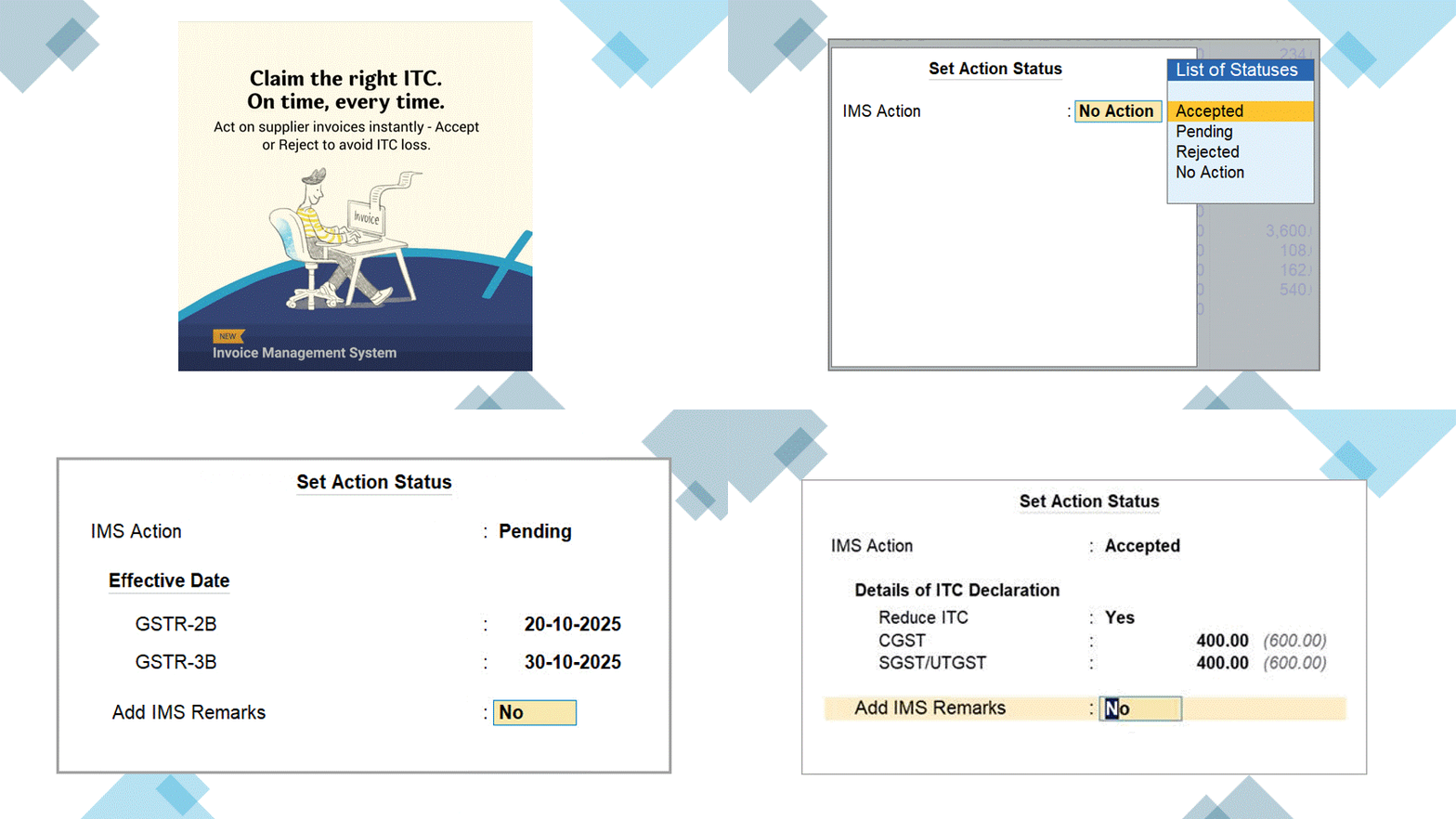
Stay on Top of Your ITC with IMS
- ITC Reduction: Record ITC reduction for amended invoices such as B2BA, CDNRA & B2BDNA.
- ITC Clarity in Each Invoice: Update declared ITC values individually in each invoice for precise tracking.
- Live Portal Sync: After upload, the declared ITC values sync with the GST portal and appear in TallyPrime GST reports.
- Send Remarks: Add Remarks for Pending & Rejected invoices in IMS and exchange it with the portal, for better clarity & tracking.