
Record Purchase of Courier Services from Outside India
When you avail courier services from outside India, such supplies fall under Section 7 of the IGST Act.

- Open the Purchase voucher in the Accounting Invoice mode.
- Press Alt+G (Go To) > Create Voucher > press F9 (Purchase).
- Press Ctrl+H (Change Mode) > select Accounting Invoice.
- Press F12 (Configure) > set Modify GST & HSN/SAC related details as Yes.
For TallyPrime 2.1 & earlier, set Modify Tax Rate details of GST as Yes. - In the Party A/c name, select the supplier’s ledger.
- Select Purchase ledger defined with the applicable GST rate.
- As this is an import service, select Interstate Purchase – Taxable as the Nature of transaction in the GST Rate and Related Details screen.
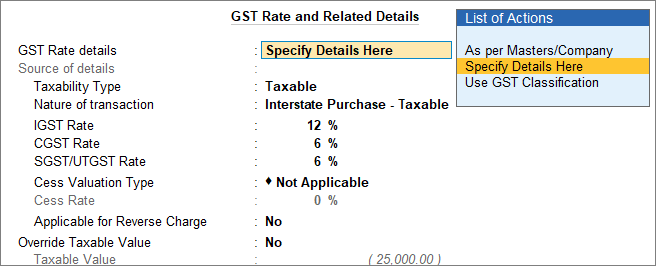
- Select the IGST ledger for interstate purchase.
- Set the option Provide GST details to Yes.
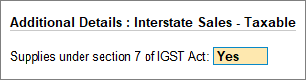
- In the Statutory Details screen, set the option Supplies under section 7 of IGST Act to Yes.
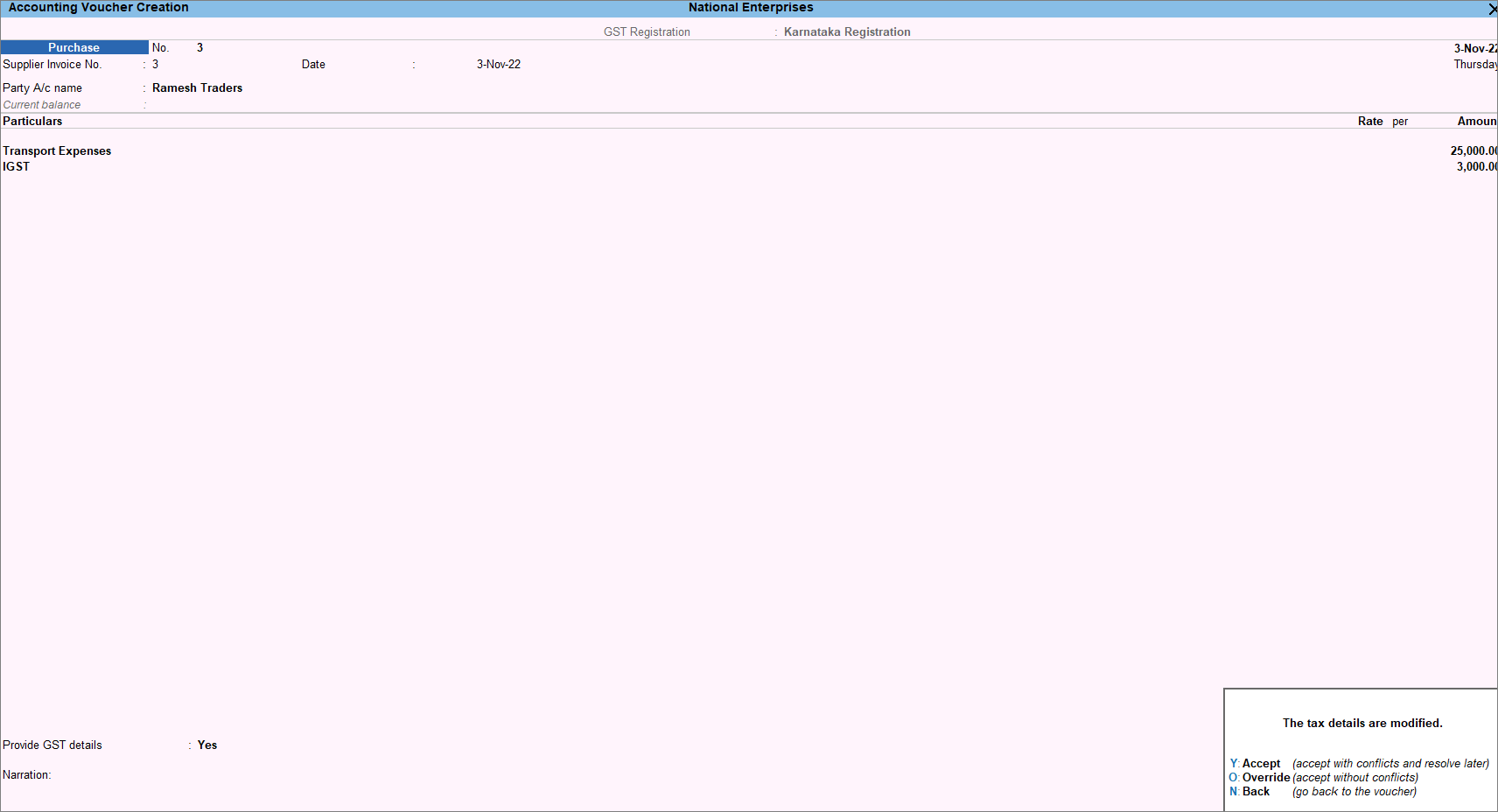
- Press O to override the values.
If you press Y (Enter) instead of O, the transaction appears as an exception in the GST report.
Is this information useful?
YesNo


