
View Payroll Statutory Summary and Statutory Pay Head Details in TallyPrime
The Payroll Statutory Summary report displays statutory pay head types such as PF, ESI, NPS, and PT, along with the payable and paid amounts for the selected period. You can view the statutory ledgers associated with each pay head type in the Payroll Statutory Pay Head Details report.
View Payroll Statutory Summary report
- Gateway of Tally > Display More Reports > Payroll Reports > Statutory Reports > Summary.
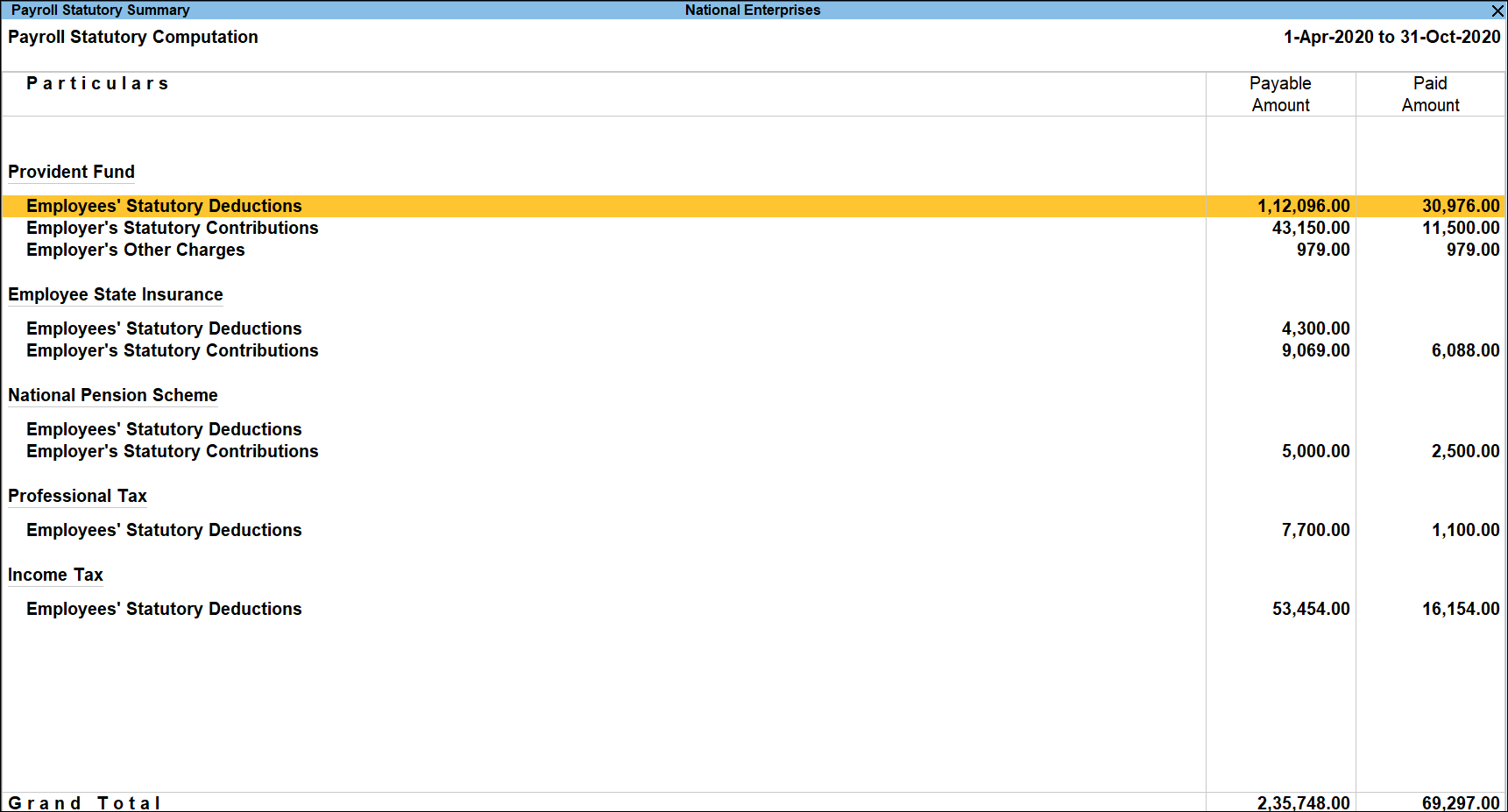
- Drill down from the required Pay Head Type to Payroll Vouchers and modify if needed.
View Payroll Statutory Pay Head Details
- Gateway of Tally > Display More Reports > Payroll Reports > Statutory Reports > Summary.
- Press Enter on the required Pay Head Type.
The report provides a detailed computation breakdown at the pay head level for the selected pay head type.
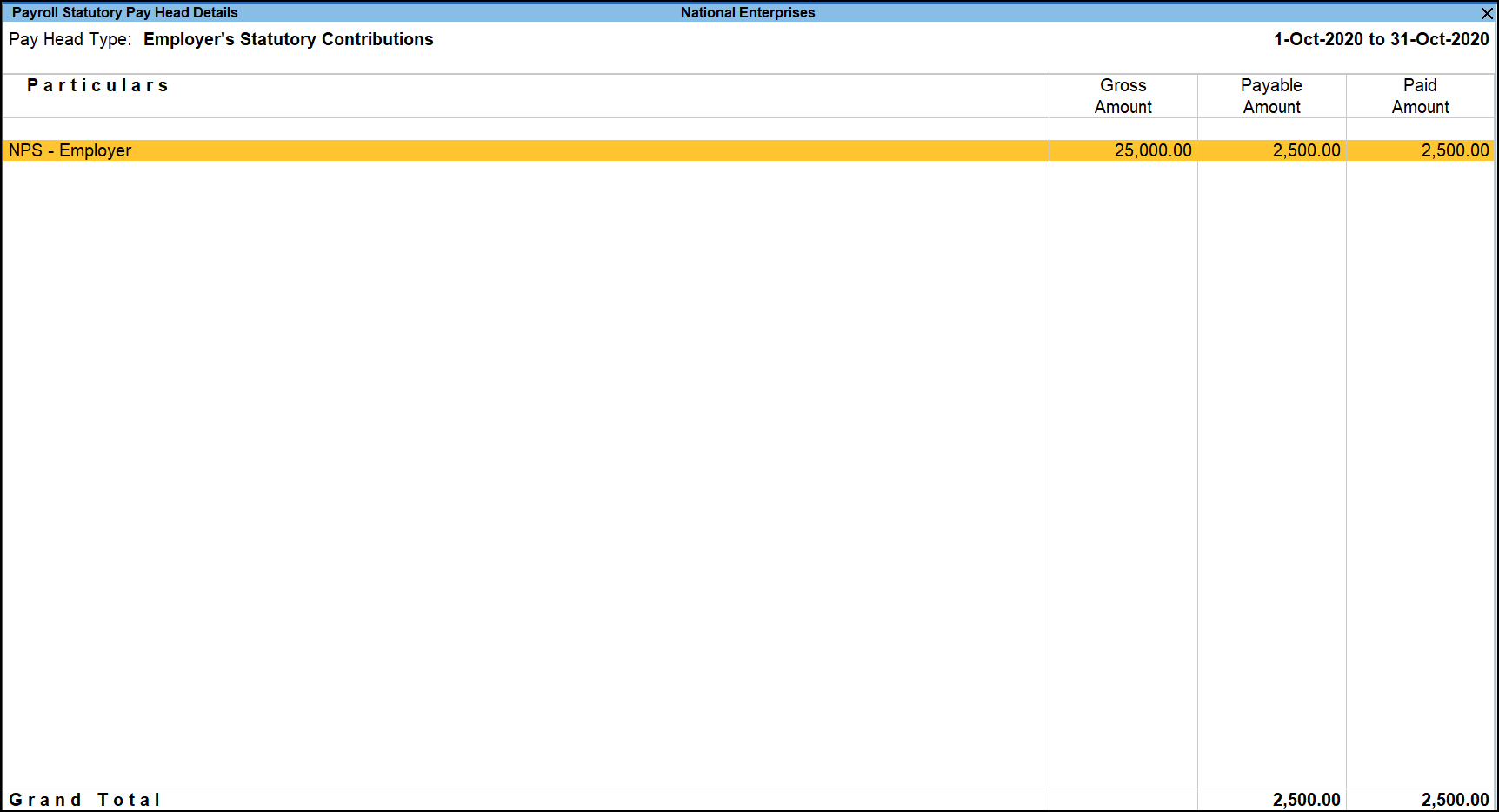
- To view the TDS Variance for all or individual employees, press Ctrl+J (Exception Reports).
Is this information useful?
YesNo


