
Mismatch in Nature of transaction and Place of supply, Party’s country
Cause
There is a mismatch between the Nature of Transaction, Place of Supply, and the Party’s Country in one or more transactions.
Resolution
You can do one of the following:
- Accept the transactions as valid: Press Alt+J (Accept as is) to accept the transaction and include it in the relevant table of GSTR-1.
- Exclude the transaction from the returns: Press Alt+H (Exclude Voucher)to move the transaction under Summary of Excluded Vouchers.
- Resolve the mismatch in the transaction.
- Navigate to the required transaction.
- Select the appropriate Country, State, and Place of Supply.
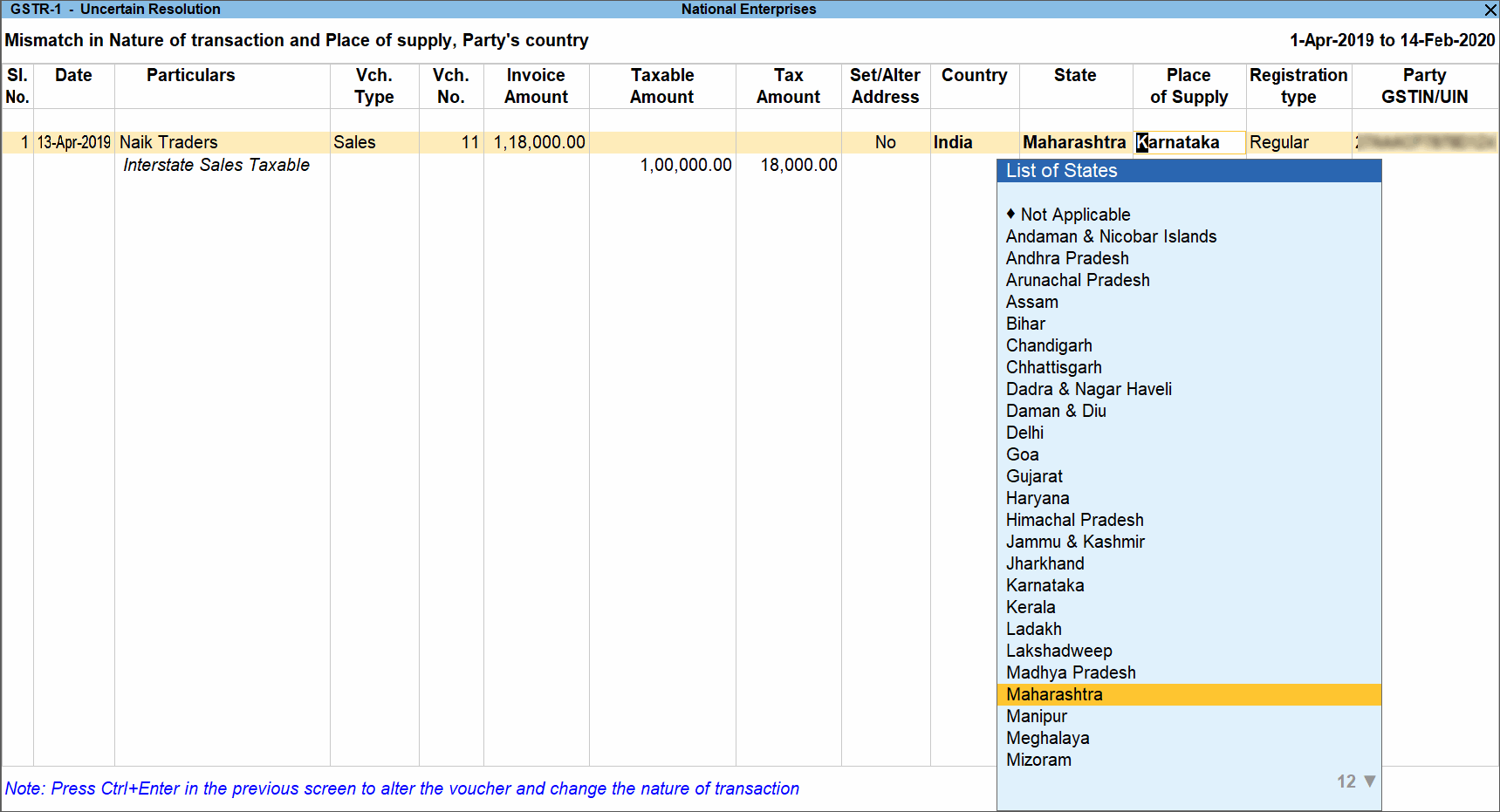
- Similarly, correct the other transactions.
- Press Enter to accept.
To resolve multiple transactions in one-go:
- Select the required transactions by pressing Spacebar.
- Press Alt+R (Resolve)and provide the details.
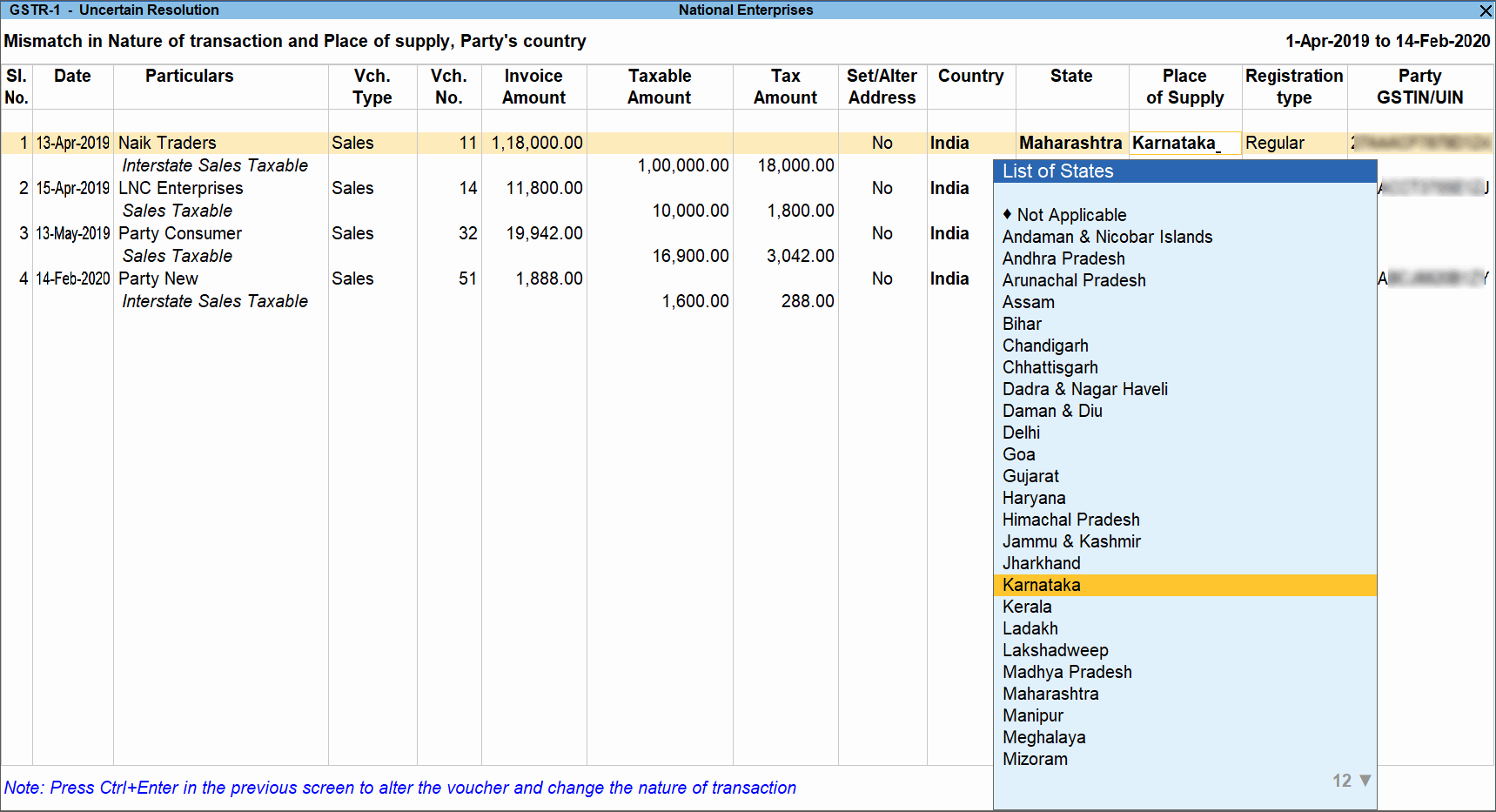
- Accept the Uncertain Resolution screen.
Set the transaction as supplies under section 7 of IGST
- Select the transaction that has to be marked as supplies under section 7.
- Press Alt+S (Update Section7). A message is displayed.

- Click Yes to resolve the exception and include the transaction in the GSTR-1 returns.
Is this information useful?
YesNo


