
Print Form ITR-1 in TallyPrime (Payroll)
TallyPrime enables you to print or email Form ITR-1 (Sahaj) for filing income tax returns. Similar to Form 16, the ITR-1 is generated individually for each employee.
- Gateway of Tally > Display More Reports > Payroll Reports > Statutory Reports > Income Tax > ITR-1.
- Select the required Employee from the List of Employees and press Enter.
- Press C (Configure) for print configurations.
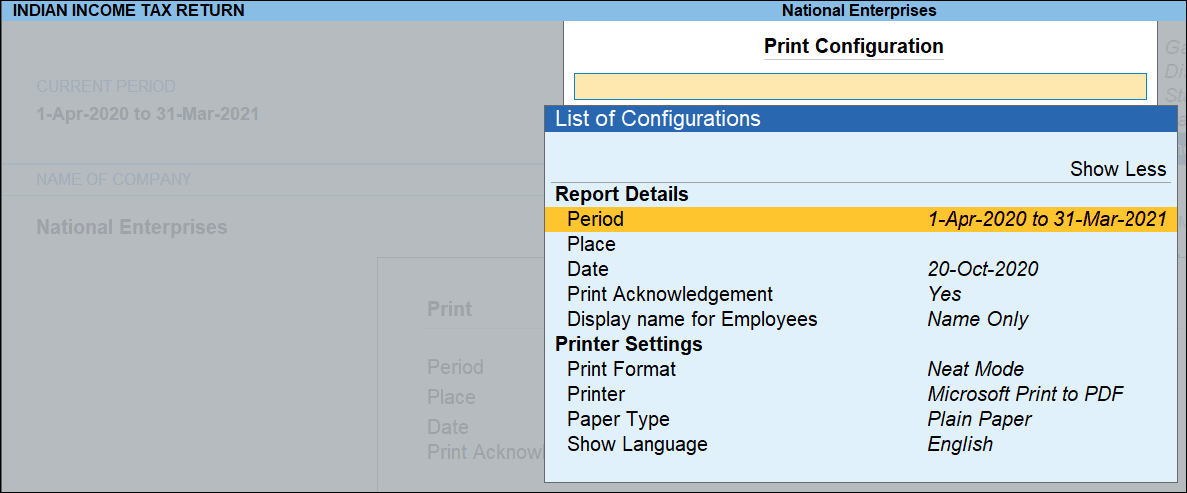
- Press I (Preview) or P (Print) Form ITR -1.
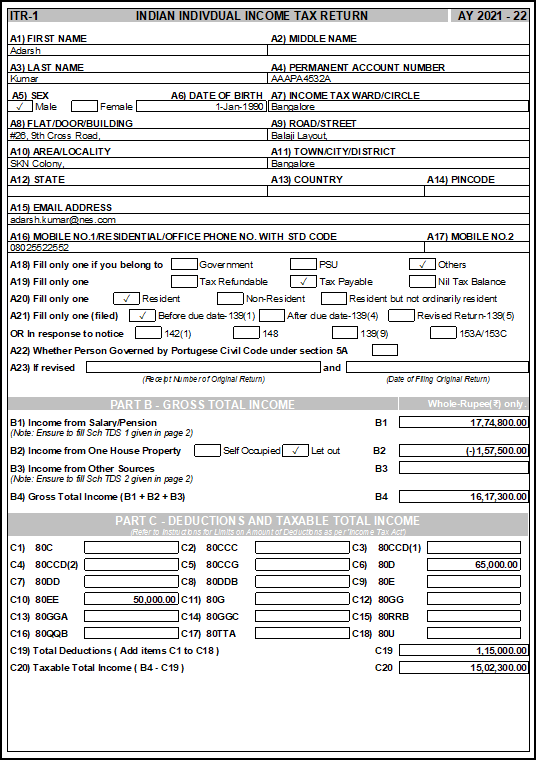
ITR-1 – Page 1
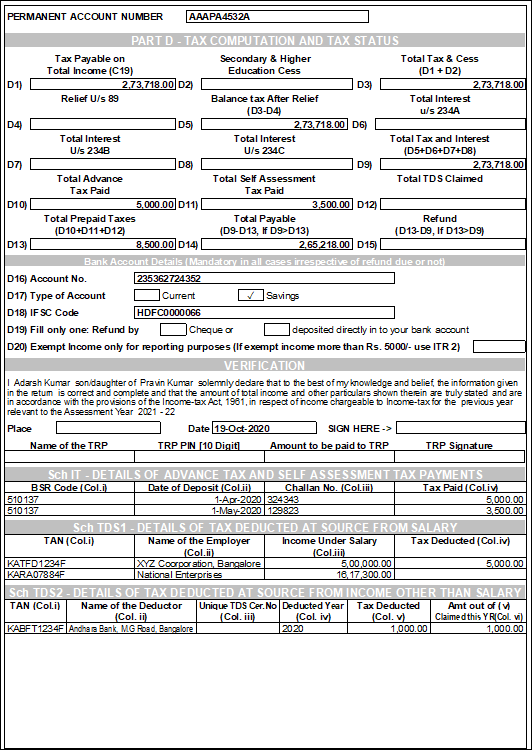
ITR-1 – Page 2
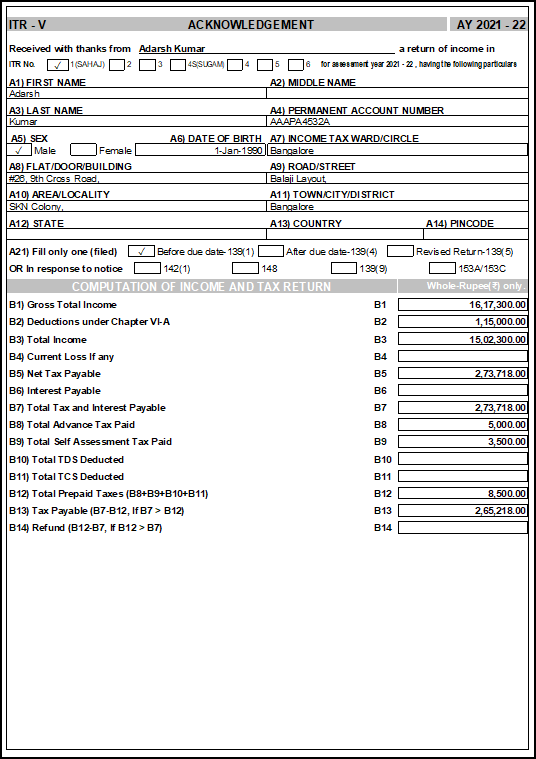
ITR-1 – Acknowledgement
Note: If an employee’s income includes both Income from House Property and Interest on Housing Loan, only one will be captured under the Income from One House Property section of Form ITR-1.
Is this information useful?
YesNo


