
Archive e-Invoices for Integration Phase in TallyPrime (KSA)
The e-Invoice Archives in TallyPrime lets you configure a storage path for easy access of integration phase invoices. As per ZATCA regulations, you must archive e-Invoices for the last five, seven, or ten years, as applicable and store them in a designated folder for easy access during audits.

Archive e-Invoices
- Press Alt+G (Go To) > e-Invoice Archives and press Enter.
- In the e-Invoice Archives report, press Alt+R (Pending for Archiving) to see only those e-Invoices which are not yet archived.
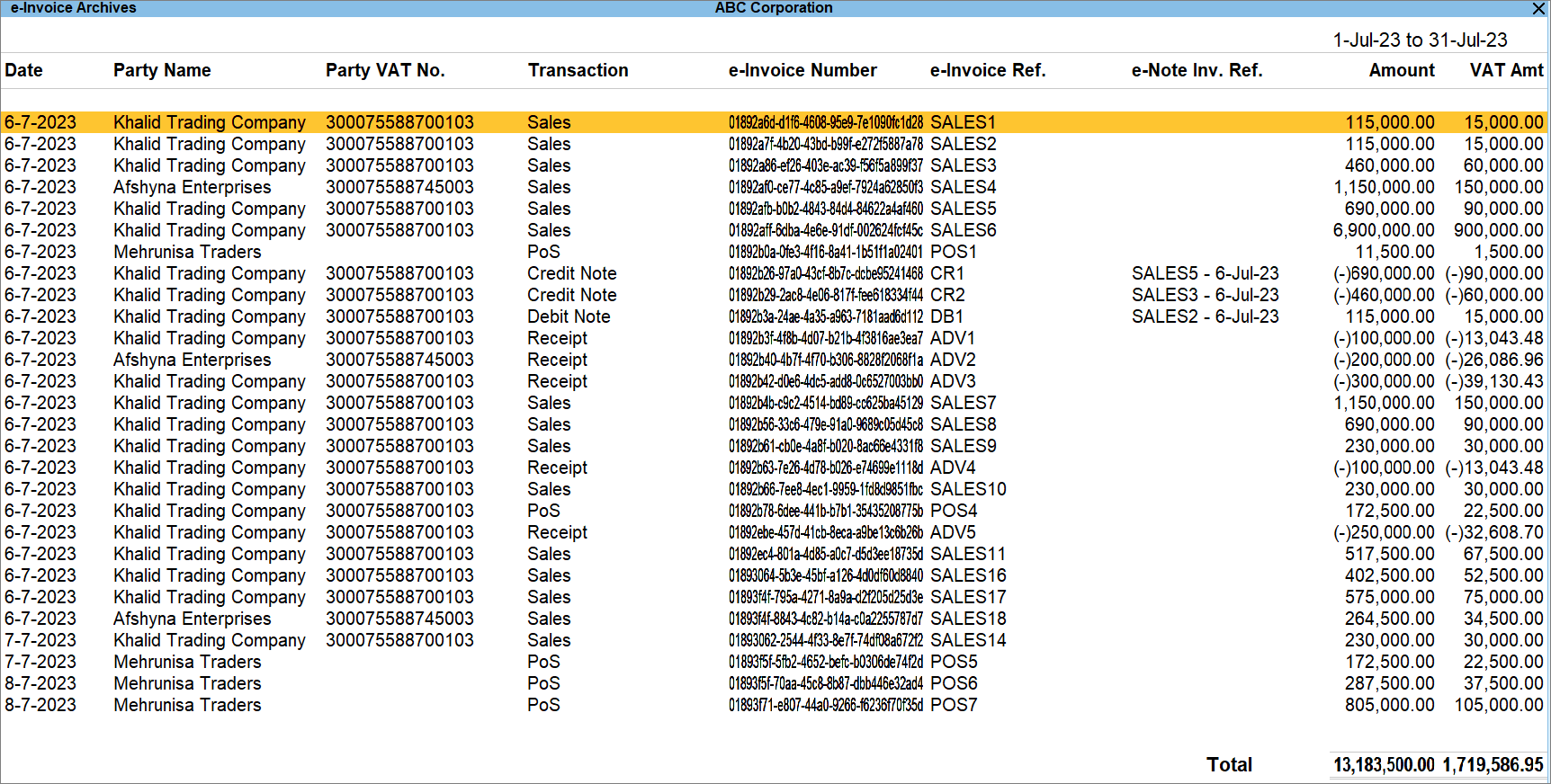
- Press Spacebar to select one or more e-Invoices and press Alt+A (Archive).
Once archived, the e-Invoices are saved in the location specified under the Location of e-Invoice Archives.
Retrieve PDF A3 File Embedded with XML
When you generate an e-Invoice, a PDF A3 file (with embedded XML) is saved in the folder. When you need a copy, you can retrieve it from the e-Invoice Archives report, which stores all generated e-Invoices.
The PDF A3 format supports Multi-currency, Buyer’s Order No., Date, Remarks, and Exchange Rate.
- Press F11 (Company Features) > set Enable Value Added Tax (VAT) to Yes and press Enter.
- Copy the path in Location of e-Invoice Archives and open the path in the system.
- Select the Exports folder and press Enter to get the PDF file embedded with XML.
Is this information useful?
YesNo


