
Cancel IRN/e-Invoice Offline in TallyPrime
If you prefer to cancel e-invoices offline, you can export the required vouchers as JSON files, upload them to the IRP, and then easily import the updated IRN details back into TallyPrime.
Before you begin | Prerequisite
- Ensure that you have enabled e-Invoicing in TallyPrime.
- Ensure that you have registered your business on IRP
- Ensure that you have created an API user profile by selecting Tally (India) Pvt Ltd as the GSP.
Step 1: Export JSON Files Offline
Export the required JSON files from the Send for e-Invoicing screen.
Step 2: Cancel IRN in Bulk
Upload the exported JSON files on IRP and generate IRN information for the selected vouchers.
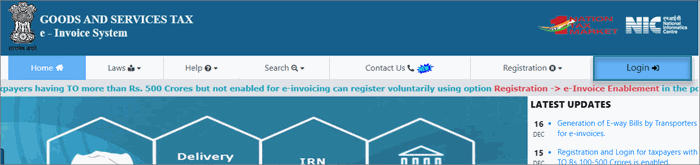
- Open the IRP home page, and click Login.
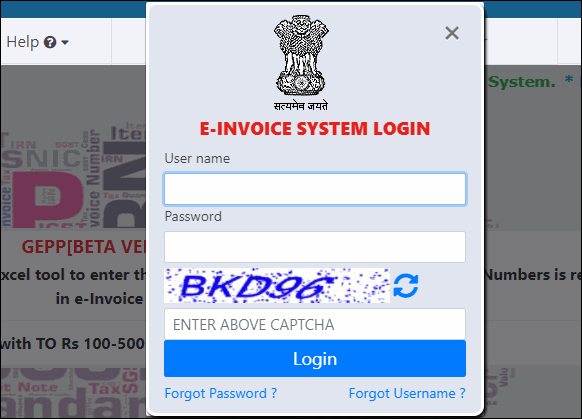
- Log in with your username and password.
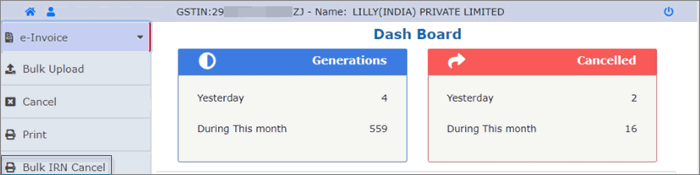
- Click e-Invoice > Bulk IRN Cancel.
- Browse the JSON file and click Upload.

The e-Invoice will be cancelled, and you can view the details such as IRN, Cancel Reason, Cancel Date, and Status.
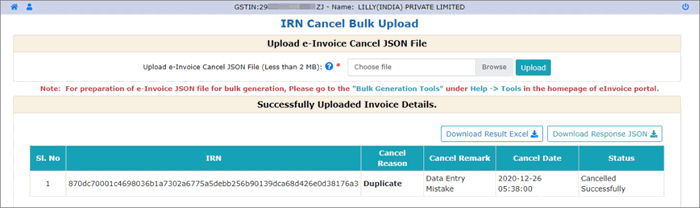
- Click the Download Result Excel button. An MS Excel file will open, where you can see the IRN information for the vouchers. Now when you open the e-Invoice report in TallyPrime, you can find the voucher in the For IRN Cancellation section under Exported.

- Select the voucher and press Alt+L (Get IRN Info).
The following screen appears:

- Press Enter to proceed.
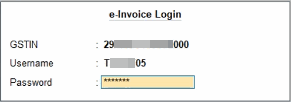
- In the e-Invoice Login screen, specify the e-Invoice Login details, and press Enter.
You can view the status of the upload in the Exchange Summary:
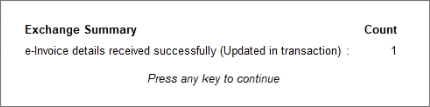
TallyPrime will fetch the latest IRN information from the e-Invoice system. The voucher will be updated and moved to the IRN Generated section.
TallyPrime makes it easy to generate and cancel e-invoices offline. You can export JSON files, upload them to the IRP, and update the details in TallyPrime, all without needing constant internet access.
Is this information useful?
YesNo


