
View Attendance Sheet in TallyPrime (Payroll)
The attendance sheet shows the total days an employee was present or absent, along with the number of units produced and the overtime hours worked.
- Press Alt+G (Go To) > type or select Attendance Sheet > and press Enter.
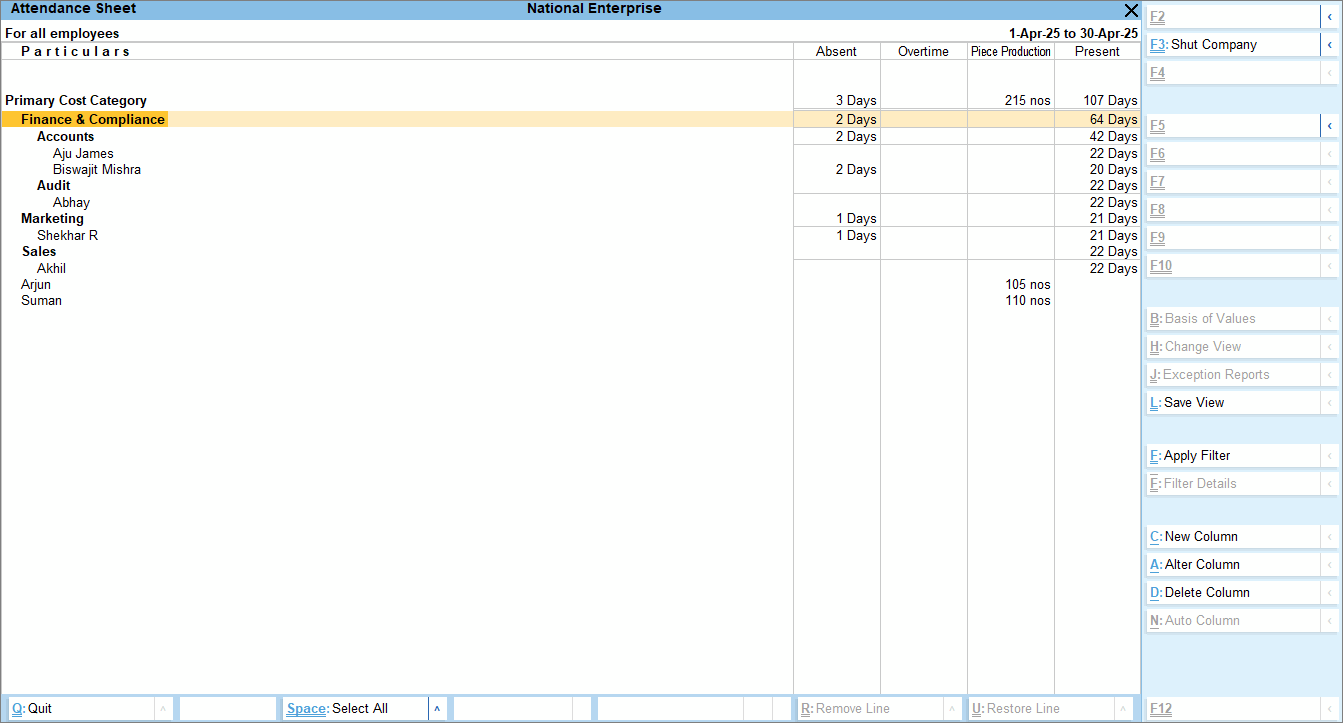
- Press F4 (Employees) to view the attendance sheet for a particular employee category or group.
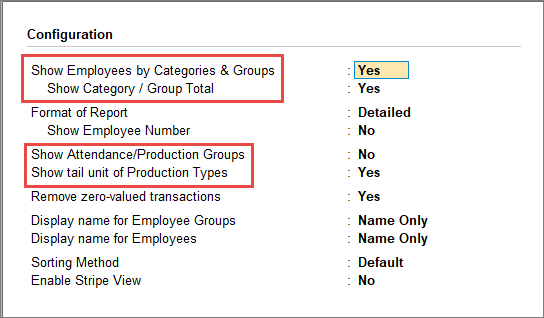
- If you don’t want to view the employee names that have zero attendance, you can enable Remove zero-valued transactions from F12 (Configure).
- View employees by categories and groups, if created.
- To view attendance/production groups in the Attendance Sheet report, press F12 (Configure) > enable Show Attendance/Production Groups.
- To view the Tail Unit of Production Types, press F12 (Configure) > enable Show tail unit of Production Types.
Is this information useful?
YesNo


