
Record Stock Journal for Consumption of Raw Materials While Manufacturing Goods
In manufacturing, raw materials are consumed to produce semi-finished and finished goods. Using Stock Journal vouchers in TallyPrime, you can record raw material consumption and track inventory movement across different stages of production.

Ensure that:
- You have created stock items.
- You have created godowns.
- In the Stock Journal voucher, specify the Reference Number and Date, based on the corresponding Sales invoice or purchase voucher.
- Press F12 (Configure) > set the option Provide Reference No. and Date as Yes.
If you need to use this option only for the current voucher, press Ctrl+I (More Details) > type or select Provide Reference No. and Date > and press Enter. - Enter the Reference Number and Date.
- Press F12 (Configure) > set the option Provide Reference No. and Date as Yes.
- Source (Consumption): Select the items consumed as raw materials and specify Godown, Quantity, and Rate.
- Destination (Production): Select the items that are produced and specify Godown, Quantity, and Rate.
- Provide other necessary details and press Ctrl+A to save.
Based on the stages of the process, you can create the Stock Journal. Let’s take an example of manufacturing a wooden chair in the following stages:
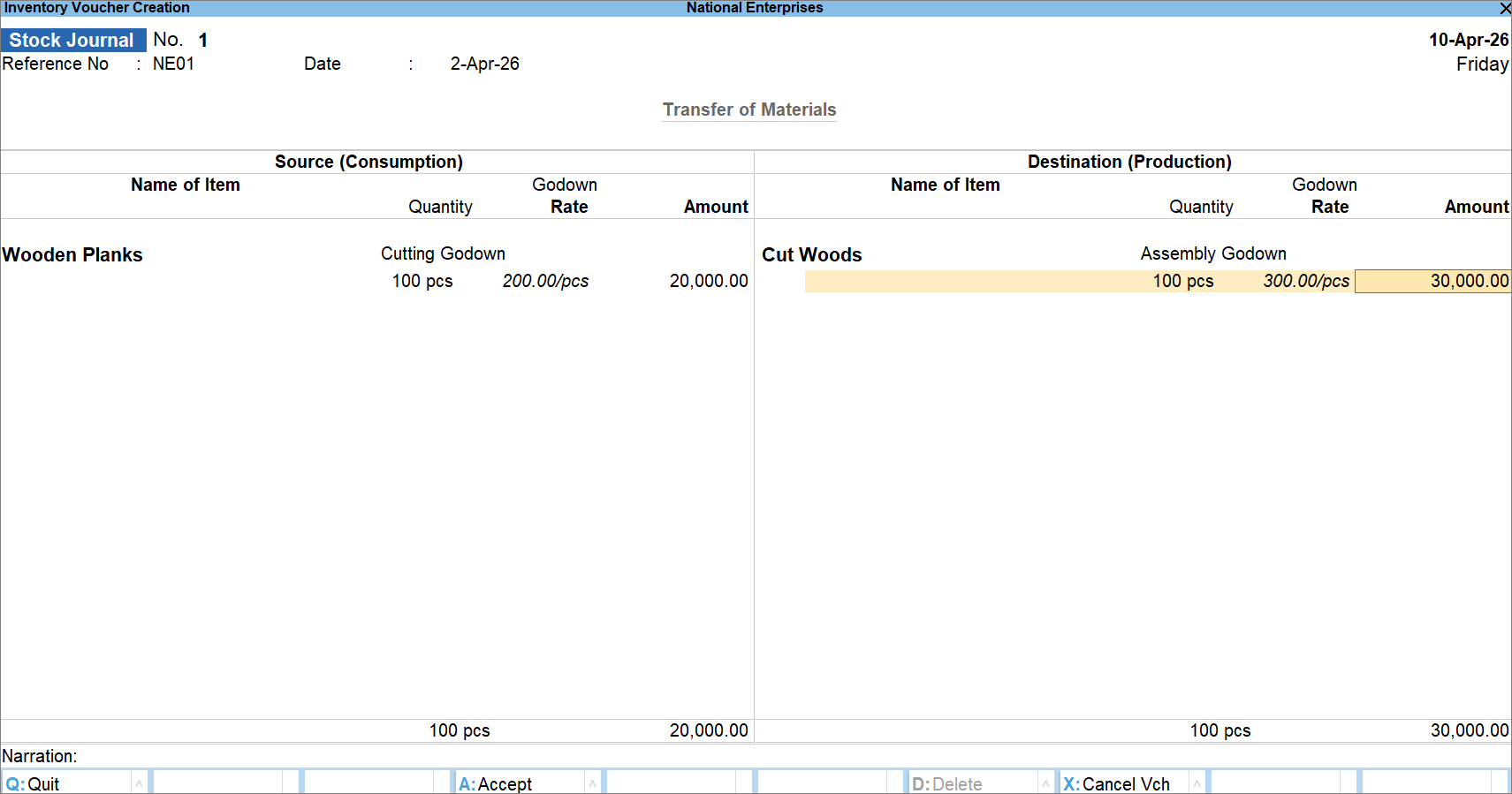
- Stage 1: Cutting Wooden Planks
Wooden Planks in the Cutting Godown are consumed to produce Cut Woods at the Assembly Godown.
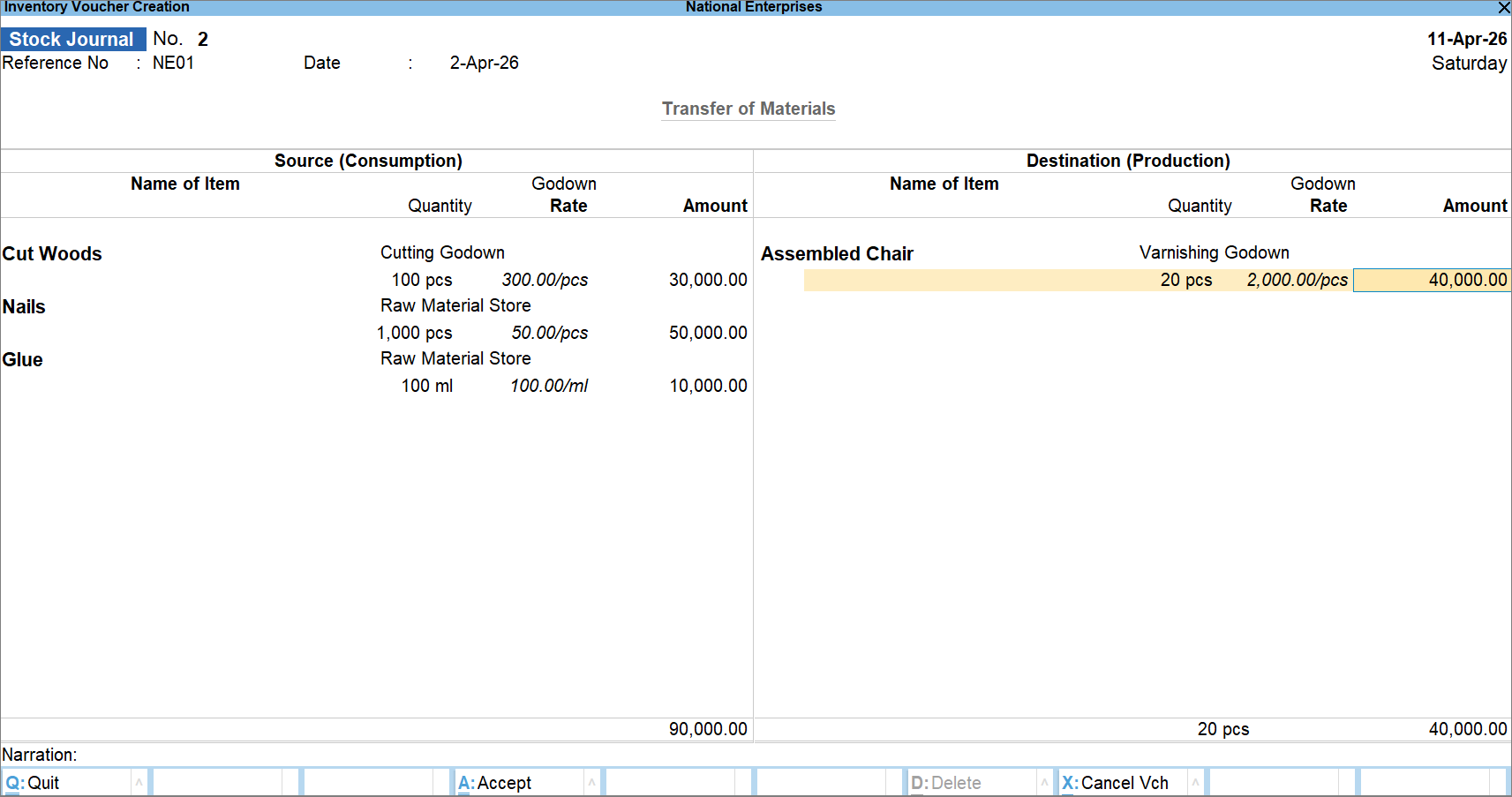
- Stage 2: Assembly
Cut Woods in the Cutting Godown, along with Nails and Glue in the Raw Materials Store, are assembled and moved to the Varnishing Godown.
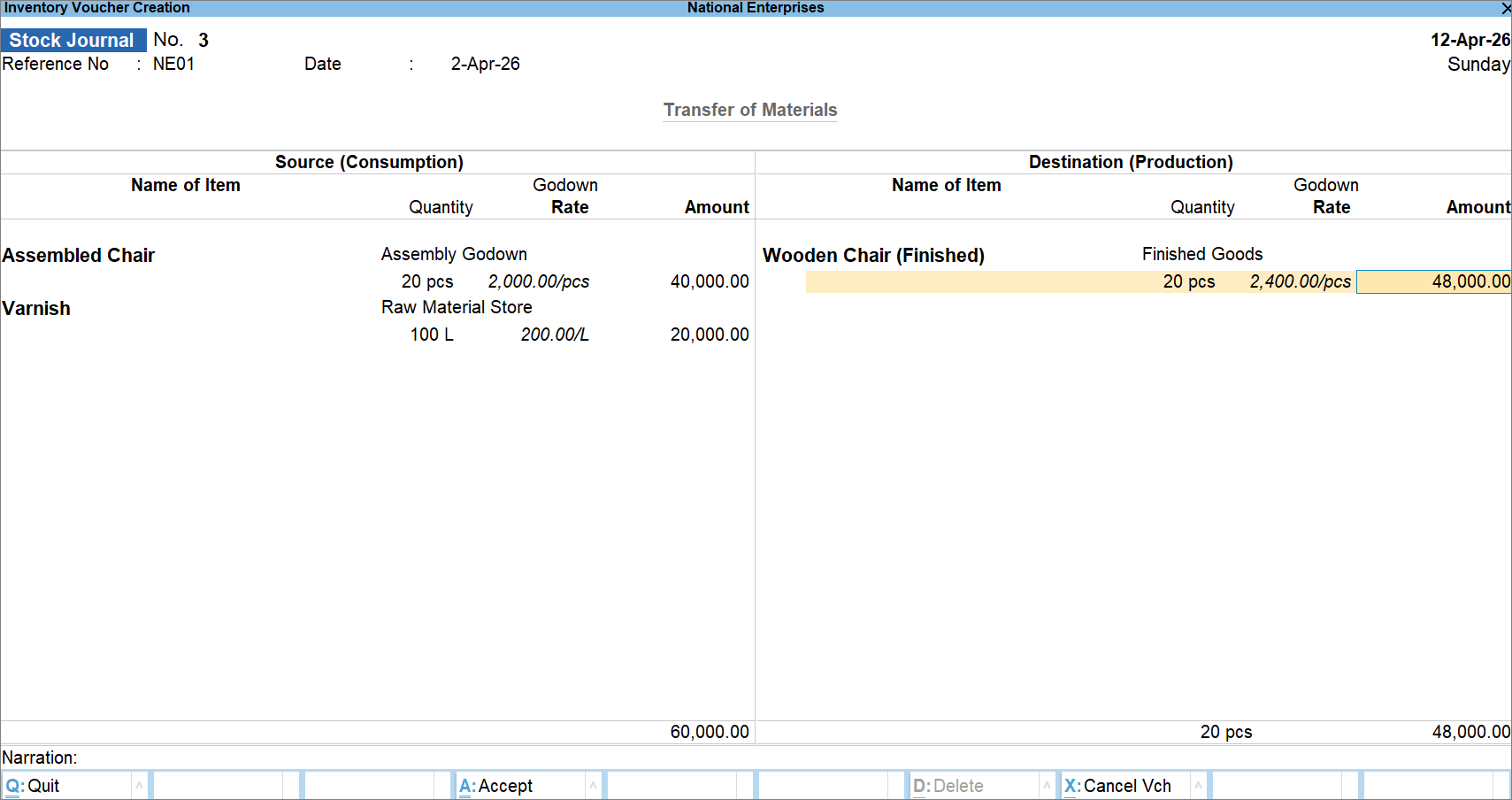
- Stage 3: Finishing
The Assembled Chairs are moved to the Finished Goods godown for final varnishing.
After recording the consumption of raw materials and production of finished goods across manufacturing stages, you can refer to Godown Summary to check inventory in the respective godowns.
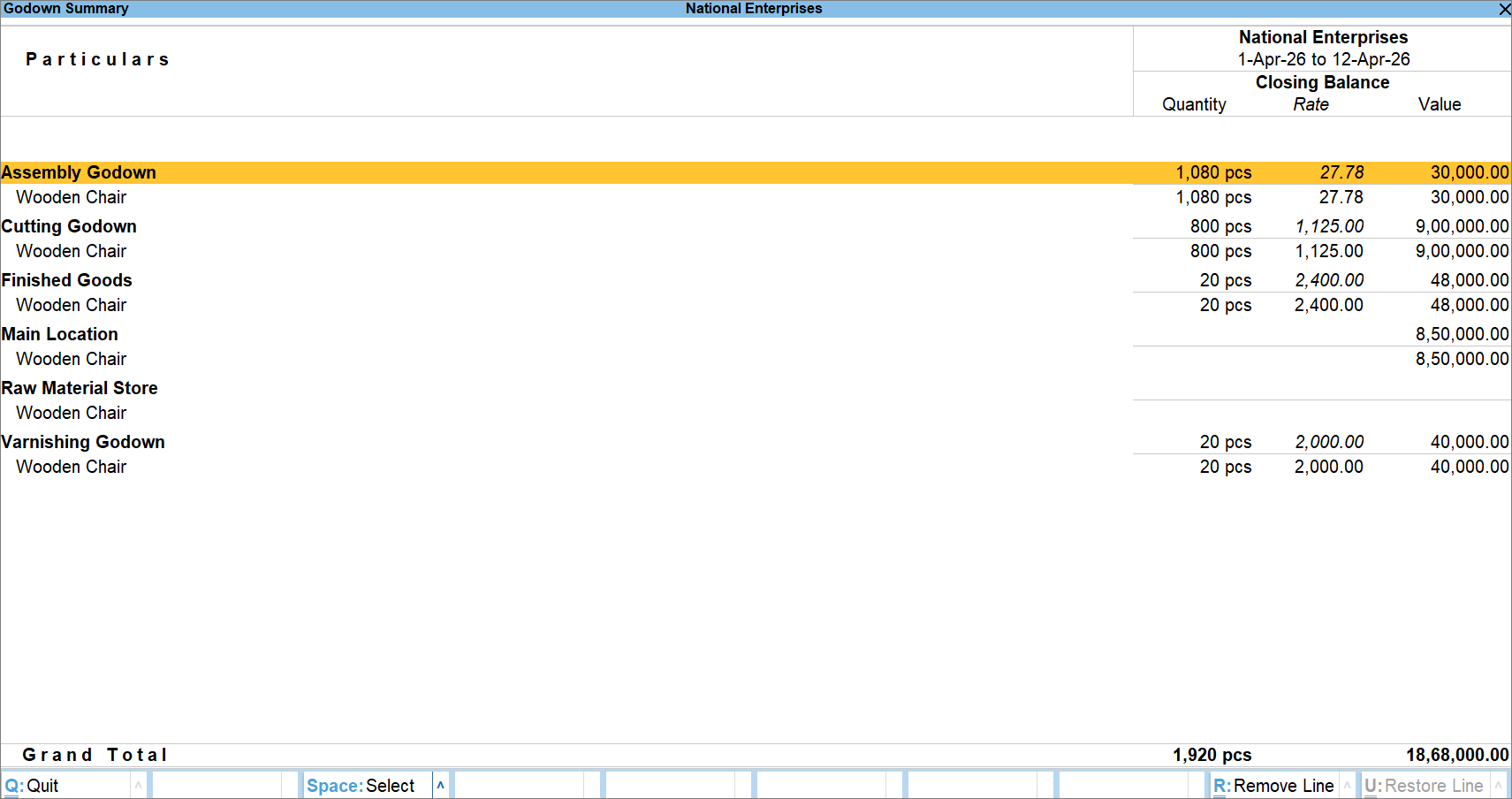
If there are any goods waiting for further processing, you can identify them by viewing the quantity in the corresponding godown. For instance, if there are cut woods in the Raw Materials Store, you can take appropriate action to use them for manufacturing wooden chairs.
Based on your business, you can record manufacturing stages using Stock Journal and view Godown Summary.
Is this information useful?
YesNo


