
Formal Name Contains Invalid Characters
Resolution
- Drill down from the exception.
- Press Enter twice.
Note that the Formal Name contains invalid characters.
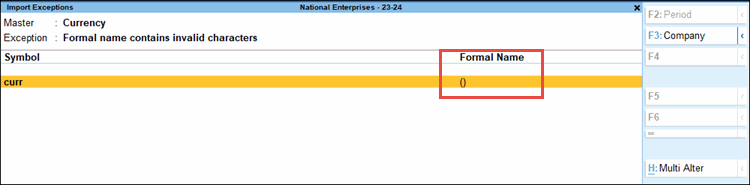
- Press Alt+H (Multi Alter) to edit the Formal Name field.
- Update the Formal Name with a valid value, for example Rupees, Dollar, or so on.
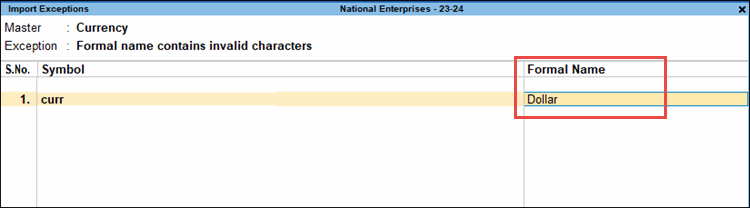
- Press Enter or Ctrl+A to save.
Is this information useful?
YesNo


