
Tax rate/tax type not specified
Cause
The Tax Rate or Tax Type has not been specified in the item or ledger master for one or more transactions.
Resolution
- Select the exception Tax rate/tax type not specified and press Enter.
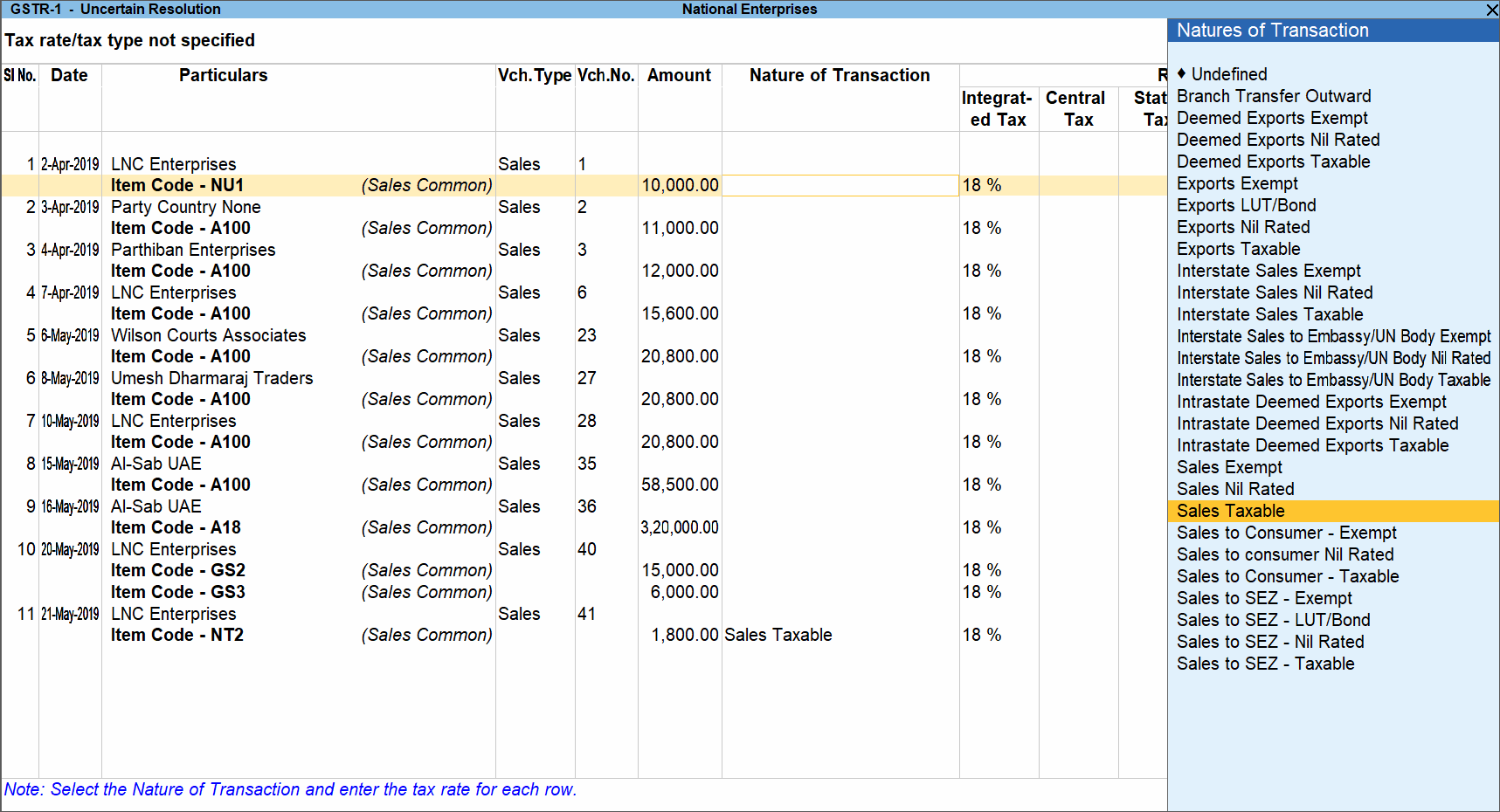
- Select the Nature of transaction, if not already provided.
- Enter the required Rate Details for each transaction. Ensure that the CGST and SGST/UTGST rates are specified.
- Accept the screen. As always, you can press Ctrl+A to save.
To exclude a voucher from GSTR-1, press Alt+H (Exclude Vouchers).
Is this information useful?
YesNo


