
Record Payroll Statutory Payments in TallyPrime
After recording the employer’s contribution and employee’s deductions, you need to make the statutory payments to the Government. In case of a delay in tax payment, a penalty may be applicable. You can record and account for such statutory payments and penalties in TallyPrime.

Ensure that:
- All the statutory liabilities are recorded.
- All the payable ledgers are created, such as PF Payable, ESI Payable, NPS Payable.
To record payroll statutory payments,
In the Payment voucher:
- Press Ctrl+F (Autofill).
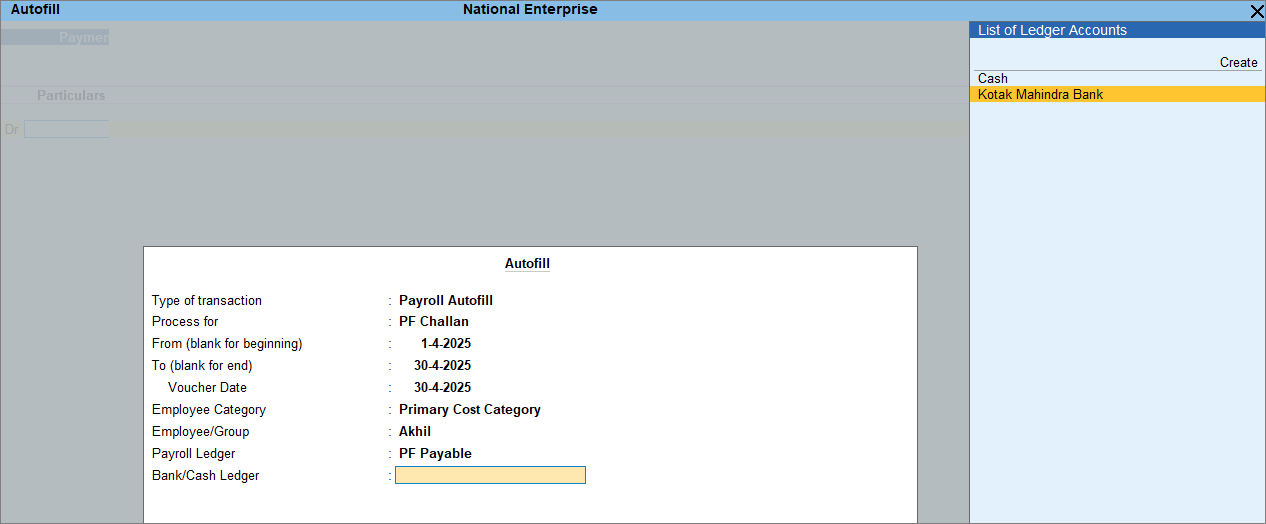
- In the Autofill screen, under Process for, select the required challan, as needed.
- PF Challan
- ESI Challan
- Professional Tax Payment
- NPS Payment
- Income Tax Challan
- Payroll Ledger: Select the payable ledger created for the corresponding challan.
- Bank/Cash Ledger: Select a Bank or Cash ledger to make the payment.
- In the Voucher Creation screen, set Provide Details to Yes.
- In the challan details screen, enter the required information.
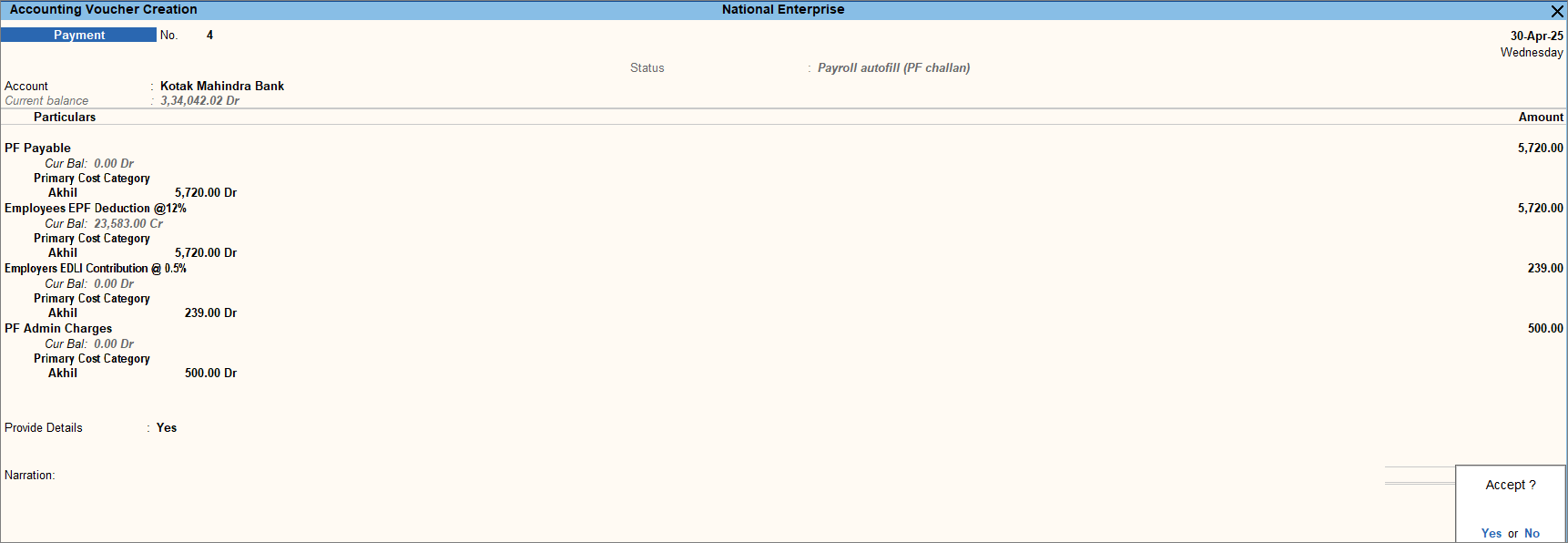
- Press Ctrl+A to save the voucher.
- Print the respective challan.
- In the voucher alteration screen, press Ctrl+P.
- Press C (Configure) and set Yes for the following fields for required challan:
- Print PF Challan
- Print ESI Challan
- Print Income Tax Challan
- Press P (Print).
Is this information useful?
YesNo


