
Virtual Computer Connection Installer – Errors & Resolutions
This topic provides a list of error messages that you may encounter while installing the Virtual Computer Connection client, along with their possible causes and solutions.
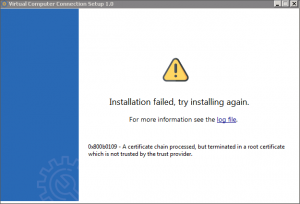
Error 0x800b0109 – Installation failed, try installing again
Cause
The error occurs when there is an issue with the root certificate.
Resolution
- Update the Windows Root Certificate Program.
- Ensure that Microsoft .NET version is upgraded to 4.6.2, and the Microsoft Visual C++ 14.29 is installed.
- Install Virtual Computer Connection client.
Error 0x80070017 – Installation failed, try installing again
Cause
This error occurs, if:
- User tries to install Virtual Computer Connection client in Windows 7 system.
- Windows files are corrupted or that the hard drive is corrupted.
Resolution
- Check the Windows version.
- Open a command prompt > type msinfo32 and check the system details.
- Update your Windows to the latest SP1 if your OS is below WIN7.
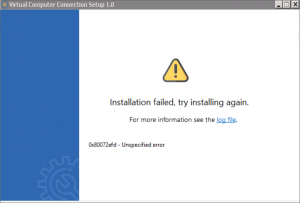
Error 0x80072efd – Installation failed, try installing again
Cause
This error occurs, if:
- The installation of Microsoft.NET version 4.6.2 and Microsoft Visual C++ 14.29 fails.
- The Windows update are not up to date.
Resolution
- Ensure that the Windows Update service is running.
- Go to Run > type Services.msc > check the status of the Windows Update.
- In case the Windows Update is missing from Services, then click the link below:
https://social.msdn.microsoft.com/Forums/en-US/7e53eb53-a613-4fad-b62c-8706051b11d8/error-0x80070424-troubleshooter-says-quotsome-security-settings-are-missing-or-have-been?forum=vssetup - Install Virtual Computer Connection client Full installer (Offline installer).
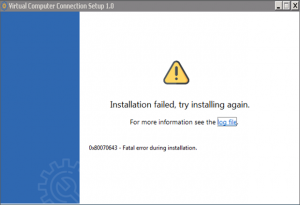
Error 0x80070643 – Installation failed, try installing again
Cause
This error occurs when there is a problem with Windows updates.
Resolution
- If you are using Windows 7, update to the latest Service Pack 1 (SP1) and then proceed with installing the Virtual Computer Connection client.
- In the case that SP1 is already installed in Windows 7 and the issue persists, update Windows and install the Virtual Computer Connection client Full installer (Offline installer).
Error 0x80070424 – Installation failed, try installing again
Cause
This error occurs, if:
- The installation of Microsoft.NET version 4.6.2 and Microsoft Visual C++ 14.29 fails.
- The Windows update are not up to date.
Resolution
- Ensure that the Windows Update service is running.
- Go to Run > type Services.msc > check the status of the Windows Update.
- In case the Windows Update is missing from Services, then click the link below:
https://social.msdn.microsoft.com/Forums/en-US/7e53eb53-a613-4fad-b62c-8706051b11d8/error-0x80070424-troubleshooter-says-quotsome-security-settings-are-missing-or-have-been?forum=vssetup - Install Virtual Computer Connection Client Full installer (Offline installer).
Is this information useful?
YesNo


