
Configure Specified Person Higher Tax Rate (Under Section 206AB)
Section 206AB requires TDS to be deducted at a higher rate for a Specified Person. The TDS rate is twice the applicable rate or 5%, whichever is higher.
A party is a Specified Person if they meet the conditions specified under Section 206AB. To learn more, Section 206AB & 206CCA-Compliance Check Facility.

Ensure that:
- You have enabled TDS in TallyPrime.
- You have created the required TDS masters.
Configure Party Ledger for Higher TDS under Section 206AB
To deduct TDS at the higher rate under Section 206AB, configure the required Nature of Payment and party ledger in TallyPrime.
- Press Alt+G (Go To) > Create Master/Alter Master > type or select Ledger.
- Under Statutory Details:
- Set Is TDS Deductable to Yes.
- Set Deductee type as applicable.
- Set Deduct TDS in Same Voucher to Yes.
- Set Use Advanced TDS Entries to Yes.
- In Advanced TDS Entries, enable Set/Alter Zero/Lower Deduction.
- In Zero/Lower Deduction Details:
- Select the applicable Nature of Payment.
- Select 197 Lower Deduction from List of Provisions.
- Enter the Certificate No./Date.
It is recommended to enter the certificate number as ‘0000’, so that the future migration will be taken care of automatically. - Enter the Applicable From and Applicable To dates.
- Enter the TDS rate as twice the applicable rate or 5%, whichever is higher.

- Press Ctrl+A to save the party ledger.
If the required TDS options are not visible, press F12 (Configure) and enable the applicable TDS or advanced-entry options.
Once the party is configured for Section 206AB, TallyPrime applies the configured higher TDS rate while recording applicable transactions.
To learn how to record TDS transactions, refer to the topic Record TDS Transactions in TallyPrime.
File TDS Returns under Section 206AB
If TDS has been deducted at the higher rate under Section 206AB, you may need to update the exported TDS return text file with the applicable remark value before validating and filing the return.
After exporting From 26Q or Form 27Q,
- Open the .text file.
- Identify the transactions recorded for the Section 206AB party.
- Press Ctrl+F.
- Under Find what: type 0000 and press Enter or click Find Next.

- Identify the transactions with 0000 at the end of the row.
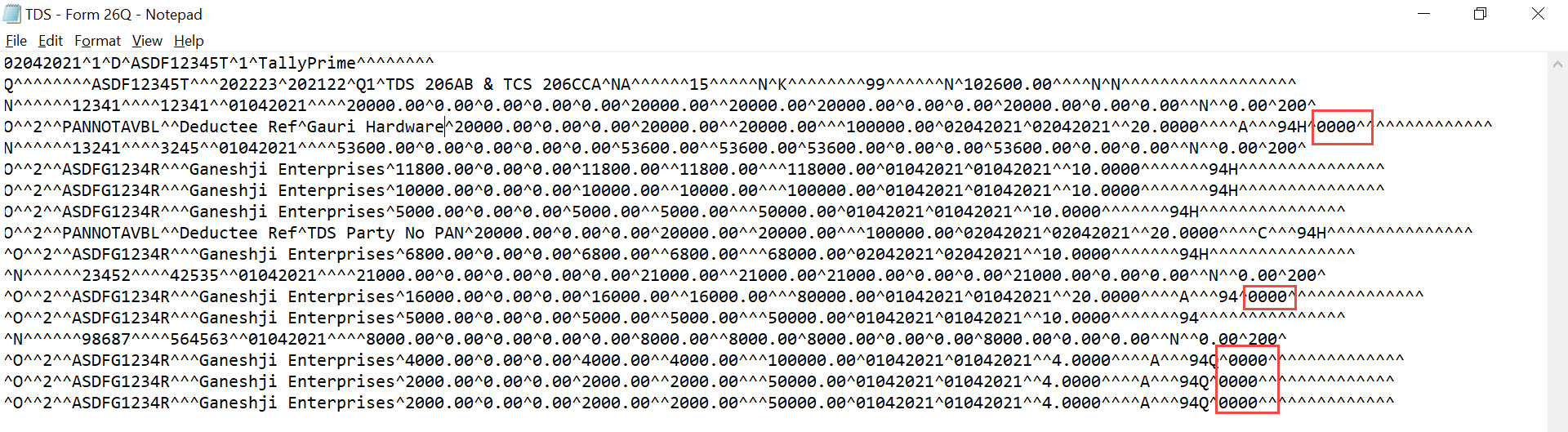
If the Zero/Lower Collection Details screen of the Party ledger Party ledger is not configured with 0000 as the Certificate No., then press Ctrl+F > enter Party’s PAN or Name of the Party > press Enter to identify the PAN or Party.
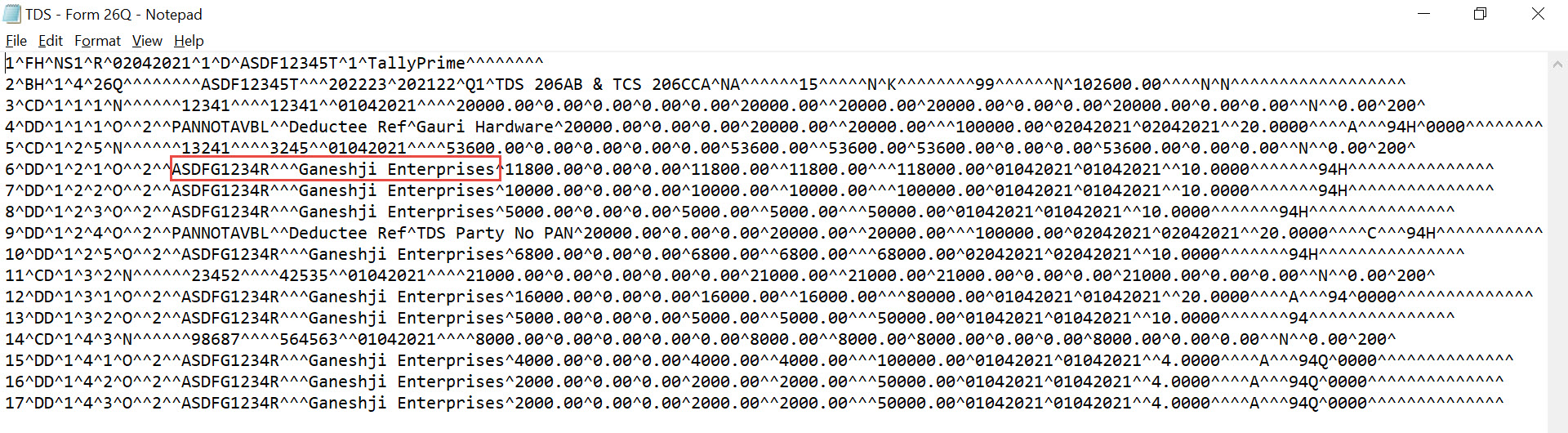
- In the identified transactions, replace the alphabet A with:
- U for Form 26Q.
- J for Form 27Q.
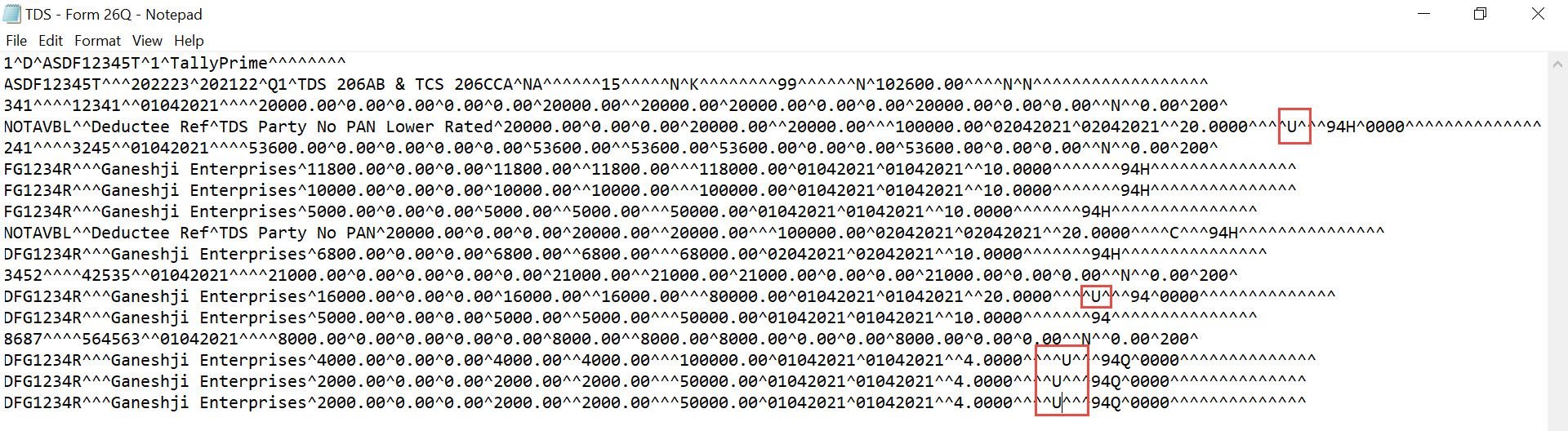
- After entering the applicable remark value, remove 0000 from the rows.
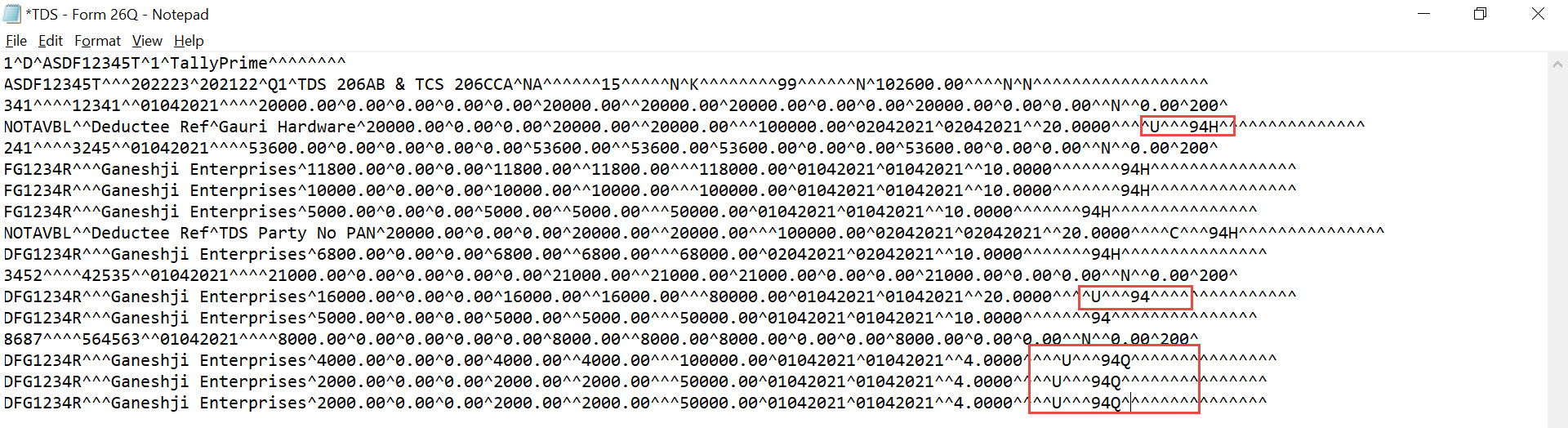
- Press Ctrl+S to save the .text file.
After making the changes and saving the .text file, you can go ahead and file the returns.


