
Payment of Penalty, Interest and Late Fee
Penalty, interest, and late fees in income tax apply when you delay filing returns, paying taxes, or complying with tax regulations, helping ensure timely payment and accurate reporting. You can pay these charges along with your income tax payment or separately, as required.
Before you begin | Prerequisites
- Ensure Income Tax Pay Head is created.
- Ensure Penalty, Interest and Late Fee ledgers are created.
Payment of Penalty, Interest, and Late Fee Along with Income Tax
In the Payment voucher:
- Press Ctrl+F (Autofill).
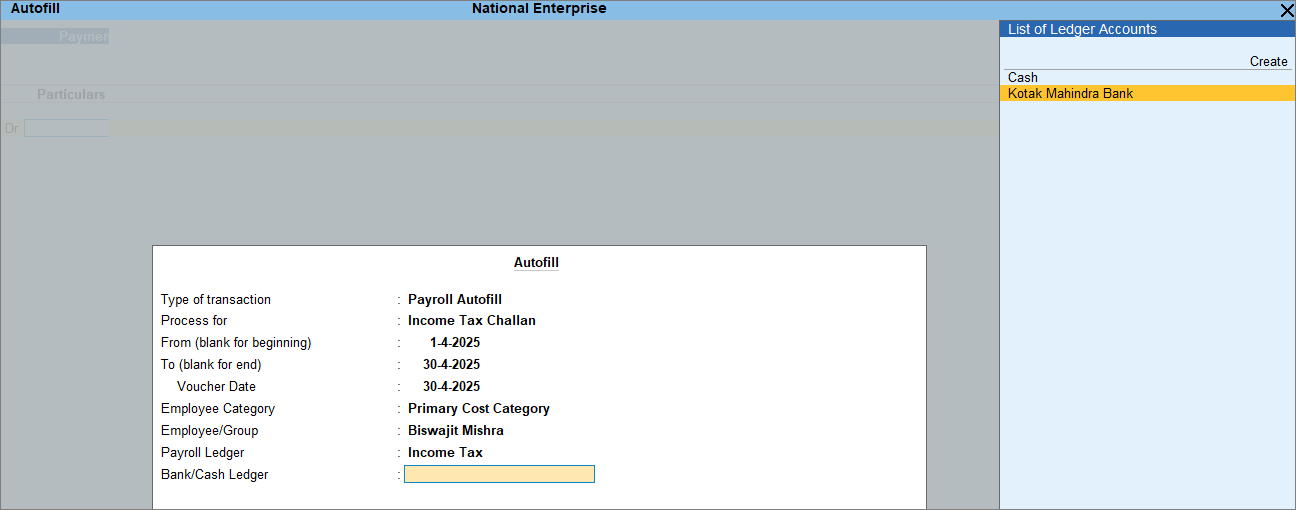
- In the Autofill screen, under Process for, select Income Tax Challan.
- Payroll Ledger: Select Income Tax.
- Bank/Cash Ledger: Select a Bank or Cash ledger to make the payment.
- In the Voucher Creation screen, enter the tax amount to be paid.
- Select Penalty from the List of Ledger Accounts.
- Set the Payment Type to Penalty and enter the penalty amount.
- In the Voucher Creation screen, set Provide Details to Yes.
- In the challan details screen, enter the required information.
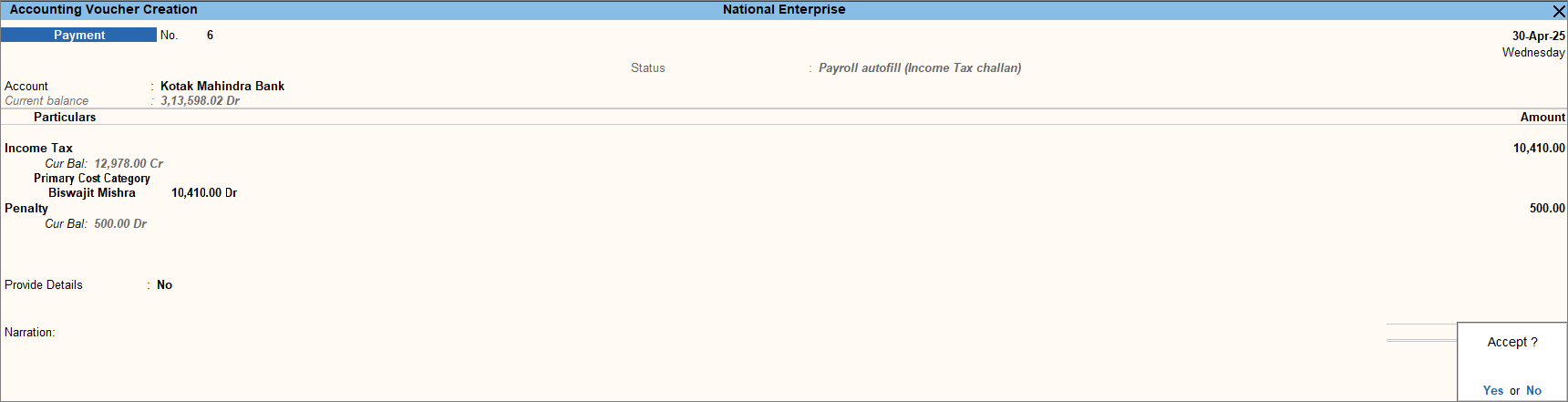
- Press Ctrl+A to save the voucher.
- Print the challan.
- In the voucher alteration screen, press Ctrl+P.
- Press C (Configure) and set Yes for Print Income Tax Challan.
- Press P (Print).
Payment of Penalty, Interest, and Late Fee Without Income Tax
In the Payment voucher:
- Press Ctrl+F (Autofill).
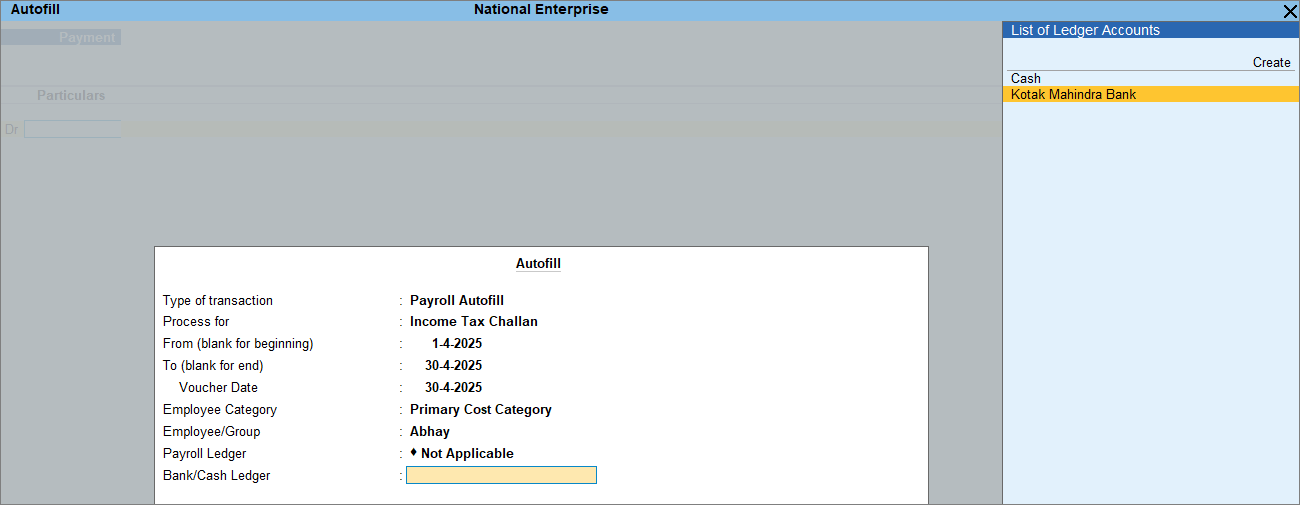
- In the Autofill screen, under Process for, select Income Tax Challan.
- Payroll Ledger: Select Not Applicable.
- Bank/Cash Ledger: Select a Bank or Cash ledger to make the payment.
- In the Voucher Creation screen, select Penalty from the List of Ledger Accounts.
- Set the Payment Type to Penalty and enter the penalty amount.
- In the Voucher Creation screen, set Provide Details to Yes.
- In the challan details screen, enter the required information.
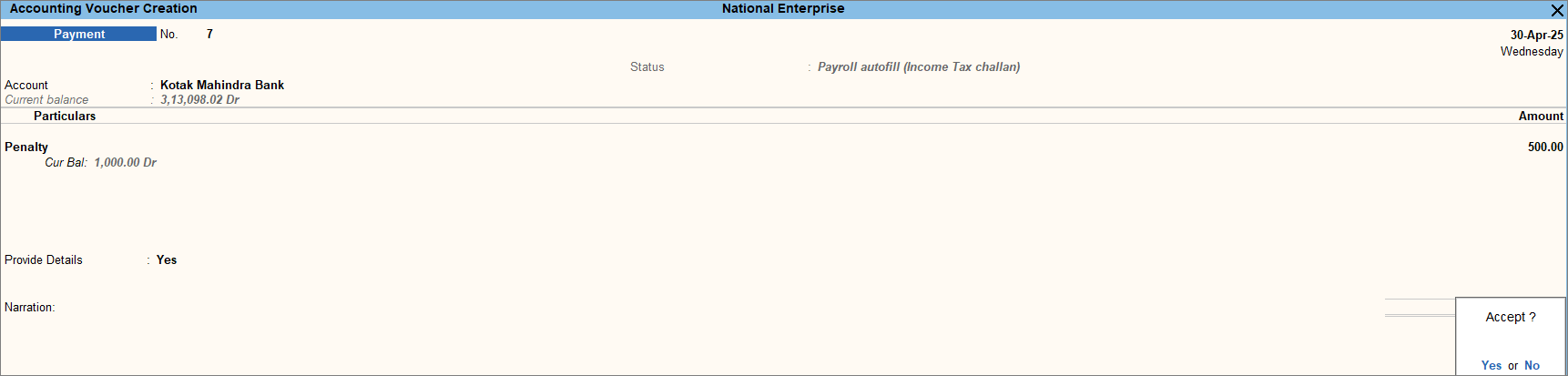
- Press Ctrl+A to save the voucher.
- Print the challan.
- In the voucher alteration screen, press Ctrl+P.
- Press C (Configure) and set Yes for Print Income Tax Challan.
- Press P (Print).
Similarly, you can record Interest and Late Fees.
Is this information useful?
YesNo


