
Record Salary Accrual in TallyPrime (Payroll)
In TallyPrime, you can record the salary accrual for employees using Payroll Vouchers and the relevant payroll ledgers. If there is a change in the salary structure, you can accrue the arrear salary in a similar way.
Before you begin | Prerequisites
- Enable Payroll.
- Ensure that you have created the following:
- Ensure salary is defined for the employee or employee group.
To record salary accrual,
- Press Alt+G (Go To) > Create Voucher > press Ctrl+F4 (Payroll).
- Press Ctrl+F (Autofill) button.
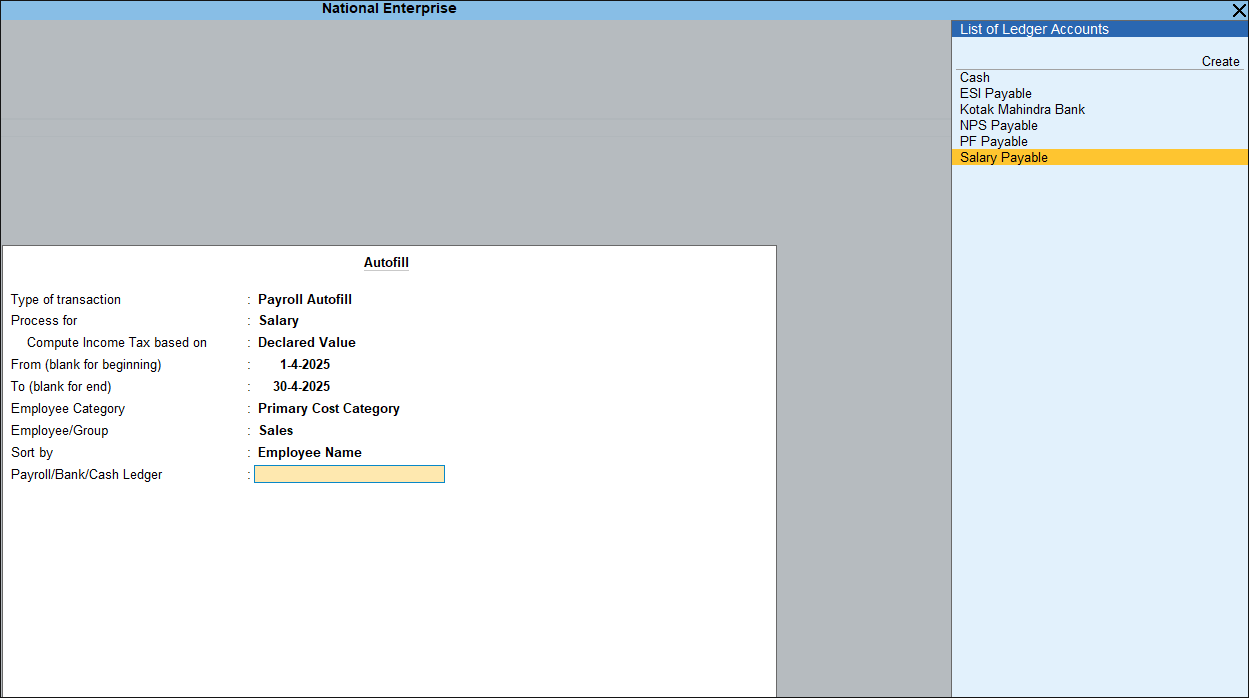
- In the Autofill screen, enter the transaction details.
- Type of transaction: Select Payroll Autofill from the list.
- Process for: Select Salary from the list.
- Enter the From (blank for beginning) and To (blank for end) dates.
- Provide the employee details.
- Employee Category: This option is enabled when employees or employee groups are created under a category.
You can also create a new category or select an existing one. - Employee/Group: Select the employee or employee group for whom the salary is to be processed.
- Sort by: Select the sorting method for displaying employee details in the voucher, such as Employee Name or Employee Number.
- Employee Category: This option is enabled when employees or employee groups are created under a category.
- Payroll/Bank/Cash Ledger: Select the Salary Payable ledger to record salary accrual.
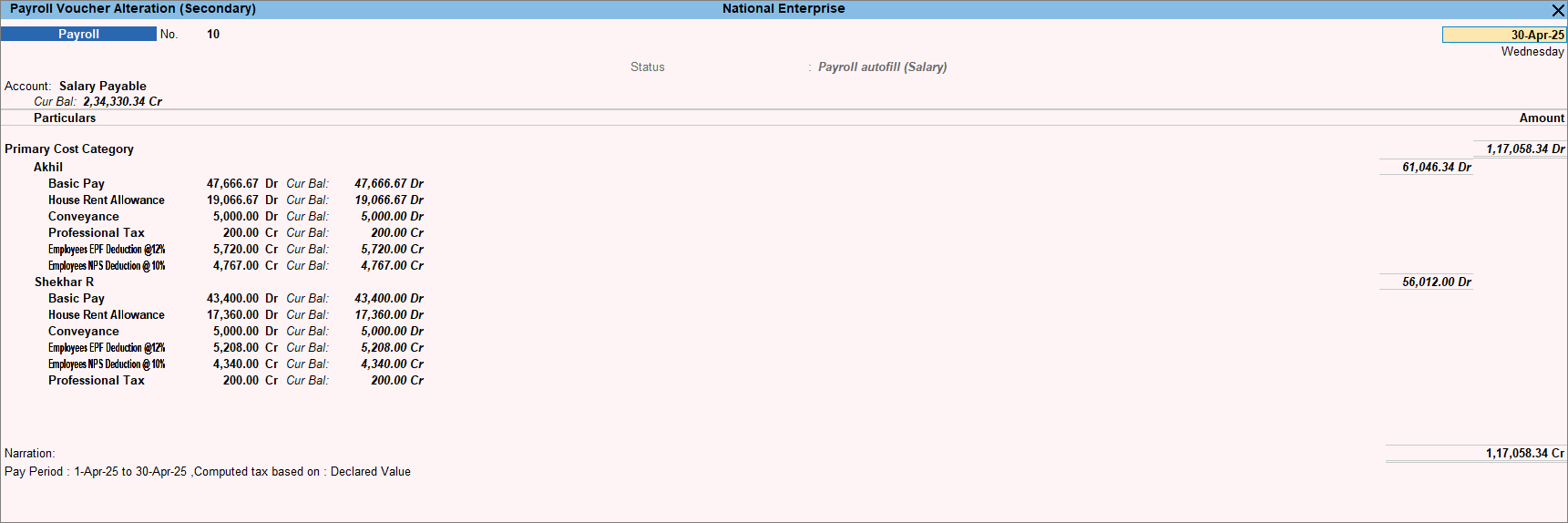
- Enter the Narration, if any and press Ctrl+A to save the voucher.
You can also process the salary accrual manually. After recording the salary accrual, you can proceed to record the salary payment.
Q&A
Can I process salary accrual manually?
Yes, you can process salary accrual manually in TallyPrime.
- Press Alt+G (Go To) > Create Voucher > press Ctrl+F4 (Payroll).
- Select the Salary Payable ledger under Account.
- Select the employee category, if applicable.
- Select the employee name from the List of Employees.
- Select the required Pay Head and enter the amount.
- Select the remaining pay heads, if any, and enter the respective amounts.
- To record the salary accrual for other employees, repeat steps 2 to 6.
- Enter the narration and press Ctrl+A to save the voucher.
Is this information useful?
YesNo


