
View Employee E-Mail IDs Report in TallyPrime (Payroll)
The E-Mail IDs report helps you identify employee masters where e-mail addresses are either missing or entered incorrectly, so you can review and update them as needed.
- Press Alt+G (Go To) > Employee E-mail IDs.
By default, the report displays the list of employees with missing or incorrect e-mail ID.
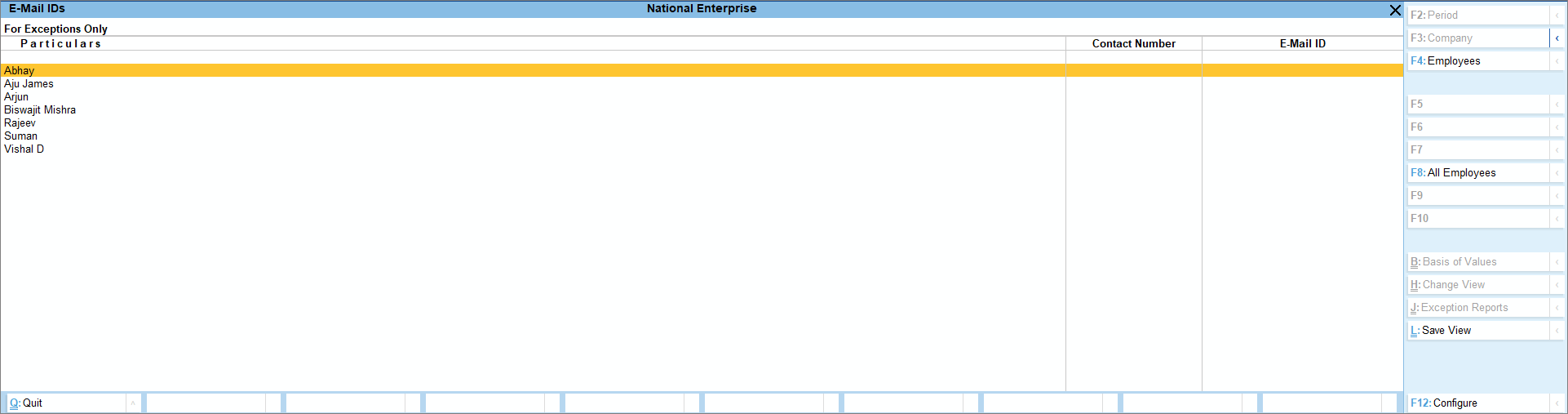
- Enter the correct e-mail address for each employee in the E-Mail ID field.
- Press F4 (Employees) to select a required category, employee, or employee group.
- Press F8 (All Employees) to view the list of employees with or without a correct e-mail ID.
When you update the e-mail ID in the report, the changes are automatically reflected in the respective employee master.
Is this information useful?
YesNo


