
View Pay Sheet Report in TallyPrime (Payroll)
The Pay Sheet in TallyPrime is a matrix report that displays employee categories, groups, and individuals as rows, with Pay Heads as columns. It shows all earnings and deductions for a chosen period and can be customised to act as a Salary or Wage Register. You can also filter it by specific employee categories or groups.
- Press Alt+G (Go To) > type or select Salary Pay Sheet > and press Enter.
- Select the required employee category.
- Select the required employee or employee group.
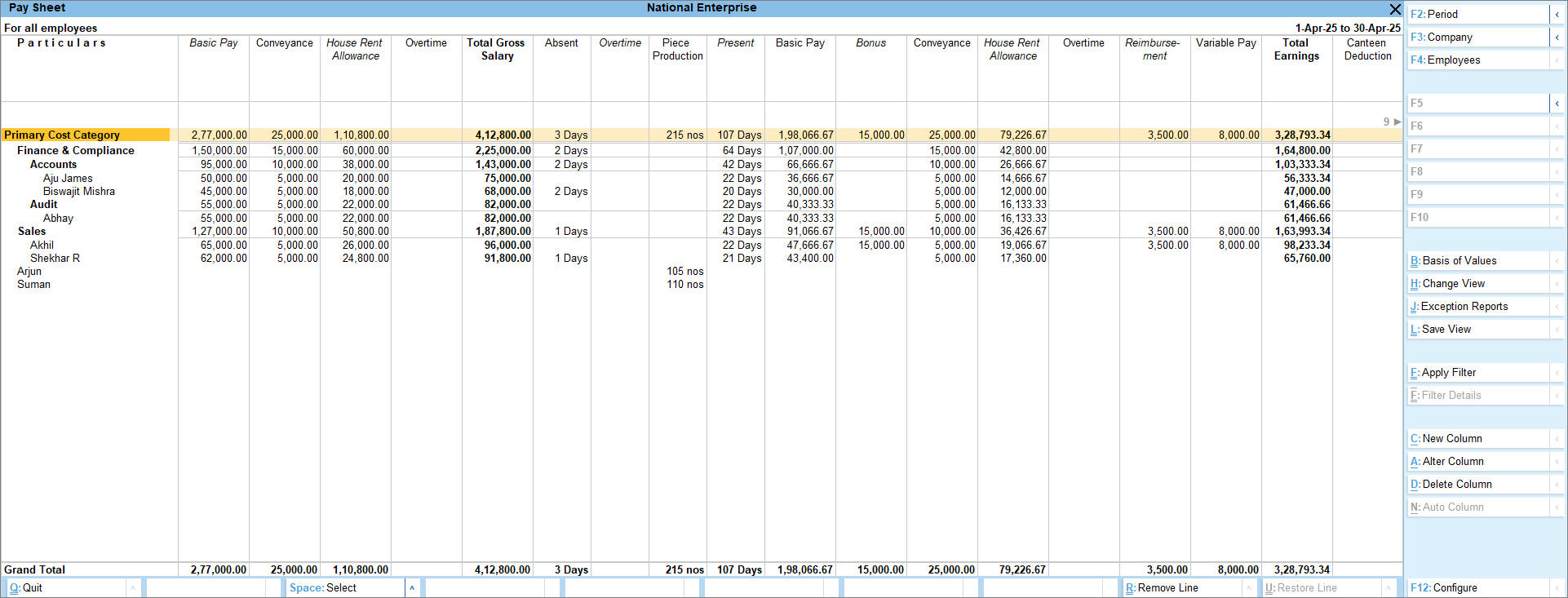
- Press F4 (Employees) to select any specific employee category or group.
- View the Pay Head Type.
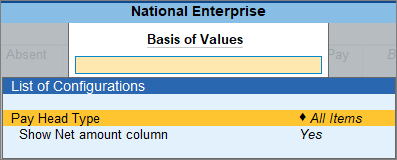
- To view related reports like Multi Pay Slips or select views like Pay Sheet with Gross Salary, Earnings Only or Deductions Only, press Ctrl+H (Change View).
- To view the gross salary of the employee pay head-wise, press F12 (Configure) > enable Show Gross Salary.
Is this information useful?
YesNo


