
Create Employee Categories in TallyPrime
An employee group is default, while an employee category adds classification to track salaries by project or location. You can create categories individually or in bulk, based on your requirements.
Create Single Employee Category
- Press Alt+G (Go To) > Create Master > Employee Category and press Enter.
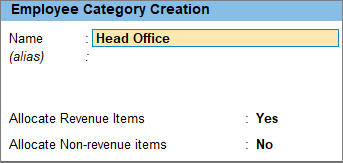
- Enter the employee category details.
- Name: Enter the name of the employee category based on the project or location.
- Allocate Revenue Items: Enable this option if the salary expense for this employee category needs to be allocated to a revenue generating department.
- Allocate Non-Revenue Items: Enable this option if the salary expense for this employee category is not directly linked to income generation and hence not required to be allocated to revenue generating department.
- Press Ctrl+A to save the master.
Create Multiple Employee Categories
- Press Alt+G (Go To) > type or select Chart of Accounts > Employee Categories and press Enter.
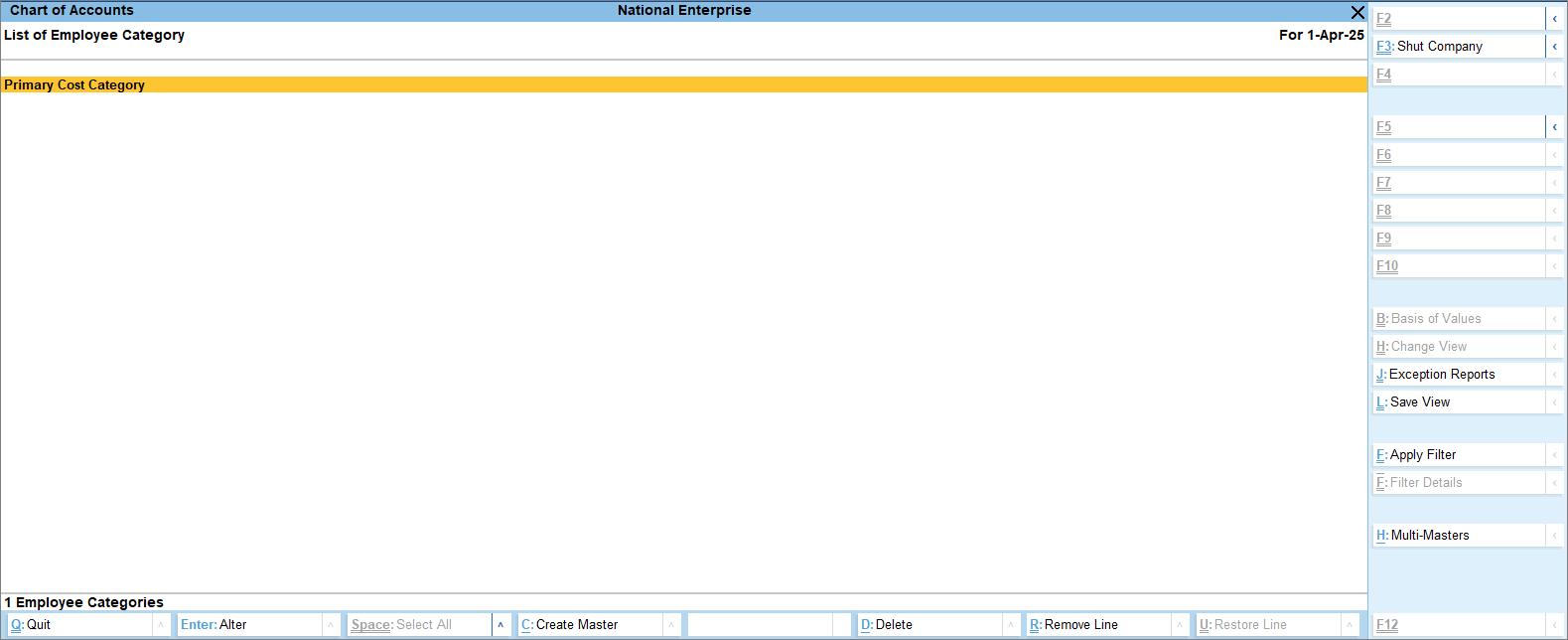
- Press Alt+H (Multi Masters) > select Multi Create and press Enter.
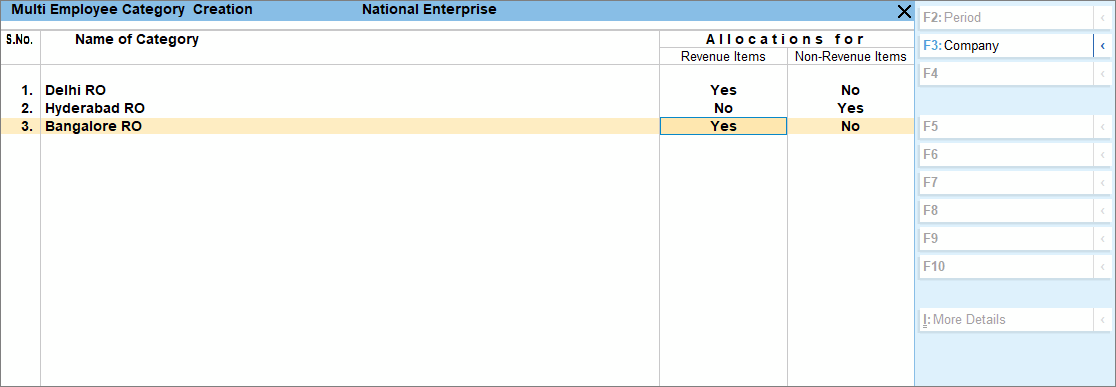
- Enter the employee category details.
- Name of Category: Enter the name of the employee category based on the project or location.
- Enable the options Allocations for Revenue Items and Non-Revenue Items, if required.
- Allocate Revenue Items: Enable this option if the salary expense for this employee category needs to be allocated to a revenue generating department.
- Allocate Non-Revenue Items: Enable this option if the salary expense for this employee category is not directly linked to income generation and hence not required to be allocated to revenue generating department.
- Press Ctrl+A to save the master.
After creating an employee category, you can create employee groups within that category.
Is this information useful?
YesNo


