
Generating TCPs for Target Serials
TallyPrime Developer provides an option to create TCPs for specific TallyPrime serials, that is, the TCP created will work only for the specified TallyPrime serials.
The Authorization required option in the Build Options screen is used to specify the customer serials for which the TCP will be enabled.
To enable the TCP for customer serial numbers
TCP format
TallyPrime Developer supports the following options in the TCP format field, under Project Properties → Build Options:
- Regular: Compatible with all supported TallyPrime releases.
- Inscribed V1: Compatible with Tally.ERP 9 Series A Release 5.4 and later.
- Inscribed V2: Compatible with TallyPrime Release 7.2 and later. To learn more, see the Inscribed V2 FAQ.
Decompilation is not supported for Inscribed TCPs; the newer version (Inscribed V2) is recommended for enhanced security.
- Go to File > Active Project Properties > Build Options.
The Build Options screen appears as shown below:
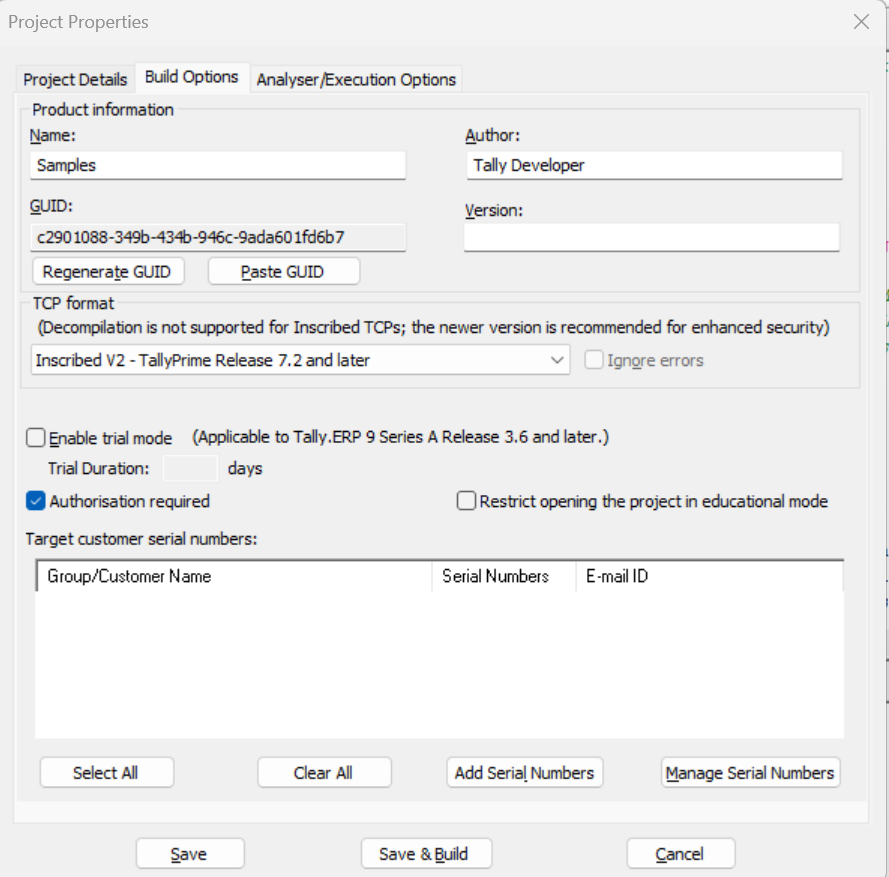
- Enter the details in the Product Information section. These details are visible to the customers in the TDL Management screen of TallyPrime where the TCP is enabled.
- Select the required TCP format — Regular, Inscribed V1, or Inscribed V2.
- Select the option Authorisation required.
- Select the required customer serials numbers in the Target Serials section.
- Click Save to save the settings. Alternatively, click Save and Build to save and build the project. This will create the .tcp file simultaneously.
To add and manage customer serial number
- Click Add Serials to add a new customer serial, and enter the Serial number.
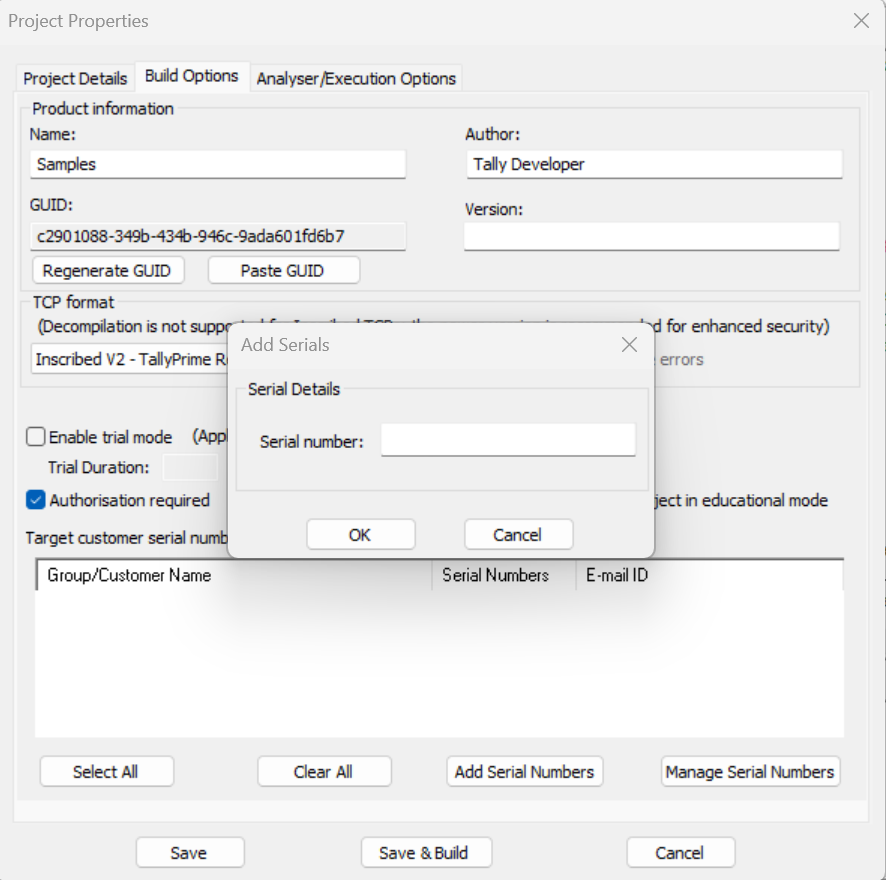
- Click OK to add the entered serial number. The added serial appears in the Target Serials list.
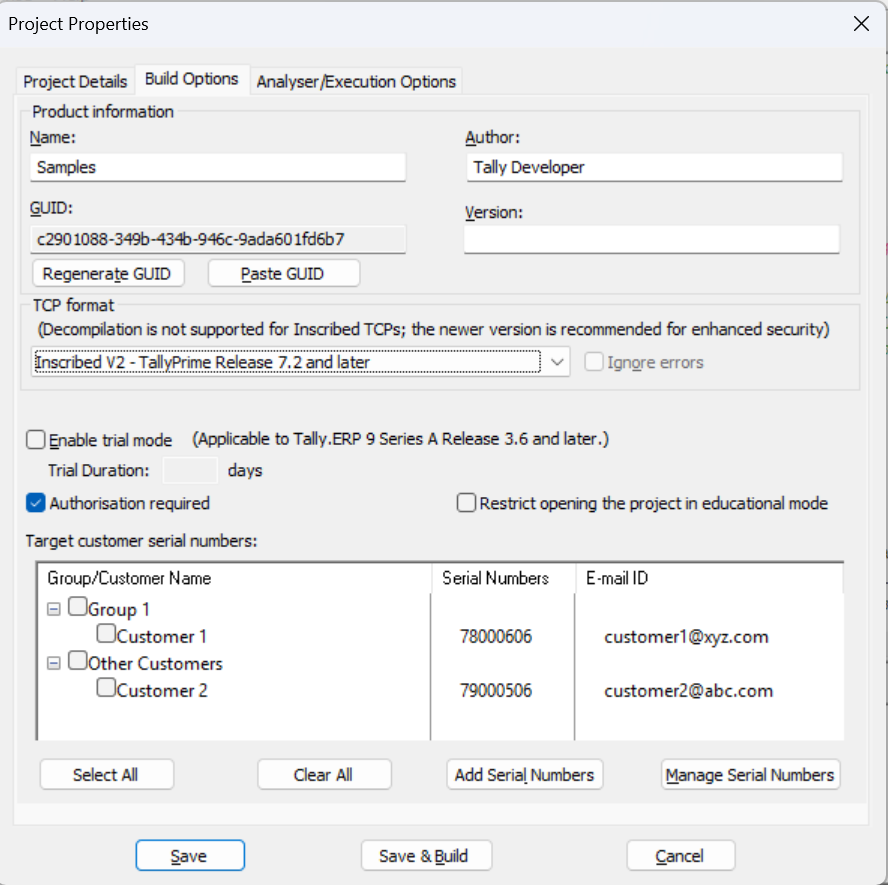
- Click Manage Customers to manage customer serials. You can add a new customer, modify the details, create groups, and so on.
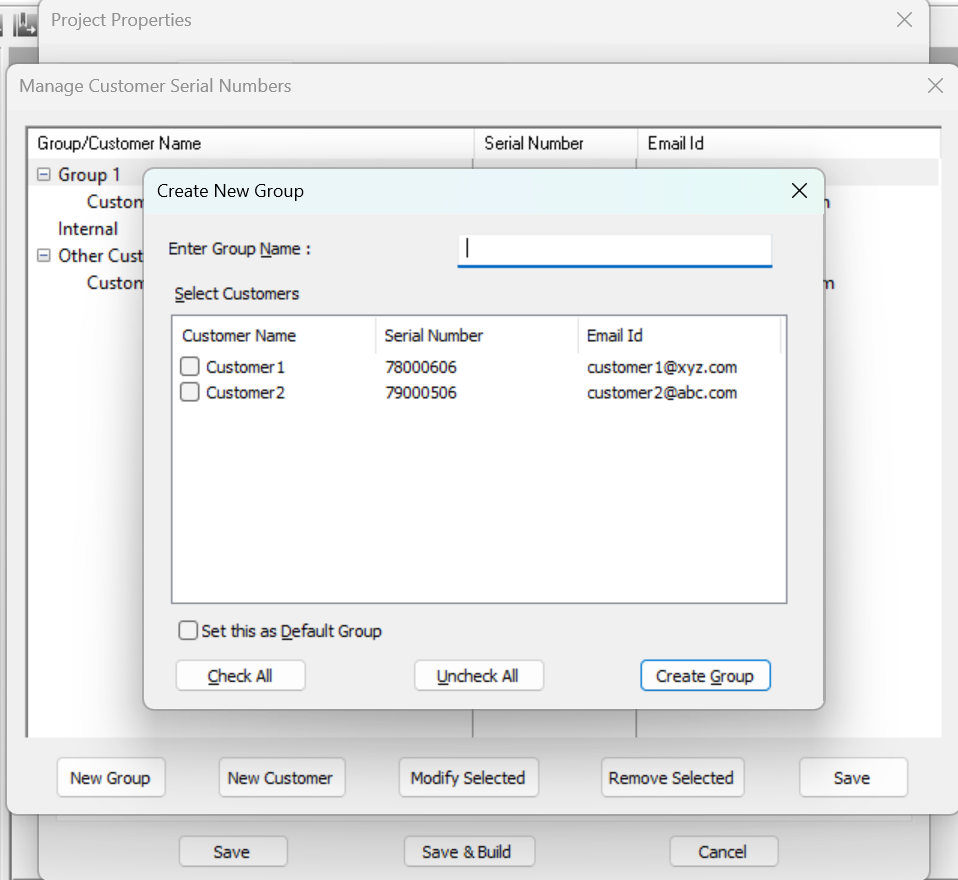
Other options that provide flexibility to the developer are:
- Restrict opening the project in educational mode: The ‘Restrict opening the project in educational mode’ option is used to specify whether the TCP should be enabled in educational mode or not. If this option is selected, the project cannot be executed when TallyPrime is in Educational Mode.
- Ignore Errors: If the option Ignore Errors is selected, then during the time of build, the errors in the project files will be ignored, and TPD will continue with the build. This option gets automatically disabled if the format selected for compilation is Inscribed V1 or Inscribed V2.
Is this information useful?
YesNo


