
File GSTR-3B Manually on the GST Portal
To file GSTR-3B manually, you can refer to the values in GSTR-3B of TallyPrime and file it manually on the GST portal.
Generate GSTR-3B in the MS Word Format → File GSTR-3B on the Portal
Before you begin | Prerequisites
When you enter the GSTR-3B values on the GST portal, ensure that the values are correct. Once you file GSTR-3B, it cannot be revised.
Generate GSTR-3B in the MS Word Format
- In the GSTR-3B report, press Alt+P (Print) and select Return Form from the menu.
The Print Report screen will appear. - Press Enter.
The details for GSTR-3B will be created in the MS Word format. - Press Ctrl+S to save the MS Word file.
File GSTR-3B on the Portal
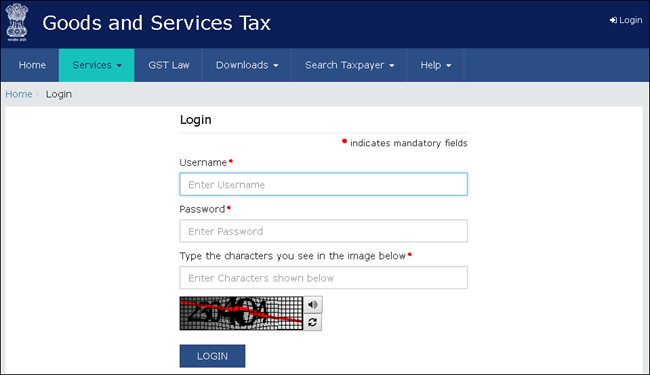
- Log in to the GST portal with your registered Username and Password.
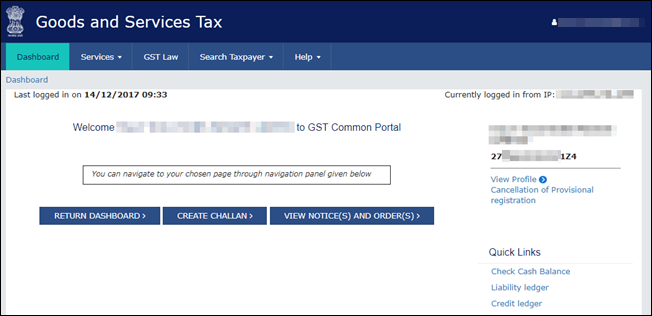
- Go to Dashboard > RETURN DASHBOARD.
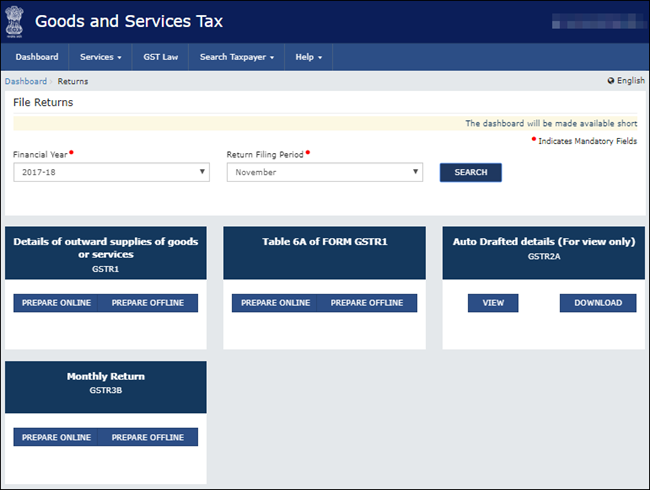
- Under Monthly Return GSTR-3B, click PREPARE ONLINE.
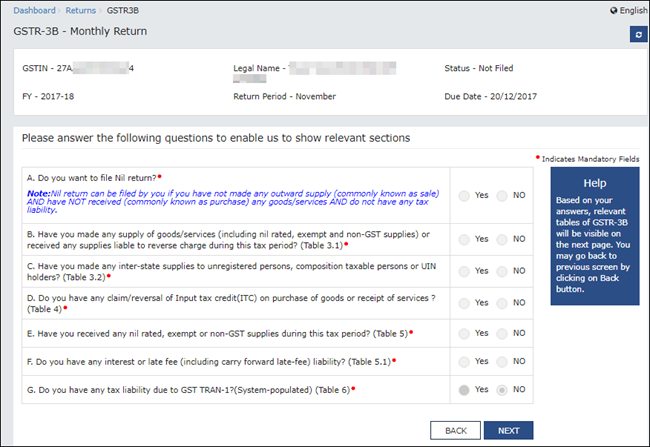
- Select the required options in the GSTR-3B dashboard and click NEXT to proceed.
Depending on your selection, the relevant sections of GSTR-3B will appear in the next screen.
- Prepare GSTR-3B.
- Click each section and enter the details.
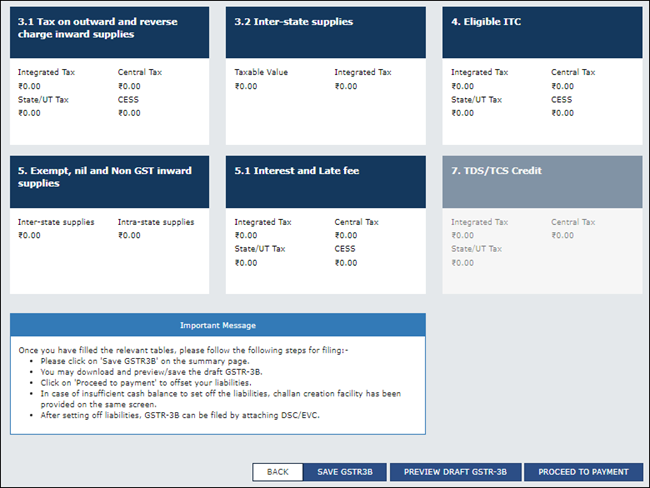
- Click CONFIRM in each section after providing the details.
- Click SAVE GSTR3B to save the details.
- Click each section and enter the details.
- To download the preview form and check the details, click PREVIEW DRAFT GSTR-3B.
You can update any of the details, if needed.You can retain the draft for 15 days and then go on to make the payment. It is important to note that the GSTR-3B gets filed only after a successful payment of your net liability, if applicable.
- Click PROCEED TO PAYMENT to view the available Input Tax Credit.
You can update the values, if required. - Confirm the Input Tax Credit that has to be recorded against the payable value.
For the balance amount payable, a challan will be generated automatically with the relevant details, and the payment options will appear.
Once you make the online payment, the Payments table will appear. - Click PROCEED TO FILE, select the authorised signatory, and click SUBMIT using EVC or DSC verification, as needed.
Question & Answer
Do I always have to enter the values on the GST portal to file GSTR-3B?
No, there are multiple other ways through which you can file GSTR-3B.
- File GSTR-3B After Uploading Directly TallyPrime | Download, Reconcile, Upload, and File.
- File GSTR-3B by Exporting JSON File from TallyPrime.
- File GSTR-3B Using GSTR Offline Tool.
Is this information useful?
YesNo


