
The field Assessable Amount (Total Amount – Discount) must match the regular expression ^\d+.?\d{0,2}$.
Cause
This error occurs if the discount ledger is configured under the Sales Account with:
- Type of Ledger as Discount.
- GST applicability enabled.
Resolution
- Press Alt+G (Go To) > e-Invoice > press Enter.
- In the e-Invoice report, select Rejected by e-Invoice System and press Enter.
- Drill down to the transaction with reason for rejection as the field Assessable value must be a positive value.

- Update the discount ledger.
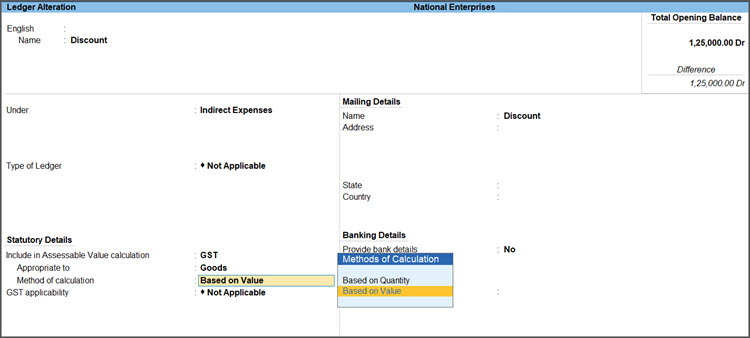
- Select the discount ledger and press Ctrl+Enter to open it in the alteration mode.
- Under: Select Indirect Expenses from the List of Groups.
- Type of Ledger: Not Applicable.
- Include in Assessable Value calculation for: GST.
- Appropriate to: Goods.
- Method of Calculation: Based on Value.
- Press Ctrl+A to save the ledger.
- In the e-Invoice – Voucher Register, drill down to the transaction and press Ctrl+A to save.
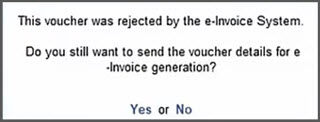
- When prompted, press Y or Enter to generate e-Invoice for the transaction and enter your e-Invoice credentials.
The e-Invoice gets generated. The voucher also gets updated with the Ack no. and IRN.
Is this information useful?
YesNo


