
e-Way Bill Rejected due to Invalid transporter mode or Transporter document date
Cause
You may encounter the following errors, when the Transport Mode or Transport Date under Transport Details are either not selected or an invalid value is entered.
Resolution
- In the Voucher Alteration screen, set Provide e-Way Bill details to Yes.
- In the e-Way Bill Details screen, update the Mode and Date under Part B of Transport Details.
Ensure that the date is either the same as or later than the invoice date.
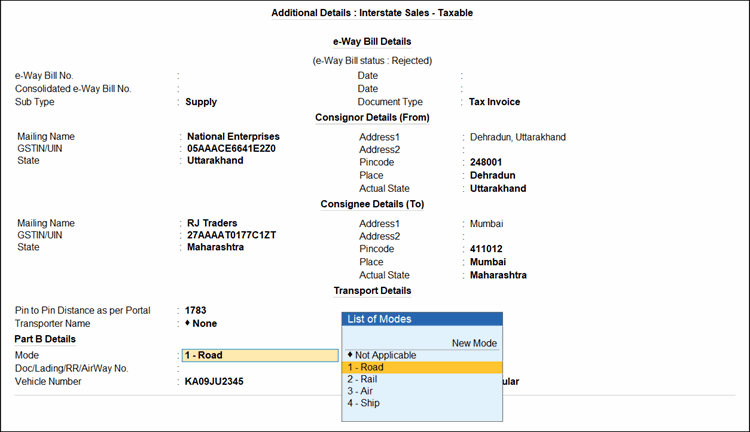
- Press Ctrl+A to save.
Is this information useful?
YesNo


