
Viewing Analyser or Execution Options
You can view the compiler/execution options from the active project properties.
To view the project’s analyser/execution options
- Go to File > Active Project Properties > Analyser /Execution Options.
The Analyser/Execution Options screen appears as shown below:
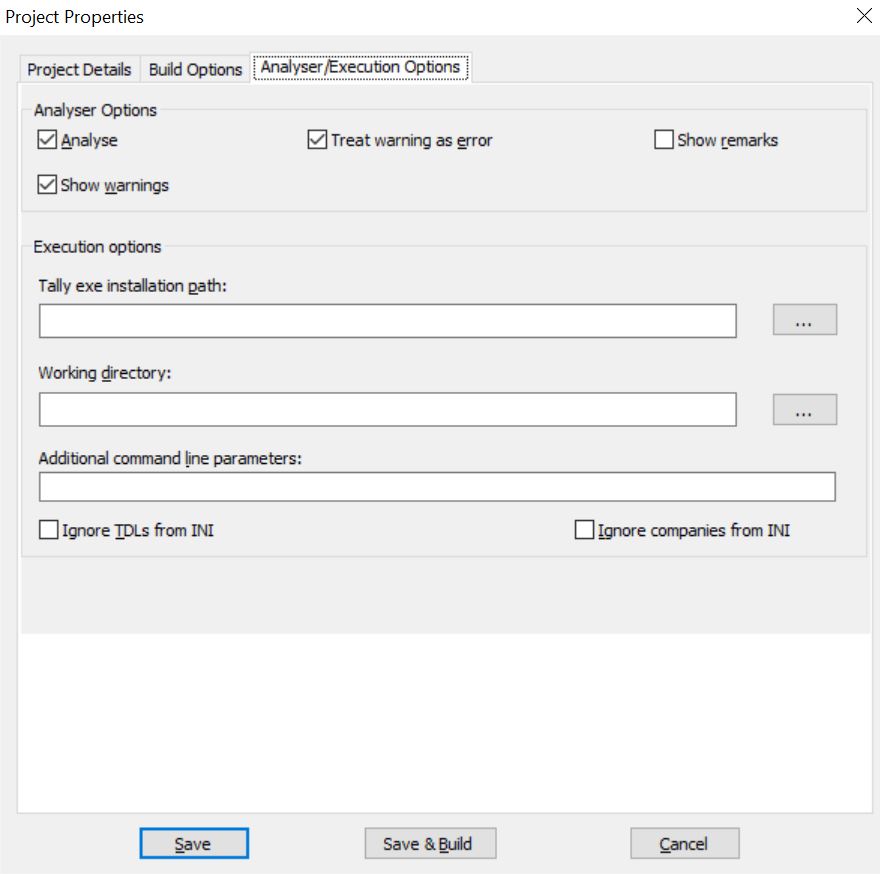
- Analyser Options:
- Analyze – Select this option to view possible run-time errors.
- Show warnings – Select this option to view warnings during compilation.
- Treat warning as error – Select this option for the compiler to treat warnings as errors.
- Show Remarks – Select this option for the compiler to display remarks if any.
- Execution Options: These options specify all the execution options related to the current project. Using these options, a project will execute as per the properties specified. Click here for more details on Execution Options.
Compile formats
TallyPrime Developer creates an encrypted file (TCP), which can be compiled to load with TallyPrime. Compilation refers to the process of creating a TCP.
To alter the Build Options
- Go to File > Active Project Properties > Build Options.
The Build Options screen appears as shown below:
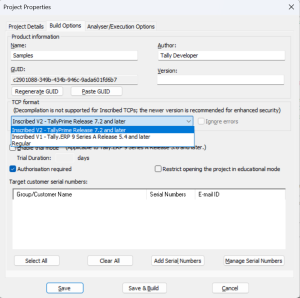
- TCP format: TallyPrime Developer supports the following options in the TCP format field – Regular, Inscribed V1, and Inscribed V2.
- Regular: Compatible with all supported TallyPrime releases.
- Inscribed V1: Compatible with Tally.ERP 9 Series A Release 5.4 and later. The Ignore errors option gets disabled when this format is selected.
- Inscribed V2: Compatible with TallyPrime Release 7.2 and later. The Ignore errors option gets disabled when this format is selected. To learn more, see the Inscribed V2 FAQ.
Decompilation is not supported for Inscribed TCPs; the newer version (Inscribed V2) is recommended for enhanced security.
The Default TDL of TallyPrime is required to create a TCP, except when the Regular format is used with the Ignore errors option turned on.
- Enable Trial Mode: This option allows compilation of the TCP file for a certain period. This feature can be used by developers to provide the tcp to the customers for evaluation, for a limited period of time.
Is this information useful?
YesNo


