
View TDS Variance Report in TallyPrime (Payroll)
The TDS Variance report shows the TDS amount payable but not yet paid for specific employee groups or all employees. It helps the employer identify pending amounts and ensure recovery in subsequent months.
- Press Alt+G (Go To)> type or select TDS Variance > and press Enter.
- Select the required employee or employee group.
The Variance report displays the Actual TDS amount collected in each month and month wise variable amount.
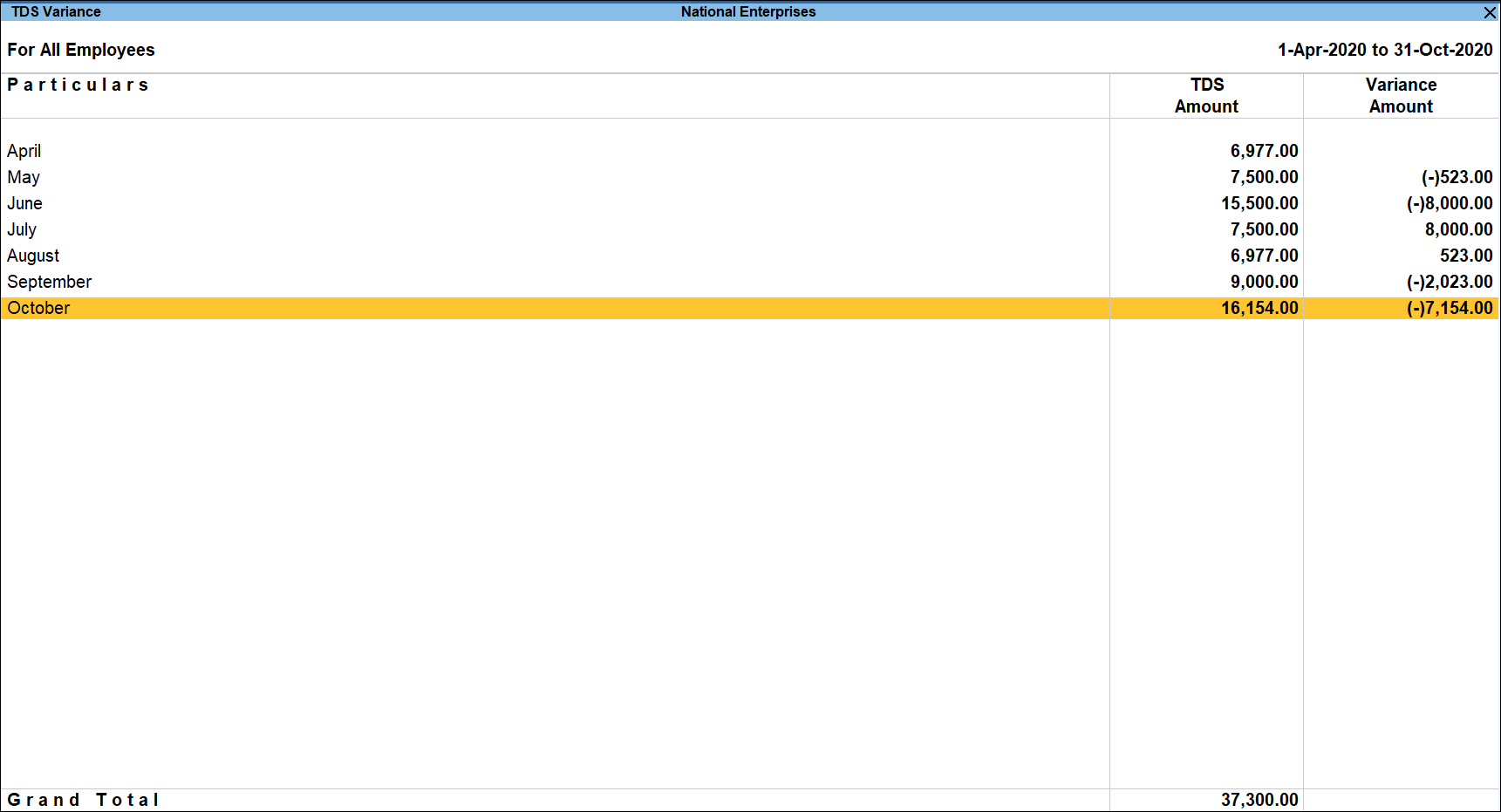
- Press Enter on the required month to view the Employee wise Tax details along with Variance.
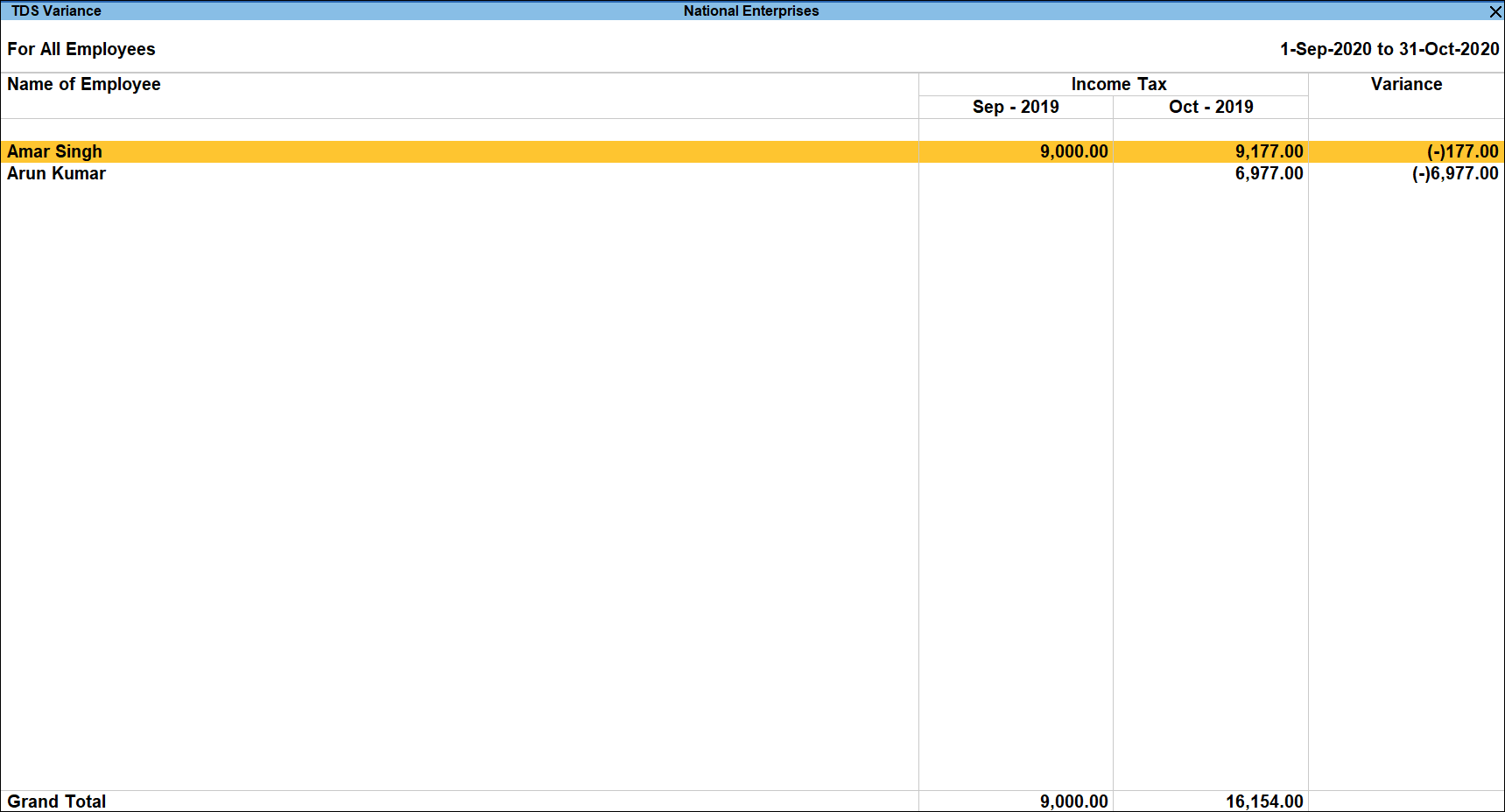
- Press Enter on the required Employee to view the Employee Vouchers.
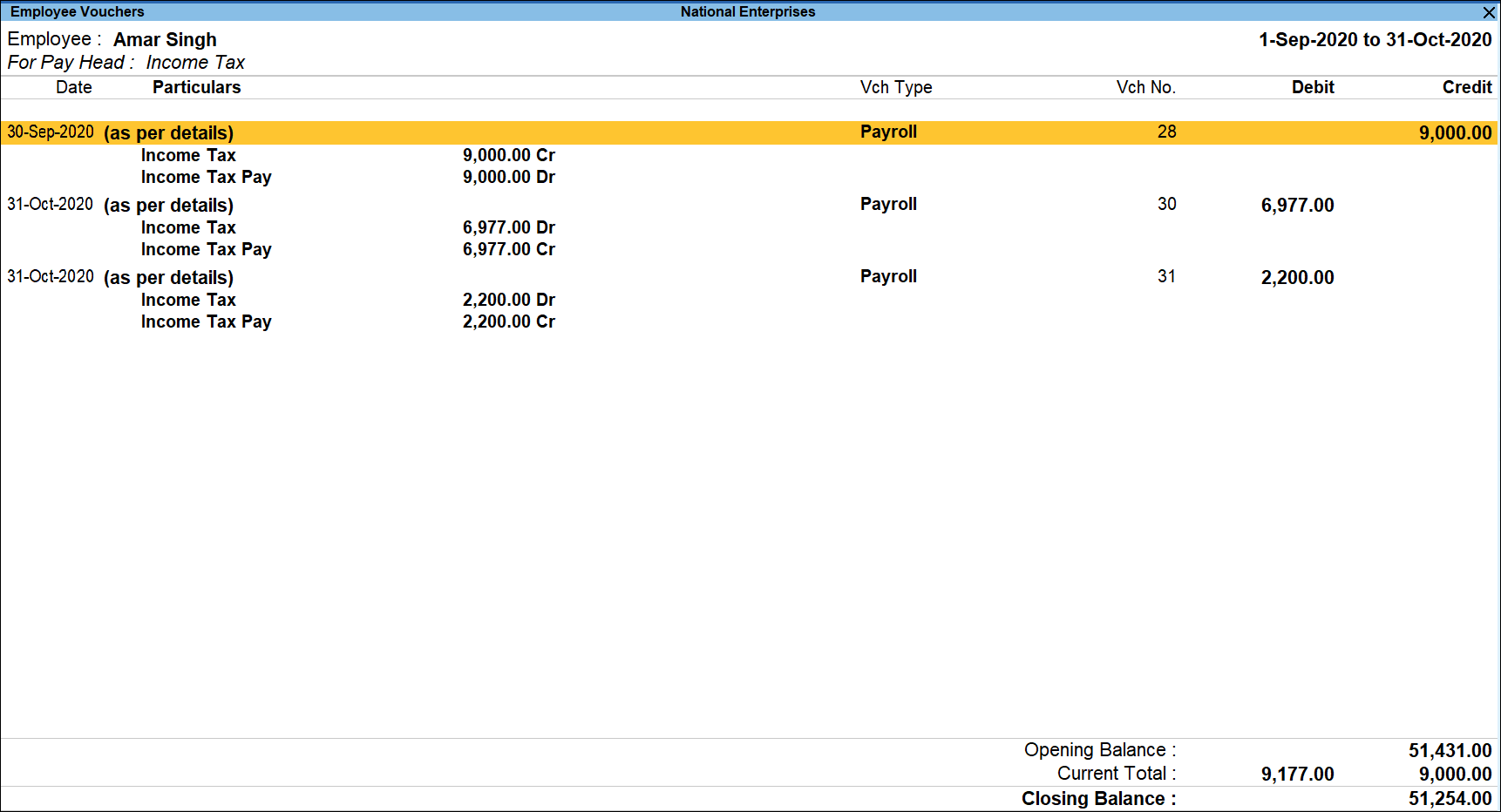
- Pressing Enter from the above report displays the respective Payroll Voucher.
Is this information useful?
YesNo


