
View Income Tax Computation Report in TallyPrime (Payroll)
The Computation Report displays employee-wise income tax computation in the Form 16 format. In addition to the total tax payable, it shows the tax already paid, the balance tax payable, and the tax to be deducted in subsequent months.
The report format differs for the regular tax regime and the tax regime under Section 115BAC, due to the non-applicability of certain deductions and exemptions in the new tax regime.
Income Tax Computation Report
- Press Alt+G (Go To) > type or select Computation > and press Enter.
- Select the required Employee and press Enter.
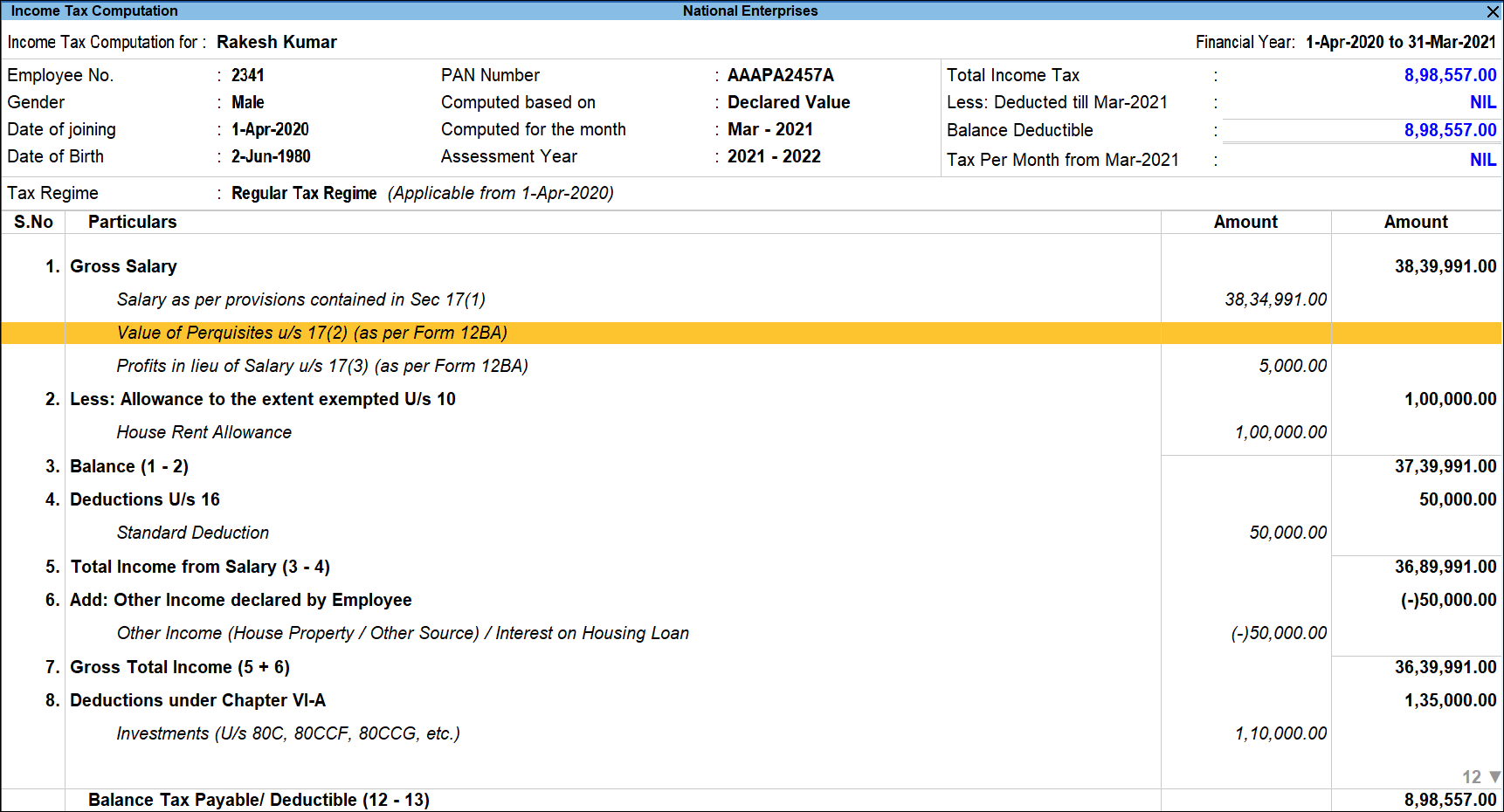
The report displays employee details at the top, with an overall tax deduction snapshot shown in the top-right corner. The remaining section presents the values of each income tax component.
Press Enter on any line displayed in italics to view the detailed computation for the selected income tax component.
Press Ctrl+Enter on any line displayed in italics to open the Income Tax Setup screens, as defined in the Tax Configuration master setup. - To view the tax computation of another employee, press F4 (Employee).
- To view all the income tax components, press F7 (Show All).
- To view the computation as per the proof value submitted by the employee, press F8 (Proof Value) or press Ctrl+B (Basis of Values).
- To override the tax deduction, press Alt+B (Override Tax) and enter the required details.
- To alter the employee master of the selected employee, press Alt+R (Employee Alter).
TallyPrime Release 5.0 introduces the latest income tax slab rates for the new tax regime as per the Finance Bill 2024–25, while retaining the existing experience of viewing the Income Tax Computation report. For details on the updated slab rates, refer to the Finance Bill (No.2) 2024-25 topic.
TallyPrime Release 3.0 introduces the latest income tax slab rates for the new tax regime as per the Finance Bill 2023–24, while maintaining the same experience for viewing the Income Tax Computation report. For more details on the updated slab rates, refer to the Changes as per Finance Bill 2023-24topic.
HRA Computation for the Selected Employee
- Bring the cursor on House Rent Allowance and press Enter.
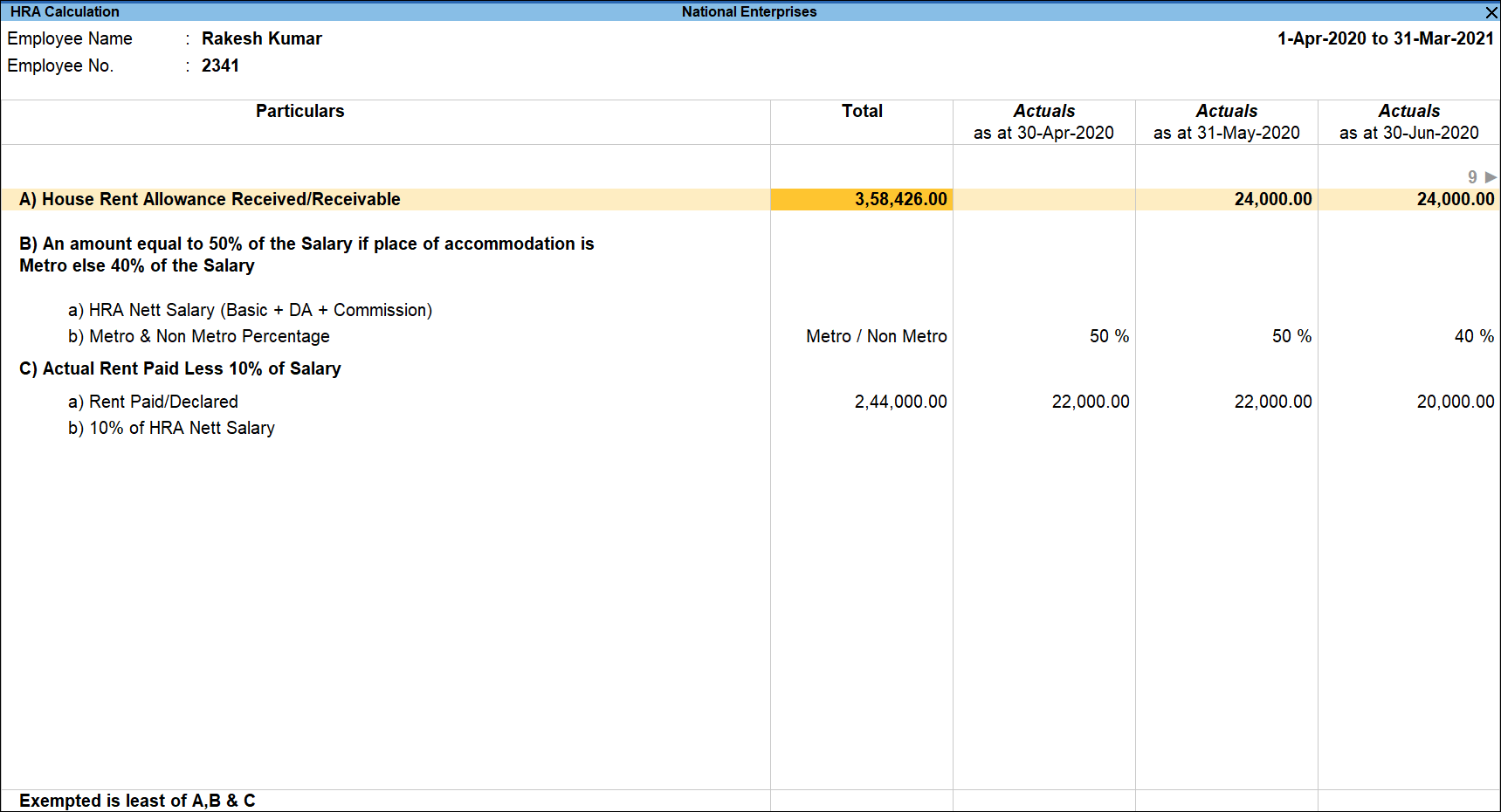
Similarly, the Computation for all the components can be viewed.


