
View GST Reverse Charge Supplies Report in TallyPrime
For TallyPrime 3.0 & later
|For TallyPrime 2.1 & earlier|
The Reverse Charge Supplies report in TallyPrime displays transactions of purchases and journal vouchers recorded for stock items under reverse charge. With this report, you can:
- Get a quick view of tax liability from reverse charge purchases.
- Record the adjustment entry to update liability and input tax credit in your books.

- Ensure that the Stock Items and Service ledgers are configured as Applicable for Reverse Charge.
View Reverse Charge Supplies
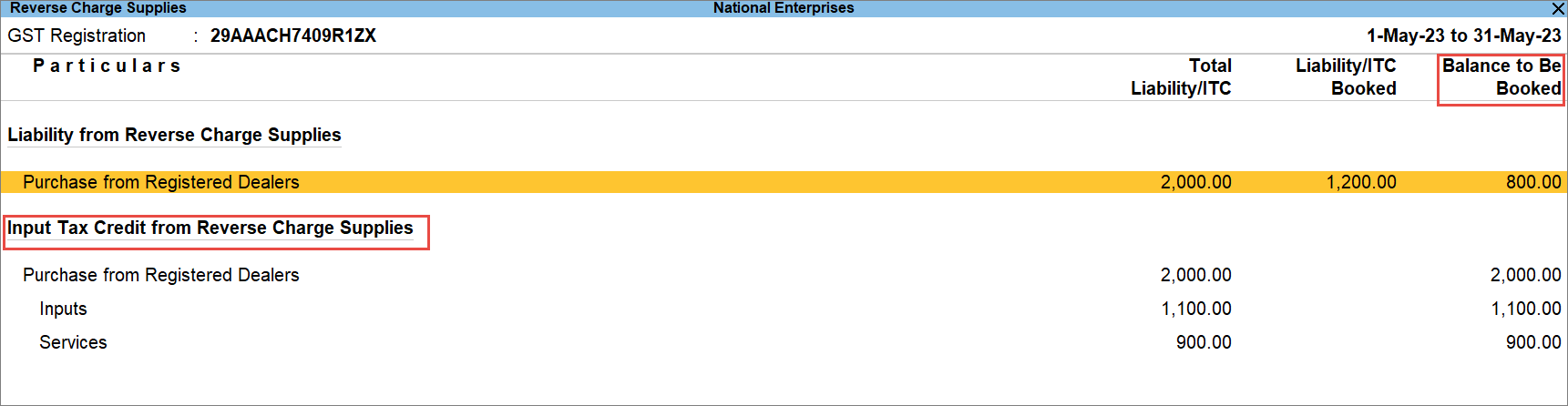
In this report, you can view the liability and ITC booked from the reverse charge supplies. You can also manage stat adjustments using the report.
- Press Alt+G (Go To) > type and select Reverse Charge Supplies, and press Enter.
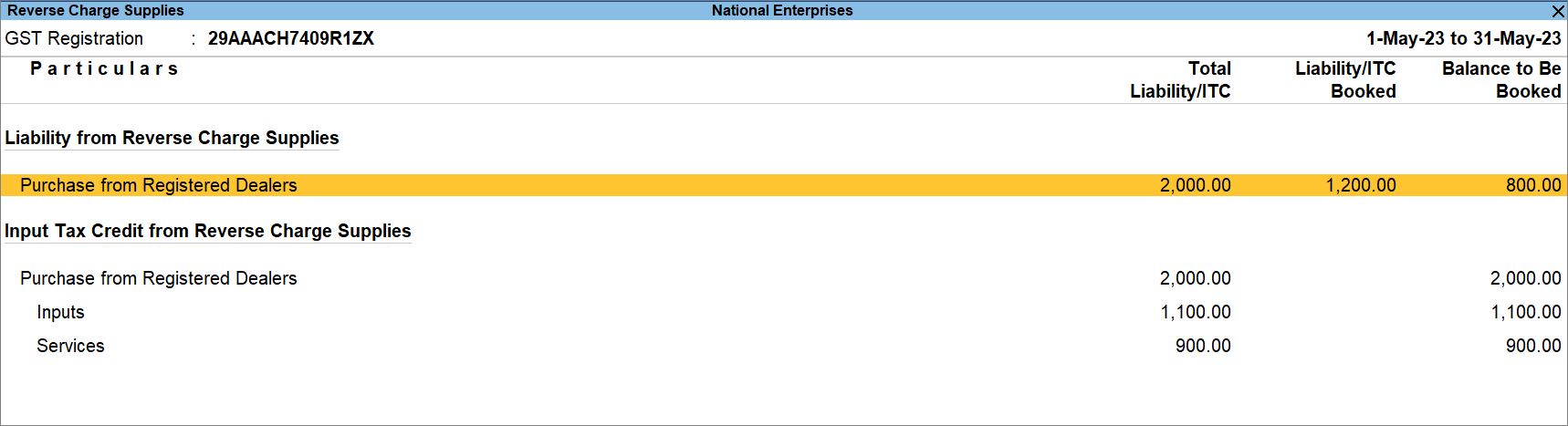
- Drill down further from Purchase from Registered Dealers or any other section.
You can also use the report record journal vouchers for booking the pending liability.
View Total Eligible Input Tax Credit (ITC)
Knowing the eligible ITC allows you to avoid:
- Experiencing loss by claiming less ITC.
- Attracting penalties by claiming excess ITC.
- Press Alt+G (Go To) > type and select Reverse Charge Supplies, and press Enter.
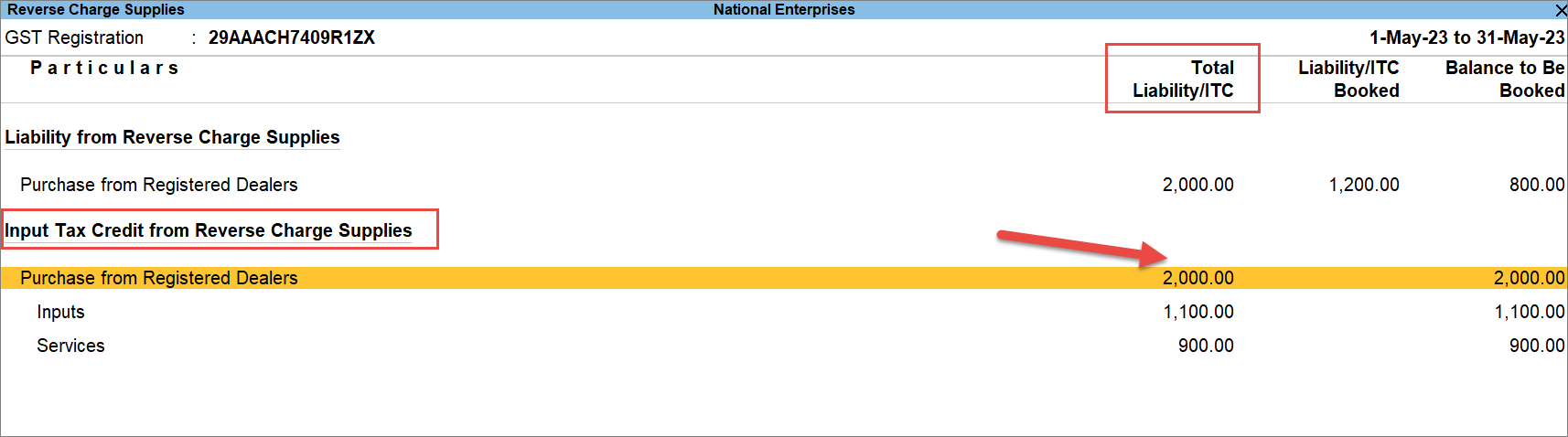
Under the column Total Liability/ITC, you get to know the eligible ITC that you can book. - Drill down further from a section under Input Tax Credit from Reverse Charge Supplies.
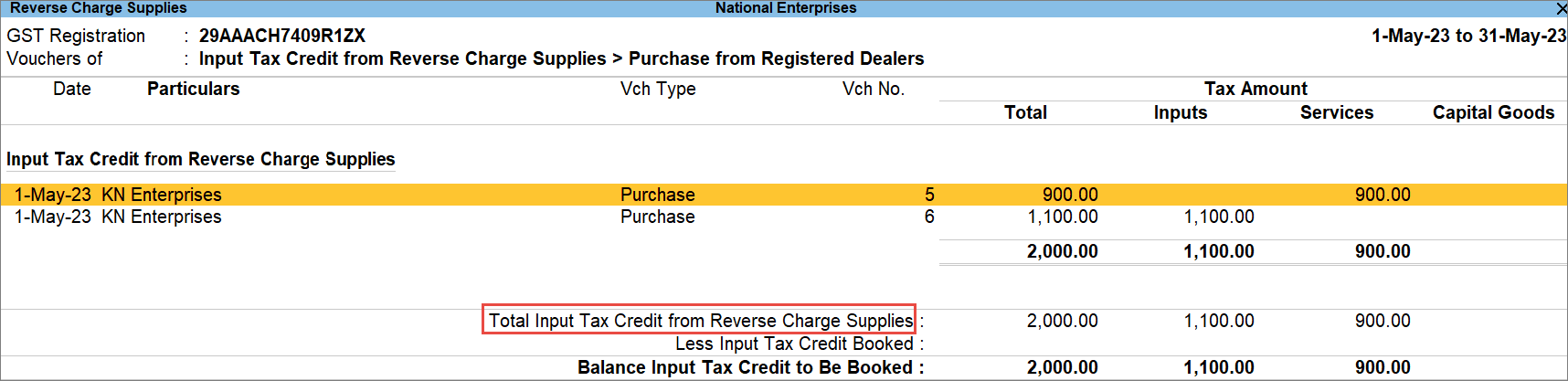
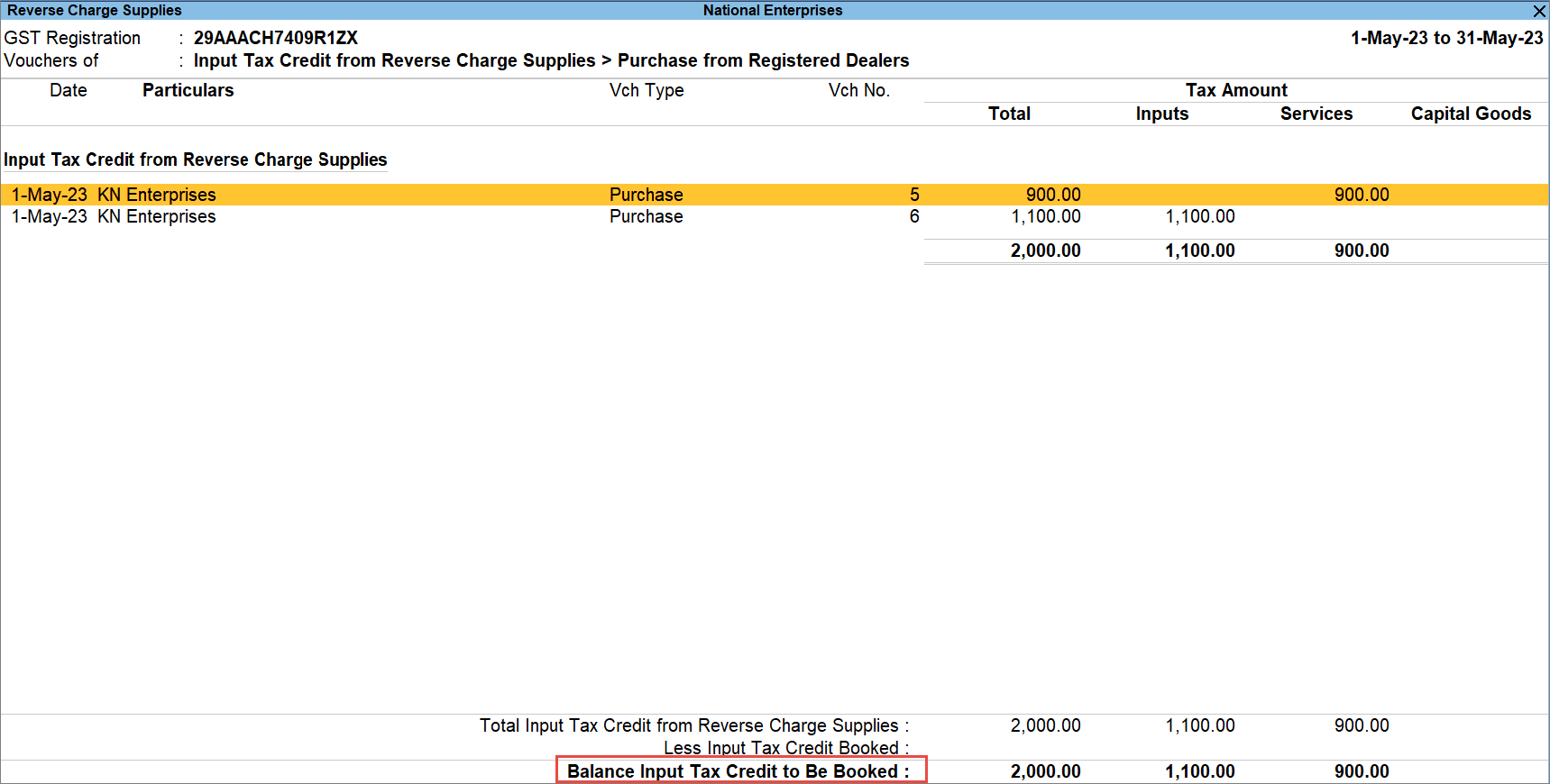
You can view the individual transactions and the Total Input Tax Credit from Reverse Charge Supplies.
View Input Tax Credit (ITC) to be Booked
You would want to know the balance ITC to be booked and claim it in the selected period.
- Press Alt+G (Go To) > type and select Reverse Charge Supplies, and press Enter.
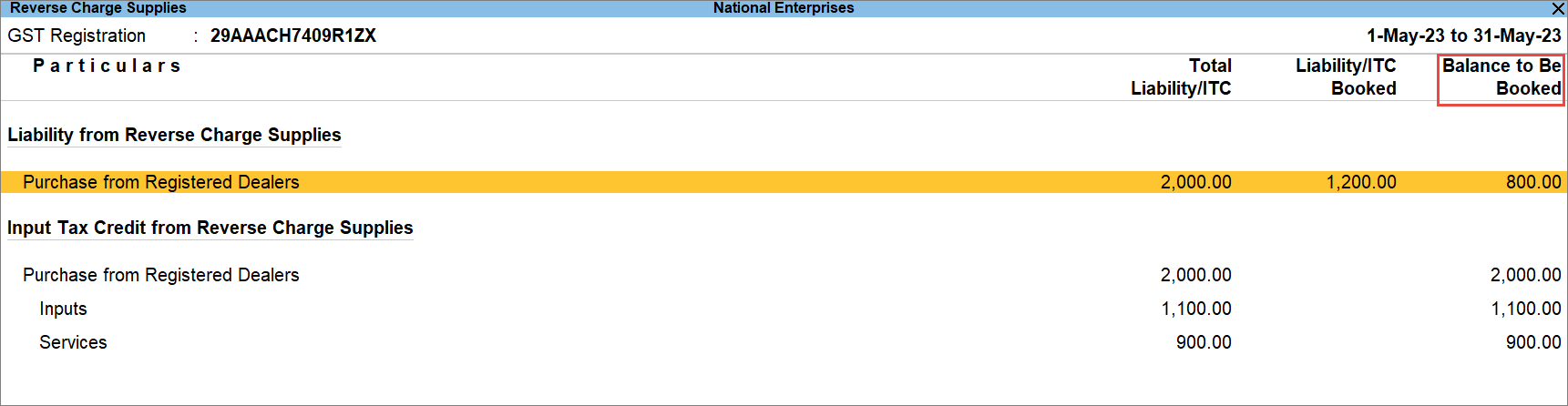
In this report, you can view the Balance to Be Booked. - Drill down further from a section under Input Tax Credit from Reverse Charge Supplies.
You will get to know the transactions against which ITC is to be booked and the Balance Input Tax Credit to be Booked.
Questions & Answers
- How can I enable Reverse Charge only for specific purchase transactions without making the item or service permanently subject to RCM?
Instead of configuring the stock item or service ledger as permanently applicable for RCM, you can mark the item as Reverse Charge applicable directly in the voucher for specific transactions.
- How can I verify the GST liability calculated under Reverse Charge before saving a purchase voucher?
Open GST – Tax Analysis and switch to Detailed View (Alt+F5) to review the reverse charge tax amount calculated for the transaction.
- Where can I validate the impact of RCM purchases on GST returns?
RCM purchase transactions are automatically reflected in GSTR-3B under Tax on Outward and Reverse Charge Inward Supplies, making it easy to verify tax liability reporting.
- How does TallyPrime handle purchases from unregistered dealers under RCM?
TallyPrime determines whether the transaction is intra-state or inter-state based on the supplier’s location and records the RCM liability accordingly.
Is this information useful?
YesNo


