
View Salary Projection Report in TallyPrime (Payroll)
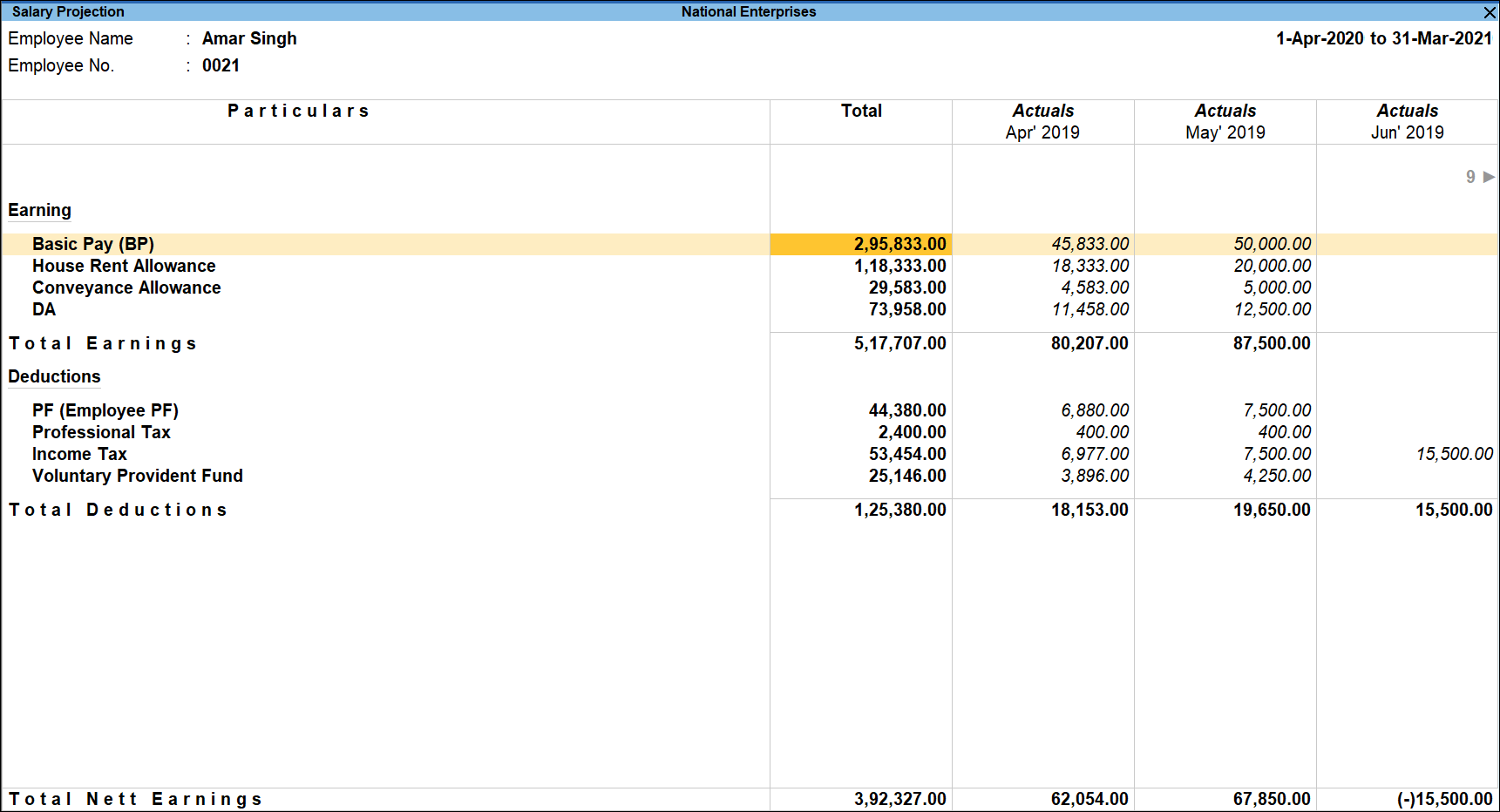
The Salary Projection report shows the Earnings and Deduction pay head values considered for income tax for selected employees. It provides a 12-month projection and displays actual values for months where payroll has already been processed.
- Press Alt+G (Go To) > type or select Salary Projection and press Enter.
- Select the required employee from the List of Employees.
- The Actuals column displays the earnings, deductions, and net values for the months in which salary has already been processed.
- The Projection column displays the projected earnings, deductions, and net values for the remaining months.
- Press F4 (Employee) and select any other employee as required.
Is this information useful?
YesNo


